The Best Baby Monitor Buying Guide For New Parents (2026)
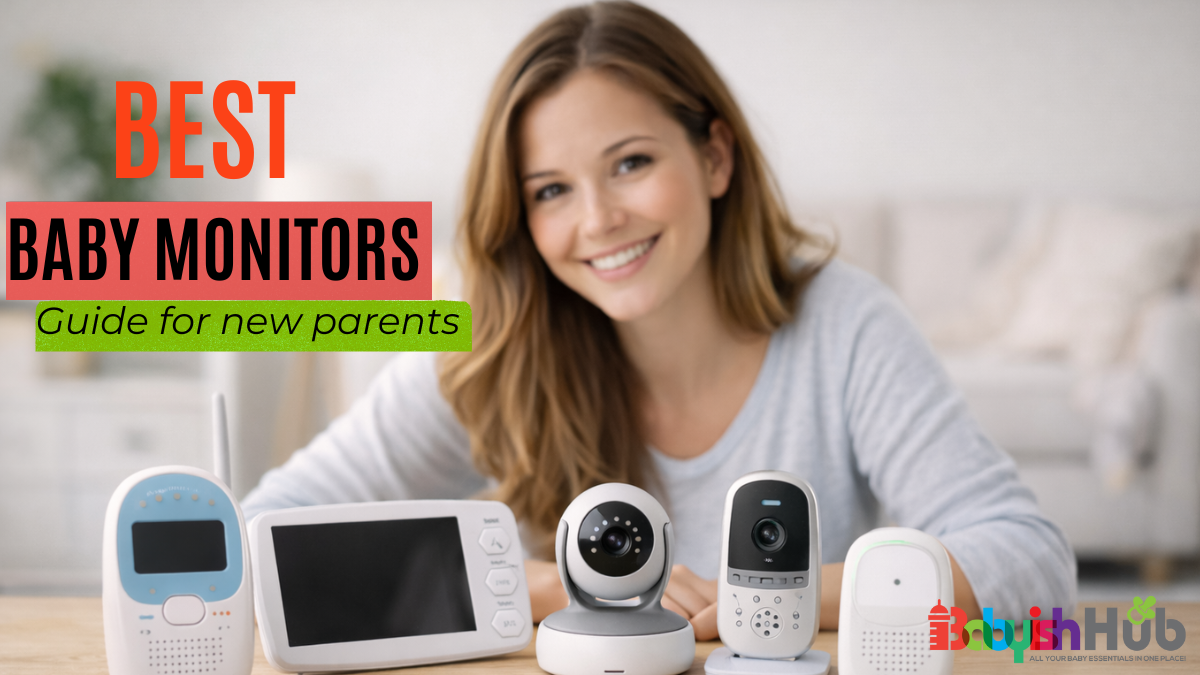
As an experienced mom of three, I can tell how the first nights with your baby feel (it’s beautiful and overwhelming at the same time). You finally get them to sleep, tiptoe out of the room, and then find yourself holding your breath, listening to every little sound; Is that a cry? Is he/she too quiet? Should I go check again?
This constant worry comes from LOVE, but it can also become exhausting pretty quickly.
While having the best baby monitor won’t take away all your fears, it will save you from having to peek into the nursery every few minutes. The CHALLENGE with baby monitors is figuring out which one is actually helpful, which features matter, and how to use it safely.
In this baby monitor buying guide, I will teach you everything you need to know about baby monitors from my 8+ years of parenting 3 little humans and reviewing countless baby gear products.
You’ll learn how to choose your first baby monitor, safety concerns and placement tips. I’ll share my own personal tips on how to use your monitor as a supportive tool so you can rest a little easier while your baby sleeps.
Let’s do this…
Do You Really Need A Baby Monitor?
A baby monitor might not be necessary for you if your baby sleeps in your room. Many parents who share rooms with their little ones can easily hear every stir or cry without using a monitor.
However, you need a baby monitor if your little one sleeps in a separate room. The monitor lets you hear or see your baby without having to walk in and wake them. This can come in quite handy during naps or nighttime feeds.
Take, for instance, if you get a video baby monitor that lets you see your baby’s position or movements from your room, without necessarily going to their nursery.
Sharing a room with your baby for at least the first six months is highly recommended. And if your baby is in your room, then buying a monitor is optional.
But if your baby is in a separate nursery, then you’ll need a baby monitor. It will give you peace of mind and help you respond quickly when needed.
That being said, allow me to share a tip from my own personal experience:
Avoid Over-Monitoring Your Baby!
Many experienced parents will agree with me that relying too much on a monitor can sometimes create more anxiety than it relieves.
While a baby monitor will definitely help ease your worries, you should avoid constantly watching or listening as this can disrupt your sleep and increase stress.
That’s the last thing you want as a new mom! And for this reason, I strongly advise you to use the baby monitor as a helpful tool, but NOT a replacement for checking in and connecting with your baby directly.
Types of Baby Monitors Explained
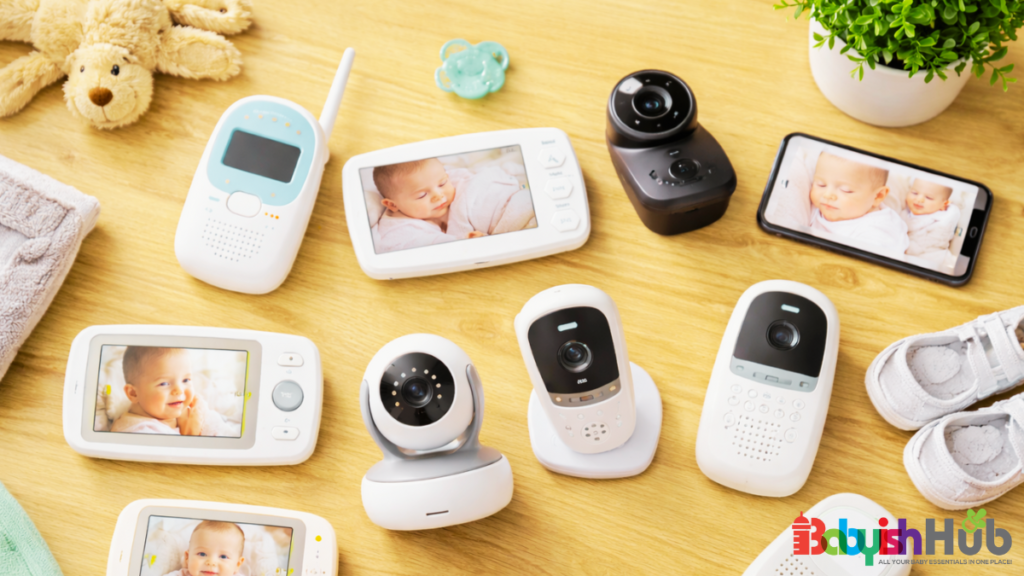
Choosing your first baby monitor can feel quite overwhelming, so let’s make this simple.
Below, we share the main types of baby monitors and what each of them offers you so you can easily decide which one works for you:
Audio Baby Monitors
Audio baby monitors are simple, low-tech devices that help you monitor your baby by transmitting sound from your baby’s room.
Audio monitors are easy to set up, highly reliable, and usually ideal for small homes where you don’t need a video feed.
Video Baby Monitors
Video baby monitors come with a camera that enables you to see your baby in real time.
Many video monitor models come with helpful features such as night vision, pan/tilt options, recording, and sound alerts.
All these features make them ideal for visual checks without entering the baby’s room.
WiFi Baby Monitors
As the name suggests, WiFi baby monitors’ functionality relies on an internet connection.
These monitors let you view your baby through a smartphone app, even when you’re away from home.
They’re convenient if you’re looking for something that offers you remote monitoring.
However, WiFi monitors come with privacy concerns, so you need to secure them with strong passwords and use secure networks to prevent hacking.
Also, smart WiFi baby monitors are expensive compared to basic monitors.
You may be interested in this guide: Can You Use Alexa As a Baby Monitor?
Non-WiFi Baby Monitors
Non-WiFi baby monitors transmit audio or video directly to a dedicated receiver without relying on the internet connection.
Because they don’t involve using the internet, no-WiFi baby monitors are less prone to hacking and often more reliable in areas with poor internet.
You may want to check this WiFi Vs Non-WiFi baby monitors post on how the two models stack up against each other
Baby Movement Monitors
Movement baby monitors utilize special sensors to help you track your baby’s breathing, movement, or sleep patterns.
These types of monitors can offer you peace of mind, but I don’t recommend using them as a replacement for standard monitoring or safe sleep practices. Also, it’s worth keeping in mind that in most cases, these baby monitors cost more than the other models above.
I urge you to understand the limitations of these devices and avoid over-relying on them.
Baby Monitor Types Comparison Table:
Here’s a quick comparison table for different types of baby monitors to give you a clear picture of how they stack up against each other
Baby Monitor Safety Concerns Parents Should Know
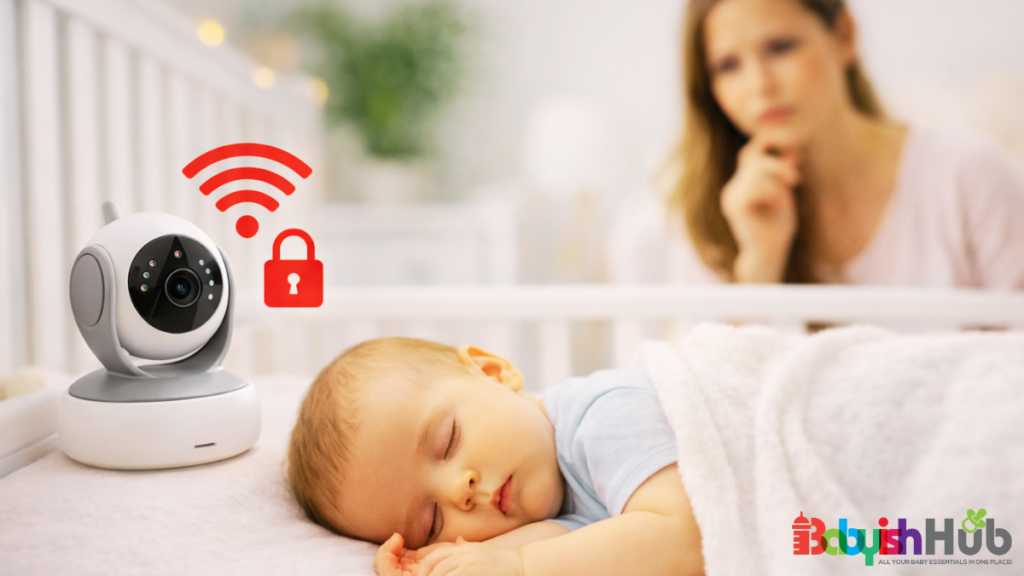
Keeping your baby safe is the number one priority, and understanding how monitors fit into that picture can save you a lot of worry.
Let’s take a closer look at some top safety concerns you MUST know about baby monitors:
Can Baby Monitors Be Hacked?
While it’s rare, Wi-Fi monitors can be hacked if they’re connected to unsecured networks. (Check out this post on how to tell if your baby monitor is hacked). This sounds scary, but a few simple actions can help keep your monitor secure.
Here are my recommendations for keeping your baby monitor hackerproof:
- Use strong, unique passwords: Make sure you change the default password that comes with your unit
- Keep the device firmware updated: Regularly check for updates for your monitor and router firmware to keep away from any vulnerabilities that hackers may exploit.
- Turn off the remote viewing option: If you’re only using your monitor within your home, disable the remote viewing feature. This acts as an extra layer of security against hackers.
- Keep your router secure: (I recommend using WPA2 or WPA3 encryption) to prevent unauthorised access to your home network. Additionally, you want to disable Universal Plug and Play on your router to further keep your network secure.
- Go for 2FA (two-factor authentication): If your baby monitor supports 2FA, enable it to give hackers a hard time. Personally, I have 2FA enabled on all my devices, not just baby monitors, and this has been a lifesaver!
- Use a non-Wi-Fi baby monitor: As I mentioned earlier, non-Wi-Fi monitors are unhackable, making them a safer choice if you want peace of mind without extra tech work.
PRO TIP: How do you know if your baby monitor has been hacked? Your baby monitor could be compromised if you notice it behaving in a strange way (e.g., moving on its own, strange audio, changed settings, unexpected blinking of lights, unfamiliar login alerts, etc.)
Baby Monitor Radiation Myths vs Facts:
Many parents worry about radiation from baby monitors.
But evidence shows that typical exposure from audio or video monitors is extremely low and not linked to health problems.
Choosing a low-power or non-WiFi model can further ease any concerns.
Safe Placement of Baby Monitor Cameras
A little thought about where to put your baby monitor goes a long way in keeping your baby safe.
You should place your baby monitor at a safe distance from the crib—at least a few feet away—to prevent cords from becoming a hazard.
If possible, consider wall mounting or shelf placement options.
This helps keep the cameras out of reach while still providing a clear view of your baby.
Always follow the manufacturer’s instructions for stability and safety.
Can Monitors Replace Safe Sleep Practices?
Monitors are helpful tools to have for parents, but I advise you against using them as a replacement for safe sleep basics.
Always follow the ABCs of safe sleep:
- Alone (no bedsharing)
- Back (sleeping on the back)
- Crib (in a safety-approved crib)
Monitors can’t prevent suffocation or unsafe sleep positions, so use them as a complement, not a substitute.
NOTE: Some months back, the FDA warned parents against falling for infant monitoring devices that promise to prevent sudden infant death syndrome (SIDS).
This further proves what I’ve been telling you all along: Don’t use your baby monitor as a replacement for your baby’s safe sleeping practices.
Key Features of A Baby Monitor Explained:
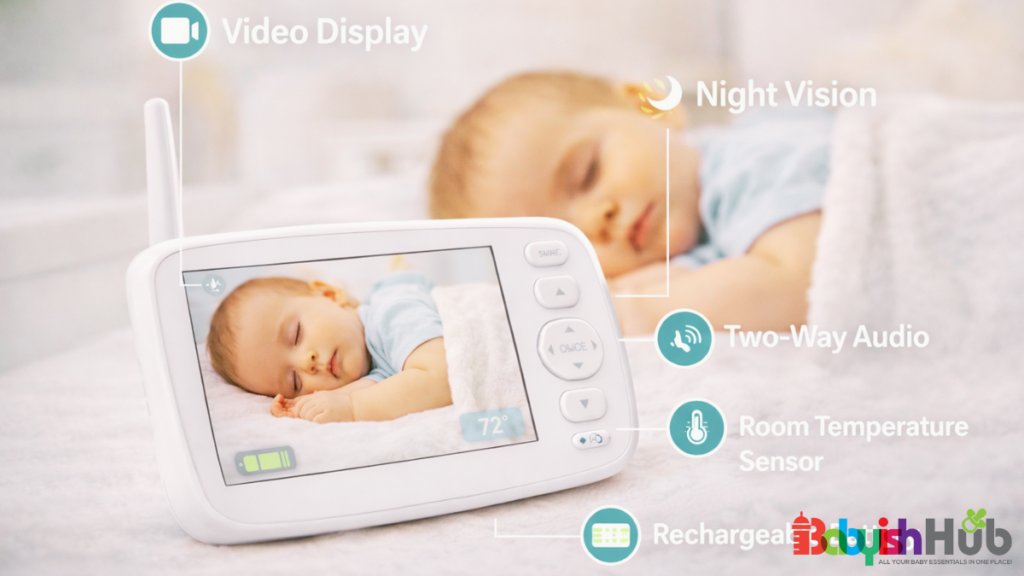
With so many features advertised, selecting the best baby monitor can quickly feel overwhelming. Some terms might make sense while others don’t. But understanding the basics will help you pick what works for you.
Here are the key features of a baby monitor:
Night Vision
Imagine trying to check on your baby in the dark? Well, this can be tricky. And that’s where night vision comes in handy.
Night vision allows you to see your baby clearly at night without turning on lights and disturbing their sleep.
This feature might not be essential for small rooms or if you sleep nearby.
But if your baby sleeps in a separate nursery, night-vision will give you peace of mind.
Two-Way Talk
Sometimes just hearing your voice can soothe your baby without going into the room.
The baby monitor’s two-way feature lets you talk to your baby remotely.
It’s great for comfort or gentle soothing, but it won’t replace a parent going in for feeding, diaper changes, or safety checks.
Temperature Sensors
Keeping the nursery comfortable is important, but not every monitor’s sensor is a must-have.
Some monitors display room temperature to help maintain a safe sleeping environment.
While this is a handy feature, parents often wonder how accurate is baby monitor temperature compared to a standard thermostat. Sensors can sometimes be finicky or show unfamiliar alerts, so it’s helpful to know what you’re looking at.
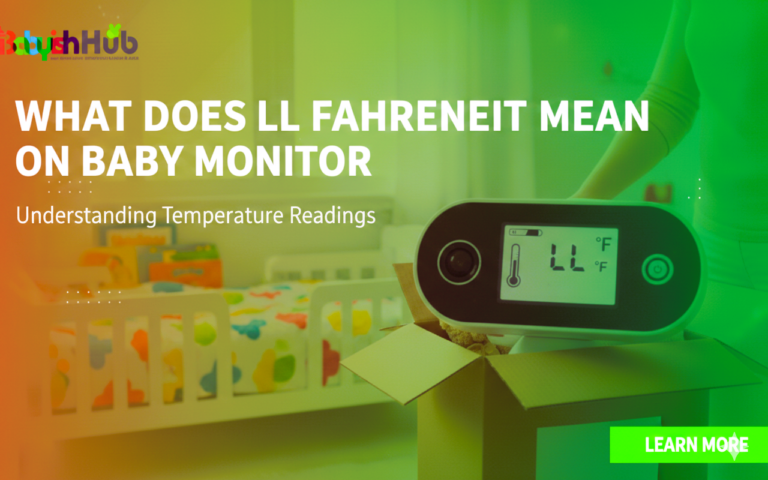
For instance, if your screen displays an error code instead of a number, you’ll want to know what LL Fahrenheit means on a baby monitor to troubleshoot the issue.
You can usually manage temperature with a thermostat or simple room checks; a digital sensor is a nice bonus, not a necessity.
VOX Mode
If you’re wondering “what does VOX mode mean on a baby monitor?”, here’s the answer:
VOX mode keeps the monitor silent until it detects sound, which can reduce constant background noise and extend battery life.
VOX mode keeps your baby monitor silent until it detects sound. The feature helps reduce constant background noise and extend battery life.
It’s particularly useful for light sleepers who don’t want the monitor buzzing all night.
Pan Tilt Zoom Cameras
If your nursery is large, having a baby monitor whose cameras you can move and zoom ensures you never miss a thing.
These cameras let you adjust the view remotely so you can follow your baby’s movements across the crib or play area.
But note that this feature is ideal for bigger rooms or if your baby tends to roll or crawl.
Split Screen for Twins
Got twins? Get a baby monitor with a split-screen feature. Thank me later.
Thanks to the split-screen feature, you can easily watch two little ones at the same time without juggling two monitors.
Split-screen or dual-camera monitors allow you to keep an eye on twins or siblings in separate spaces.
This way, you’ll enjoy a clear view of both without needing to invest in multiple devices.
How To Choose The Right Baby Monitor for Your Situation
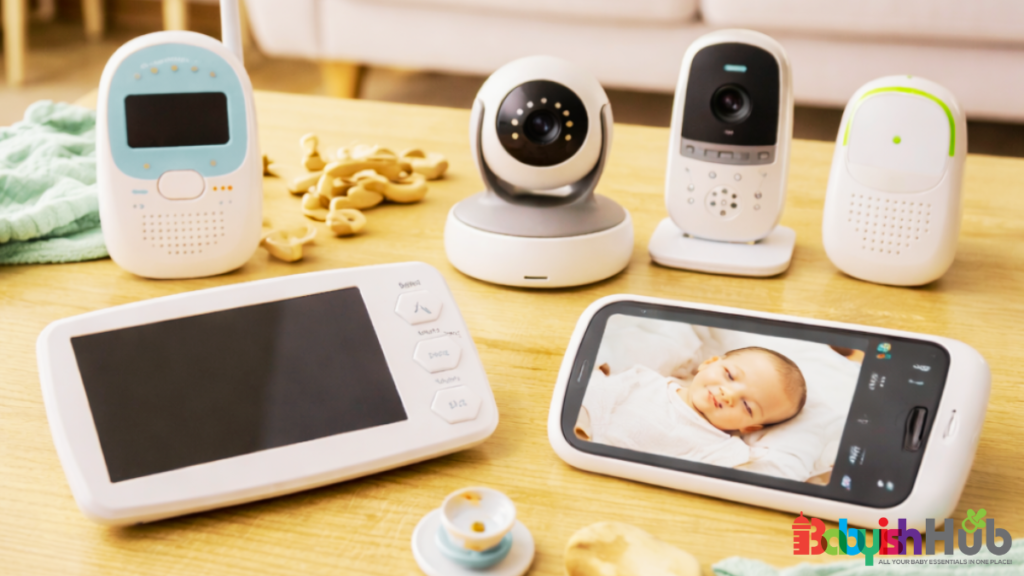
We also have different needs as moms, and what works for me might not work for another parent.
For this reason, I have included this section in our comprehensive best baby monitor guide to help break down which monitors will make life easier depending on your situation/needs.
Best Baby Monitor for Small Apartment or Room Sharing
If you’re sleeping close to your baby, you don’t need anything fancy. Just a short-range monitor will do the trick.
In smaller spaces or when sharing a room, simple audio or basic video monitors are often enough.
You can hear every stir and cry without worrying about long-range signal issues.
Compact monitors with VOX mode or night vision can still add convenience without the extra cost or complexity.
Best Monitor for a Large House
Big homes can make it hard to hear every stir, so I strongly recommend getting a monitor with a strong signal and long range.
Luckily, many monitors deliver with excellent range and clear reception, making them ideal for multi-story homes or larger layouts.
The video or Wi-Fi baby monitor options can help you see your baby from any room.
And extra features like pan-tilt cameras can ensure you never miss a movement, even if your baby is in a bigger nursery.
Best Baby Monitor for Travel
Are you on the go mom? If yes, a portable, battery-powered monitor will help keep an eye on your baby wherever you are.
Travel-friendly monitors are lightweight, easy to pack, and often battery-powered, so you don’t need to hunt for outlets.
Audio-only options work well for hotel rooms, while compact video monitors can give you extra peace of mind if embarking on longer trips.
If you’re fond of camping, a battery-operated camping baby monitor is your best bet.
And if your travels include long drives, a dedicated car camera for your baby can make monitoring even easier from the front seat.
Best Monitor for Twins or Multiple Rooms
If you have twins or children in separate rooms, multi-camera or split-screen baby monitors are a godsend option for you! Trust me.
Some of the monitor models even allow you to switch between cameras remotely, so you can check on both babies quickly without running back and forth.
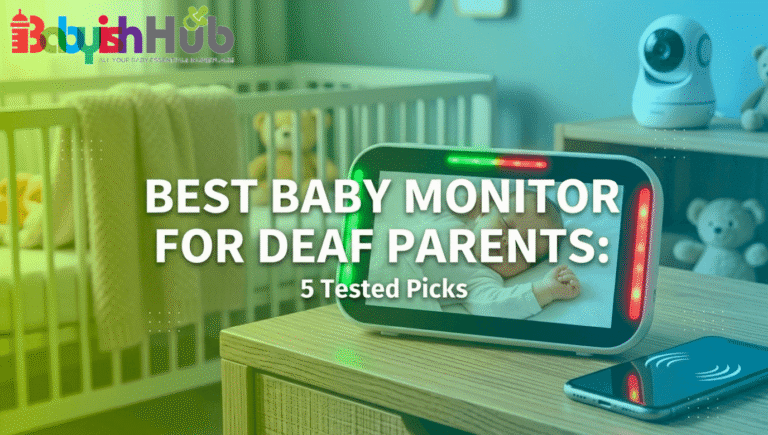
Best Baby Monitor for Deaf or Hard-of-Hearing Parents
If you are deaf or hard of hearing, standard baby monitors that rely only on sound are not enough. You need a system that converts audio alerts into strong visual or physical signals so you never miss your baby’s needs.
The best baby monitors for deaf parents use flashing lights, vibrating wearable receivers, and smartphone alerts. Some advanced models can send real-time notifications to your phone with loud sound replaced by bright visual cues or strong vibration patterns.
This allows you to stay aware even while sleeping, showering, or moving around the house without relying on audio at all.
Baby Monitors And Sleep: What You Need To Know
Sleep is precious for you and your baby. And having a monitor can help you rest easier without doing all the work for your little one.
That said, here’s what you need to know about baby monitors and baby sleep:
Do Baby Monitors Help Babies Sleep Better?
Monitors don’t magically make babies sleep, but they can give you the peace of mind you need to relax while your little human naps.
Baby monitors are NOT a replacement for good sleep routines, but knowing you can hear or see your baby without entering the room can help parents feel calm.
When you’re less anxious, your baby benefits too, because babies pick up on parental stress.
Think of monitors as a supportive tool for parents, not a sleep training shortcut.
Using A Monitor During Sleep Training
“A monitor lets you keep an eye on your baby without rushing in at every sound, helping both of you stick to your sleep plan.”
During sleep training, a monitor can be incredibly helpful. It allows you to check if your baby is truly awake or just stirring, so you can respond thoughtfully rather than reactively.
Video monitors, night vision, and VOX mode are especially useful for gentle observation without disturbing your baby’s sleep.
When To Stop Using A Baby Monitor
“Every family is different, but as your baby grows, independence and your comfort level guide when to put the monitor away.”
Some parents continue using monitors well into toddlerhood. Others phase them out once their baby consistently sleeps through the night or shows signs of independence.
The right time to stop using your monitor is usually a personal choice.
You should consider your child’s age, your confidence, and how much the monitor actually helps versus causing extra worry.
Common Baby Monitor Mistakes To Avoid

Even when you have the best intentions, believe me, it’s still easy to make little mistakes with monitors as a new parent.
Here’s what I’d recommend you watch out for:
- Mounting too close to the crib: Keep the monitor cameras at a safe distance to avoid hazards and prevent cords from being reachable.
- Letting cords hang within reach: Secure all the device cords and cables out of your baby’s reach to prevent accidents.
- Relying on the monitor instead of checking on your baby: Monitors are helpful, but they can never replace a parent’s eyes, ears, and instincts.
- Ignoring signal interference: Common causes for baby monitor signal interference include thick walls, other electronics, or WiFi issues. Unfortunately, this interference can lead to missed alerts, so I advise you always to test your monitor in its location to ensure it’s working as expected.
- Obsessive checking that increases anxiety: Constant monitoring can make you more stressed, not less; so, take my advice and find a balance that gives you peace of mind.
Real Mom Experience:
I remember when my first baby was a newborn, I mounted the monitor camera right above the crib because I felt that this would give me the clearest view.
One night, I realized the cord had gotten tangled in the crib rail. It wasn’t dangerous yet, but that scared me!
I immediately moved the camera further away and secured the cord out of reach.
This small mistake taught me that even the tiniest baby monitor setup details matter when it comes to safety.
And that a monitor is only helpful if you set it up the right way.
How To Set Up A Baby Monitor Safely
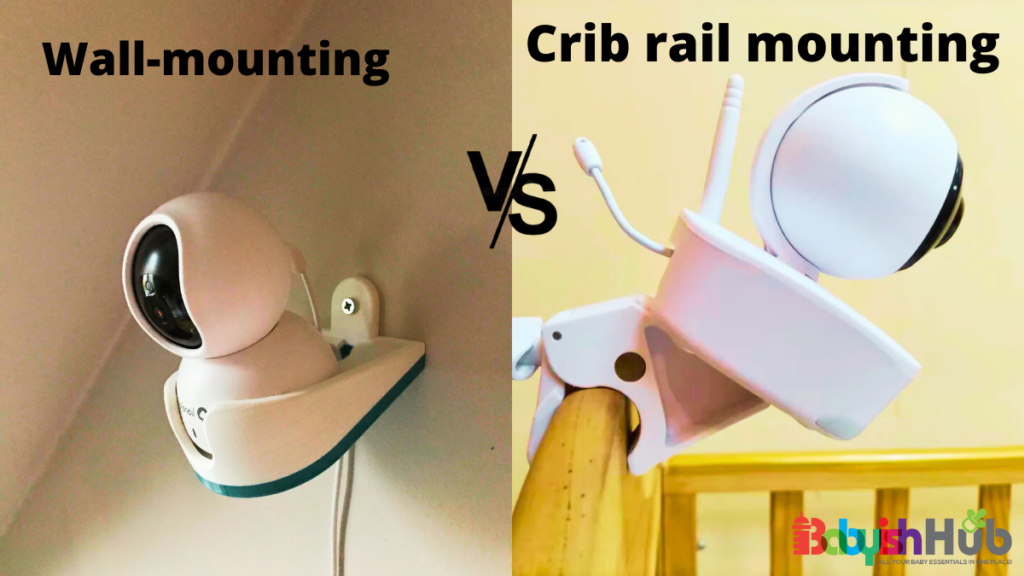
A monitor is only as helpful as its correct placement. Follow these simple steps to ensure your new baby sleep monitor works for you and your baby.
Step 1. Choose The Perfect Camera Location
Place the camera at least 3 feet (1 meter) from the crib to avoid hazards while still giving a clear view of your baby.
Step 2. Secure The Wires and Mounts
Tidy up cords and firmly attach any mounts so nothing can fall or be reached by the curious little hands.
Step 3. Test The Night Vision
Check that the camera works clearly in low light (i.e., test the night vision feature). You don’t want to get surprises at night.
Step 4. Adjust Your Monitor For Sound Sensitivity
Set your monitor to detect the right level of noise to ensure you get alerts when necessary, without constant false alarms.
Step 5. Position The Parent Unit Correctly
Keep the receiver or app in a convenient place so you can easily check your baby without disturbing your sleep.
DON’T REPEAT MY MISTAKE:
The first night we used our baby monitor, we were so tired that once it turned on, we called it good. We did not even think to test the night vision. Rookie mistake!
Sometime in the middle of the night, I woke up with that sudden jolt of “I need to check the baby right now.” I grabbed the monitor, still half asleep, and froze. The screen was almost completely black. I could not make out the crib, the baby, nothing. My heart started racing instantly. I remember tapping the screen, turning the brightness up and down, whispering “come on, come on” as the monitor could hear me. For a few awful seconds, my brain went straight to worst-case scenarios.
I finally went into the nursery and realized the camera angle was off and the night vision had not kicked in properly. I adjusted it, watched the picture slowly come into focus, and felt my whole body relax at once.
After that, I tested every feature in broad daylight and again in the dark before trusting it. That night scared me more than I expected, but it also made me realize how much peace of mind comes from knowing your setup actually works when you need it most.
Frequently Asked Questions About Baby Monitors
Here are some quick answers to some of the commonly asked questions by new moms about baby monitors:
How far should a baby monitor be from the crib?
A baby monitor should sit at least 3 feet (1 meter) away from the baby’s crib. This placement distance ensures it’s close enough to see your baby clearly, but far enough that cords and mounts stay out of reach.
Can I use my phone as a baby monitor?
Yes, you can turn your phone into a monitor using dedicated apps such as BabyCam and Cloud Baby Monitor. To do this, turn your old phone into a camera and then view your baby on your current phone.
Are baby monitors safe for newborns?
Absolutely, baby monitors are safe for newborns as long as you set them up properly, with cords tucked away, stable mounts, and secure signals. Remember to follow safe sleep basics we discussed earlier. The right baby monitor provides you with added peace of mind.
Do hospitals recommend baby monitors?
Hospitals do not list baby monitors as a must-have for moms. However, they insist on safe sleep rules. And having a monitor is a handy way to keep an eye on your little one while they sleep.
At what age can you stop using a baby monitor?
There’s no specified age when you should stop using a baby monitor. It depends on your child’s independence and your comfort level. Many parents phase out monitors around 2–4 years, or whenever they feel confident their child sleeps safely through the night.
Best Baby Monitors By Category
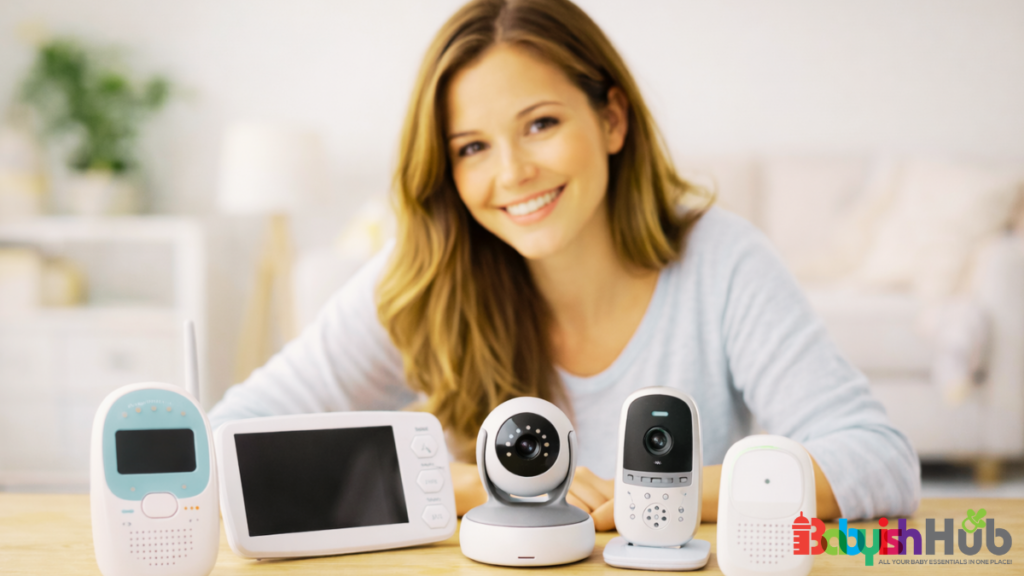
When I was picking a monitor for my first baby monitor, I felt completely overwhelmed. There were so many options and features!
And no advice for baby monitors for a baby felt really helpful.
After testing a few setups, I realized it all comes down to what fits your family’s space and lifestyle, not the newest gadgets or fanciest bells and whistles.
In this section, I’ll share with you what tends to work best in different situations:
Best for Newborns
Newborns need close observation, so monitors with clear video, night vision, and easy setup tend to make life easier in those first months.
For newborns, the priority is safety and peace of mind.
Look for monitors with:
- High-quality night vision: This enables you to check your baby at night without turning on lights.
- Two-way talk: Allows you to soothe your baby remotely if needed.
- Sound sensitivity: This feature lets you hear every stir without being woken by background noise.
Newborn monitors are often used most in the first 3–6 months, when frequent check-ins are common.
[See full review of best baby monitors for newborns]
Best Non-WiFi Option
If you want simplicity and peace of mind without connecting to the internet, non-WiFi monitors are usually the safest and most reliable choice.
Baby monitors without WiFi are less prone to hacking, very reliable, and usually easier to set up.
They often focus on core features (these include the audio/video feed, night vision, and range) without unnecessary apps or updates.
A no Wi-Fi baby monitor is perfect for parents who value security and consistency over fancy extras.
[See full review of top non-WiFi monitors]
Best Budget Choice
Good monitors don’t have to break the bank. There are plenty of options that cover all the essentials without extra bells and whistles.
Budget monitors usually include audio monitoring, basic video, and night vision, which is enough for most parents.
When choosing a budget option, focus on:
- Reliable signal
- Easy setup
- A decent range
DON’T try to get every high-tech feature!
Budget-friendly monitors are great for small apartments or parents just starting.
[See full review of budget-friendly monitors]
Best for Travel
For on-the-go parents, lightweight, battery-powered monitors that are easy to pack make traveling with a baby much less stressful.
Travel monitors should be:
- Portable
- Compact
- Battery-operated (so you don’t need to worry about outlets)
Some models include foldable cameras or foldable parent units, and simple audio or video features are often sufficient.
Features like VOX mode or vibration alerts on the parent unit can help when you’re in unfamiliar hotel rooms or shared spaces.
[See full review of the best travel monitors]
Best for Large Homes
“For bigger houses, look for monitors with strong signals, long range, or multiple camera options so you never miss a stir.”
In a large house, the key is signal strength and coverage.
Video monitors with pan-tilt-zoom cameras help you track movement across bigger rooms.
And dual-camera or multi-camera systems are ideal if your baby moves between rooms or if you have twins or multiple children.
A strong WiFi or non-WiFi signal is essential when using these monitors to prevent dropped feeds or delayed alerts.
[See full review of monitors for large homes]
Final Thoughts
In summary, baby monitors are handy tools to assist you in your parenting journey. They can give you peace of mind, help you respond quickly, and make nighttime check-ins less stressful.
But remember, nothing can replace your presence as a mom, instincts, and your baby’s safe sleep habits. Only use your monitor as a helpful supplement, not a replacement for care.
The best baby monitor for you is one that fits your family’s lifestyle, space, and comfort level and gives you peace of mind knowing your little one is safe.