How To Tell If Your Baby Monitor Is Hacked: 5 Scary Signs!
It’s 2:37 a.m. Your baby is finally asleep. The house is quiet. Then you hear it… a faint voice coming through the monitor. Not your voice. Not your partner’s. A stranger!
Stories like this are all over parenting forums right now, and whether they’re caused by real hacking, signal interference, or weak security settings, they hit the same nerve. No parent wants to wonder who might be watching their child. The truth is that baby monitors can be hacked, especially with internet-connected models, but they are far more preventable than most people realize.
In this guide, you’ll learn the five most alarming signs your baby monitor may be compromised, how to tell if your baby monitor is hacked from a harmless interference, and exactly what to do if you suspect something is wrong.
Before you panic or toss your monitor in the trash, read this first:
First, Can A Baby Monitor Be Hacked?
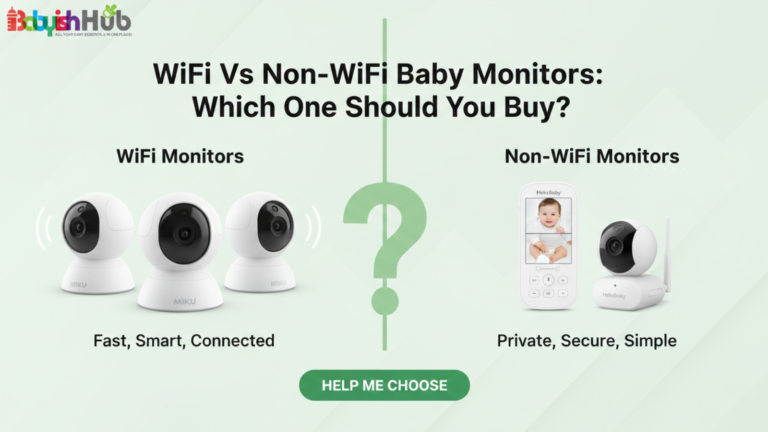
Yes, some baby monitors can be hacked, but not all monitors carry the same level of risk. WiFi monitors connect to your home internet and allow you to stream video through an app from anywhere.
That convenience is exactly what creates vulnerability. If your network is weak or your login details are easy to guess, someone could gain access remotely. This explains the high number of cases of WiFi baby monitor hacked.
Non-WiFi monitors use digital signals such as FHSS, which transmit directly between the camera and a parent unit without using the internet. As such, they cannot be hacked from across the world, but in rare cases, nearby signal interference can cause crossed feeds. But it’s rare.
The reason “hacked baby monitor” cases keep recurring is due to preventable issues like weak passwords, unchanged default logins, outdated firmware, or unsecured home WiFi. In other words, the biggest risk is not the monitor itself but how you set it up.
The 5 Scary Signs Your Baby Monitor Has Been Hacked:
If something feels off with your baby monitor, trust that instinct! Here are the 5 signs that deserve your full attention:
Sign #1: The Camera Moves on Its Own
If your monitor has pan, tilt, or zoom features and you notice it shifting without you touching the controls, that is a serious red flag! Cameras do not randomly reposition themselves. A slow pan toward the crib or a sudden zoom change usually means someone is controlling it remotely through the app. Minor glitches can happen during reconnection, but consistent movement without input is not normal. Among all warning signs, this is one of the clearest indicators that someone else may have access to your device.
Sign #2: You Hear Strange Voices or Noises
Hearing an unfamiliar voice through your monitor is every parent’s nightmare. It is important to distinguish between static and actual speech. Static or brief audio distortion can be caused by signal interference, especially with non-WiFi monitors. But clear words, laughter, or someone responding to your baby are not normal technical glitches. If the sound feels intentional or conversational, assume it could be an intrusion. Even if you are unsure, unplug the monitor and investigate immediately rather than dismissing it as background noise.
Sign #3: The LED Light Turns On When You’re Not Using It
Most monitors have indicator lights that show when the camera is actively streaming. If you notice the LED turning on when you are not viewing the feed, that deserves attention. Check your app first to confirm no one in your household is logged in. Some models briefly activate lights during firmware updates or reconnection, but repeated unexplained activity is concerning. The LED is often your only visible clue that the camera is live, so if it behaves unpredictably, do not ignore it.
Sign #4: Your Settings Have Changed
Another subtle but serious warning sign on how to tell if your baby monitor is hacked is altered settings. If your password suddenly stops working, your camera name has changed, notifications are disabled, or your app logs you out unexpectedly, something may have accessed your account. While apps sometimes require re-login after updates, unexplained configuration changes should not be brushed aside. Any modification you did not personally make suggests someone else may have entered your system. When this happens, reset everything immediately and strengthen your security before reconnecting.
Sign #5: Unknown Devices on Your WiFi Network
If you use a WiFi monitor, your home network is the gateway. Log in to your router settings and review the list of all the connected devices. You should recognize every phone, tablet, laptop, and smart device in your home. If you see unfamiliar names, strange IP addresses, or devices connected at odd hours, you need to investigate further. Suspicious activity does not always mean your monitor is compromised, but it signals your network may be vulnerable. Securing your WiFi protects not just the monitor, but also your entire home.
What To Do Immediately If Your Baby Monitor Is Hacked:
Got any of the above 5 red flags? If yes, chances are quite high that someone else is connected to your baby monitor. In that case, you should take the following actions immediately:
Step 1: Unplug the Monitor
Disconnect the camera from power immediately. This cuts off any possible remote access and protects your privacy while you secure everything else.
Step 2: Change Your WiFi Password
Log in to your router and create a new, strong password. Avoid simple words or reused passwords. Reconnect only devices you trust.
Step 3: Factory Reset the Monitor
Use the manufacturer’s instructions to perform a full factory reset of your baby monitor. Do not just restart it. A full reset removes existing connections.
Step 4: Update the Firmware
Before reconnecting, check for software or firmware updates. Install the latest version to patch known security flaws.
Step 5: Enable Two Factor Authentication
If your baby monitor app supports two-step verification, turn it on for extra protection.
Pro Tip: Once you have implemented the 5-step emergency protocol above, I would also advise you to consider reporting the incident to the monitor manufacturer. Ask them if there are known security issues or additional protective steps you can take for your specific model.
How To Prevent Your Baby Monitor From Hacking (Before It Happens)
If you aren’t ready to trade in your smart monitor for a non-WiFi model, you can still significantly lower your hacking risk by following these steps:
#1. Kill the “Default” Password Immediately
Most hackers don’t “crack” codes; they simply guess them. Many monitors are usually shipped with factory default usernames and passwords like “admin” or “0000.”
The first thing you should do when you set up your monitor is change the default password to something more unique and not easy to guess.
Pro Tip: Use a passphrase instead of a password. For instance, “Blue-Elephant-Nursery-2026!” is much harder for a bot to brute-force than a simple word with one number.
2. Enable Two-Factor Authentication (2FA)
If your monitor’s app (like Nanit, Owlet, or Miku) offers 2FA, turn it on right now. This requires a second code sent to your phone before anyone can log in. Even if a hacker steals your password, they can’t get into the feed without your physical device.
#3. Create A “Guest Network” On Your Router
This is a high-level move that most parents miss. Most modern routers allow you to create a secondary WiFi network (a “Guest Network”).
I’d advise you to put your baby monitor and other smart home “IoT” devices (like smart bulbs or plugs) on the guest network. Keep your laptops and phones on the main network.
Here’s why this works: If a hacker gets into a “cheap” smart bulb, they can’t jump over to the network where you store your banking info and baby photos.
#4. Disable The “Remote Access” Feature When You’re Home
Do you really need to check the monitor from the grocery store? If not, go into the settings and disable “Remote Viewing” or “P2P Cloud Access.” This limits the camera feed to your home’s internal WiFi, making it invisible to the outside world.
#5. The “Unplug” Habit
This one sounds simple, but it’s 100% effective. If your baby isn’t in the crib, simply unplug the camera. This is based on the simple fact that a camera with no power cannot be hacked. I’ve always told my fellow parents: “If the lens is dark, your privacy is spark-bright!”
#6. Use a non-WiFi monitor
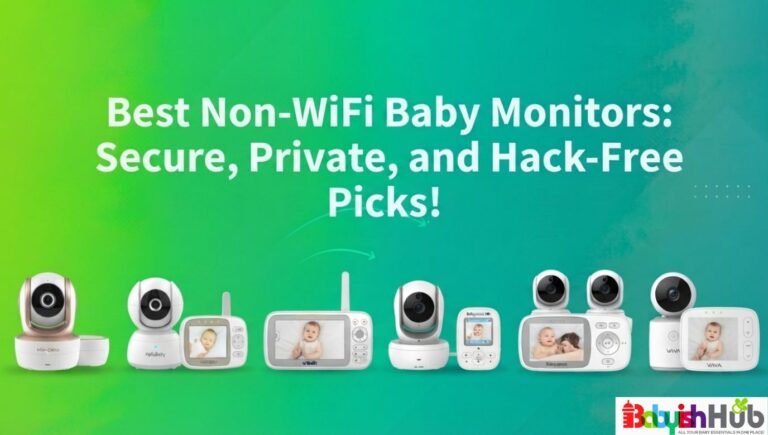
One of the simplest ways to reduce the risk of your baby monitor being hacked is to skip WiFi models altogether if you don’t need remote viewing.
Non-WiFi monitors operate only between the camera and parent unit, meaning no one can access them over the internet. They’re highly reliable, simple, and eliminate the biggest vulnerability that WiFi monitors bring.
For parents who mainly monitor their baby from home, this small choice can provide peace of mind and significantly cut the risk of intrusion.
Should You Switch to A Non-WiFi Baby Monitor?
From my experience, this really comes down to your lifestyle. Non-WiFi monitors feel simpler and more secure because they do not connect to the internet, which eliminates remote hacking risks.
They are great if you mostly stay at home and just need reliable audio and video within a decent range. The downside is that you cannot check in while at work or out for the evening.
WiFi monitors make sense if you’re a working mom, a frequent traveler, or if you want app access anywhere. If you will not realistically use remote viewing, you probably do not need added exposure to WiFi units.
Frequently Asked Questions About Haby Monitor Hacking:
Here are the questions parents ask most often, with straightforward answers.
Can a baby monitor be hacked if it’s not on WiFi?
Non-WiFi monitors cannot be hacked remotely over the internet. However, inexpensive analog or digital units can occasionally be intercepted by someone nearby on the same frequency. Advanced digital models using FHSS or encrypted signals make this extremely unlikely. Physical proximity is required for anyone to connect to your non-WiFi baby monitor.
2. Can non-WiFi baby monitors be hacked?
True hacking is almost impossible for non-WiFi monitors. The only risk is local interception of signals if someone is physically close and has the right equipment. Digital, encrypted monitors make this highly improbable, whereas analog units are slightly more vulnerable to nearby signal crossovers.
3. How to tell if a baby monitor is hacked?
Signs of a hacked baby monitor include the camera moving on its own, strange voices or noises, LED lights activating unexpectedly, changes in app settings, or unknown devices appearing on your WiFi network. Repeated unexplained activity, especially with WiFi monitors, is a strong indicator of unauthorized access.
4. How often do baby monitors get hacked?
Real-life hacking incidents are rare. Most reports online are either signal interference, user error, or misinterpreted technical glitches. WiFi monitors with weak security are at higher risk, but following proper setup, strong passwords, and firmware updates makes real hacks uncommon.
5. Which baby monitors cannot be hacked?
No device is 100% hack‑proof, but non-WiFi monitors, especially those using encrypted digital signals (FHSS), are extremely secure. Monitors with no remote access and strong internal encryption drastically reduce the chance of any unauthorized access, making them the safest option for concerned parents.
Baby Monitor Hacking Is Real!
As a parent, I get how scary “baby monitor hacked” stories sound. The risk of your baby camera getting hacked drops dramatically when you use strong passwords, update firmware, and secure your WiFi. Taking simple precautions can help protect your baby without worrying about someone watching your baby at night. Remember, implementing these anti-hacking measures will go a long way in letting you focus on your child instead of worrying about every beep or light and endlessly digging through guides like this explaining how to tell if your baby monitor is hacked.