How Accurate Is Nanit Temperature? My Honest Guide
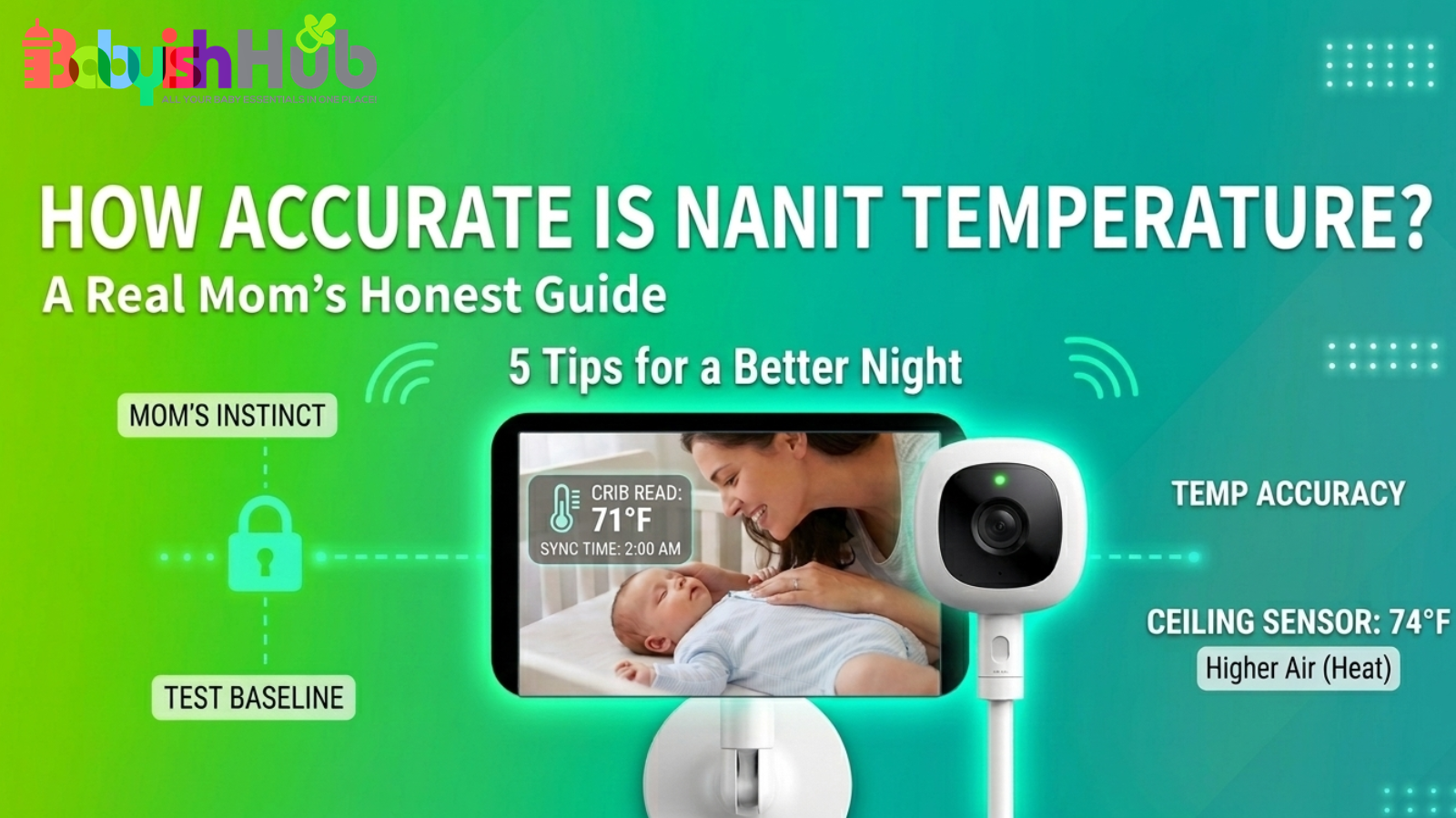
You look at the Nanit app before bed, and it says the nursery is 75°F. But your hallway thermostat says 71°F. Now you’re standing in your baby’s room, hand hovering over the crib, wondering… is Nanit temperature accurate? Or is something off?
If you’ve ever searched for how accurate is Nanit temperature, you’re not alone. Most parents ask this question after noticing the numbers don’t match what they expected. And when it comes to safe sleep, even a few degrees can feel like a big deal. Let’s dig into more details about this.
Is Nanit Temperature Accurate? The Short Answer:
Yes, the Nanit sensor is accurate to within 1–2 degrees, but only for the air immediately surrounding the camera. Nanit uses a built-in temperature sensor inside the camera. It measures the air temperature around the device itself. In normal conditions, it’s generally accurate within a couple of degrees.
However, many parents report that the heat produced by the camera itself often causes it to read a couple degrees higher (2 to5 degrees F higher) than the actual room temperature.
That said, it’s important to note that this device is not measuring the entire room. And it’s not sitting at crib level. And that matters more than most parents realize.
If, let’s say, you have your Nanit baby monitor camera mounted high on the wall (where heat collects) or near a drafty window, the reading on your phone will reflect that specific spot, not necessarily the “micro-climate” inside the crib where your baby is sleeping.
So, if you’re asking, how accurate is the Nanit temperature, the honest answer is: it is usually accurate for where it’s placed, but that may not perfectly reflect the temperature where your baby is sleeping.
How Nanit Measures Room Temperature
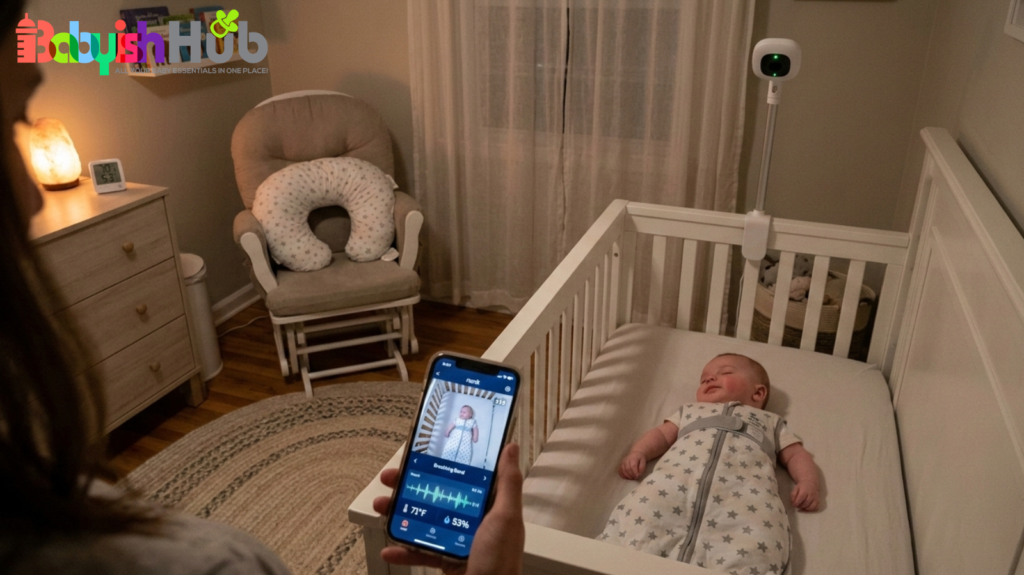
If you’re wondering why your Nanit is giving you a different number than the thermostat in the hallway, it’s not because the tech is “broken.” It’s just that the camera has a very specific (and sometimes biased) view of the world. Here is the “behind the scenes” on how that sensor works:
The Sensor Is Inside the Camera
Unlike some monitors that have a little “pigtail” sensor hanging off the cord, Nanit’s sensor is tucked inside the camera unit itself. This means it’s reading the air directly around the warm electronics of the camera, not the air circulating around your baby’s toes.
It’s Measuring One Spot, Not the Whole Room
Your nursery isn’t one uniform temperature. There’s the “drafty window” zone, the “right under the HVAC vent” zone, and the “stagnant corner” zone. Nanit is only reporting on its own little corner of the world.
That said, most of us mount our Nanit high up on the wall or on a floor stand for that perfect bird’s-eye view. But as we all remember from middle school science, warm air rises. If your camera is perched 6 feet in the air, it’s naturally going to catch the warmest pocket of air in the room.
Your Thermostat vs Nanit Sensor
Your home’s main thermostat is usually in a central hallway, far from the nursery’s exterior walls or heavy curtains. When you compare the two, you’re basically comparing apples to oranges. Both are “right,” they’re just reporting from different zip codes in your house.
Pro-Tip: If you’re losing sleep over the Nanit’s inaccurate numbers, here is my favorite sanity saver: Do the 24-hour comparison test. Grab a simple digital thermometer and place it at mattress height (when the crib is empty). Compare it to your Nanit for 24 hours. You’ll likely see the Nanit reads 2–3 degrees warmer because it’s higher up. Once you know that “gap,” you can stop second-guessing the app and finally get some sleep.
Why Your Nanit Temperature May Seem Wrong
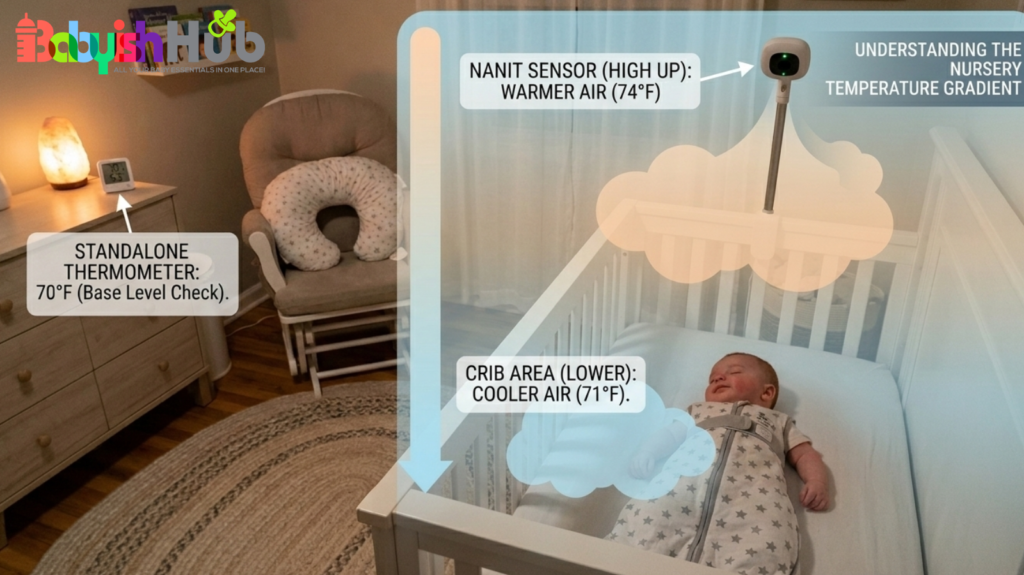
If you’re staring at your phone thinking, “There is no way it’s actually that hot in there,” you’re probably right. Before you go adjusting the AC and waking up the baby, here is why the math usually doesn’t add up:
1. Heat Rises (The “Ceiling” Effect)
Most of us mount our cameras high up for that perfect bird’s-eye view of our little ones. Since heat naturally drifts upward, your Nanit is essentially sitting in the warmest pocket of the room. In this case, it’s reading the “ceiling temp,” not the “crib temp.”
2. HVAC Vents and Drafts
Is your Nanit mounted near an HVAC vent or a drafty window? If so, it’s going to react to every blast of air way faster than the rest of the room. It’s catching the “breeze,” not the actual room comfort.
3. Electronics Generate Heat
Just like your phone gets warm when you’ve been scrolling too long, the camera itself generates a tiny bit of internal heat with continued use. Since the sensor lives inside the unit, it can pick up a little of that “tech warmth,” adding a degree or two to the reading.
4. Thermostat Placement Is Different
Your main thermostat is likely in a central hallway, far from the nursery’s closed door or outside walls. It’s measuring the “average” of your whole house, while the Nanit is giving you a hyper-local report from its specific corner.
The bottom line is: Both the Nanit and your thermostat can be “right” and still say different things. It’s all about location, location, location.
How Accurate Is Nanit Temperature Compared To A Separate Thermometer?
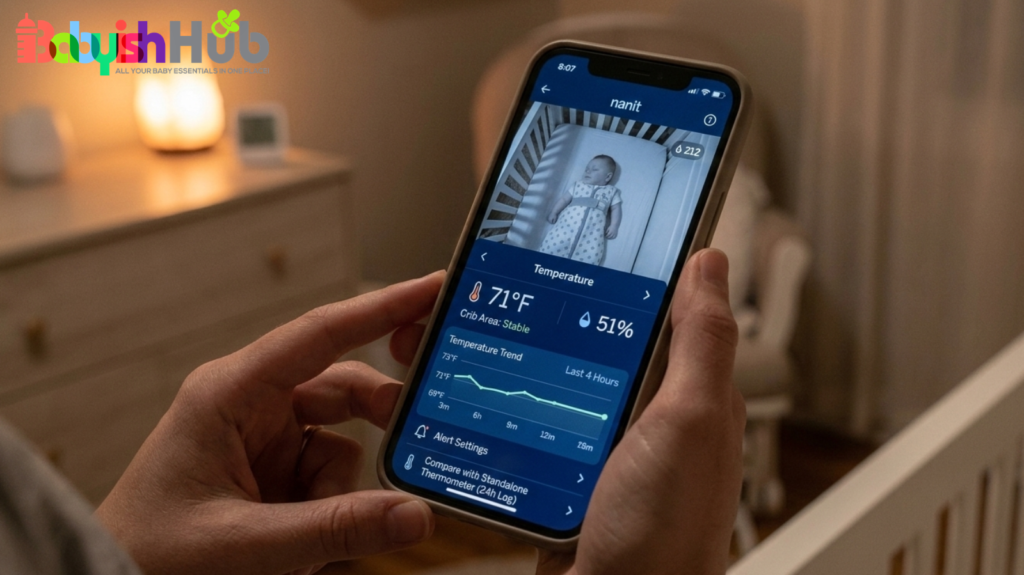
If you put a standalone digital thermometer in the nursery, I can almost guarantee it won’t match your Nanit. You might see a 1–3 degree gap, and I’m here to tell you: That is totally normal.
Here’s the thing we sometimes forget in this world of high-tech gadgets: these aren’t medical-grade instruments. Whether it’s a baby monitor or a digital thermometer, most consumer sensors have a built-in “margin of error.”
- Small gaps (1–3 degrees): Don’t sweat it. It’s just the difference between two different brands of sensors doing their best.
- Big gaps (5+ degrees): If they are consistently way off, it’s worth checking if one is sitting in a draft or too close to a lamp.
So, is the Nanit accurate enough to trust? Absolutely, as a general guide. It’s there to show you trends (like the room getting suddenly chilly at 4:00 AM), not to provide lab-perfect data.
If you need precision down to the decimal point to feel safe, you’ll drive yourself a little bit bonkers. Just trust the trend, not just the number from your Nanit app.
When Should You Actually Worry?
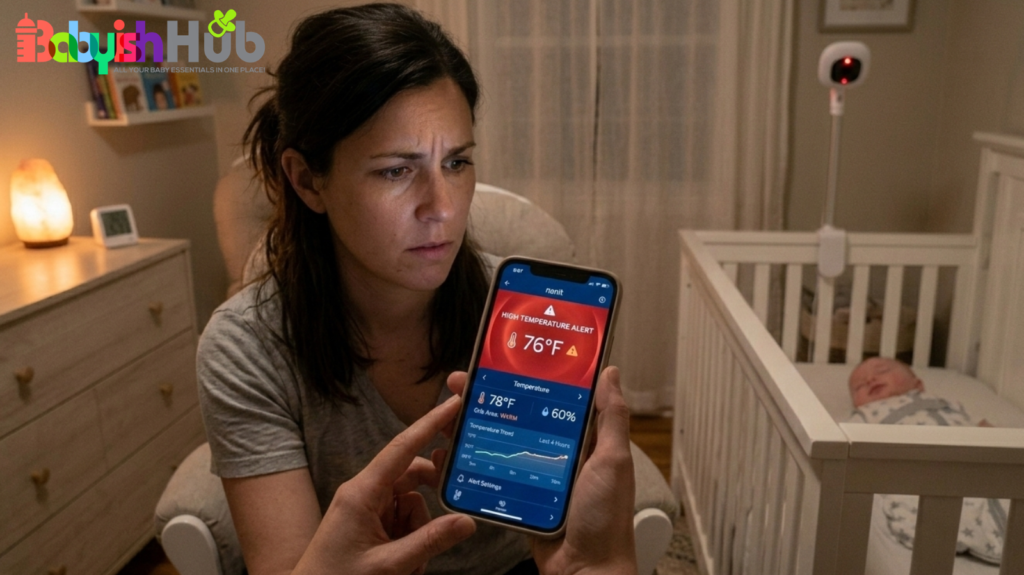
As moms, we have a PhD in overthinking, but when it comes to nursery temps, you can usually ignore the “noise” of a degree or two. However, there are a few times when you should put down the app and trust your gut:
- The High “Jump”: If the temperature reading swings wildly in a very short time (like jumping from 70°F to 80°F in ten minutes), that’s a sensor glitch or a major HVAC issue. If your screen is showing strange error codes instead of numbers, you’ll want to check out our guide on what LL Fahrenheit means on a baby monitor to see if your sensor is just having a moment.
- The Massive Gap: If your Nanit and your bedside thermometer are consistently more than 5 degrees apart, something is wonky with placement.
- The “Mother’s Intuition” Test: This is the big one. If the app says “Perfect” but your baby looks flushed, feels sweaty at the back of the neck, or has icy-cold hands and a fussy cry, believe your baby, not the app.
Most experts recommend a room between 68–72°F, but babies don’t read the manuals. They don’t react to a number; they react to how they feel.
The best thermometer in the world is your own hand. Check the back of their neck or their chest. If they feel comfortably warm (not hot, not clammy), then they are exactly where they need to be. A two-degree difference on a screen doesn’t change that.
How to Test Nanit Temperature Accuracy at Home
If you’re still unsure about your Nanit temperature readings, here’s a simple way to check:
- Grab a basic digital thermometer (even a cheap $10 one works).
- Put it directly in the crib while the baby is out. Don’t put it near a window or a vent. You want it right where your baby’s head usually rests.
- Leave it there for 24 hours. Sensors need time to adjust to the room’s rhythm.
- Don’t just look at one moment. Check both the app and your thermometer at naptime, bedtime, and 4:00 AM.
What you’ll likely find: The Nanit will almost always be 2–3 degrees warmer than the crib-level thermometer. Why? Because the Nanit is living its best life up by the warm ceiling, while your baby is down in the cooler “sleep zone. Once you see that the “Nanit 74” means “Crib 71,” you can stop worrying about the app alerts and finally get some rest.
Does Nanit Temperature Replace A Room Thermometer?
Think of Nanit temperature as a helpful guide, not a medical tool. It’s useful for spotting trends. It can alert you if the room suddenly gets warmer overnight. It gives you general awareness.
But it doesn’t replace common sense. Dress your baby appropriately for the season. Use breathable sleepwear. Feel their skin to gauge comfort. Numbers are helpful, but your observation still matters more.
FAQs About Nanit Temperature Sensor Accuracy
Here are quick answers to the questions parents ask most about the accuracy of Nanit’s temperature readings:
Is the temperature on Nanit accurate?
In most homes, the temperature on Nanit is reasonably accurate within a few degrees. Nanit measures the air around the camera itself, not directly at crib level. Small differences compared to your thermostat are normal. It’s best used to spot trends and sudden changes, not to rely on an exact number.
Why is the temperature wrong on my Nanit?
Usually, it’s about placement. If the camera is mounted high on the wall, near a vent, or close to an exterior wall, it may read warmer or cooler than the center of the room. Warm air rises, and drafts affect readings. Comparing it to a hallway thermostat can also make it seem “wrong.”
How accurate are temperatures on baby monitors?
Most baby monitors, including Nanit, are generally accurate within about 1–3 degrees. They’re designed to give a helpful estimate, not medical-grade precision. Differences often come from where the device is located in the room. For everyday use, they’re reliable enough to monitor comfort and trends.
How accurate is Nanit temperature and humidity?
Nanit’s temperature and humidity readings are typically close to accurate, but small variations are normal. Like temperature, humidity is measured near the camera, not at crib level. Use it to track general room conditions. If you’re concerned, place a separate thermometer-hygrometer near the crib for comparison over 24 hours.
Final Verdict: Is Your Nanit Temperature Accurate?
If you’ve been stressing over “how accurate is Nanit temperature,” take a deep breath. A two-degree difference on an app isn’t parenting fail; it’s just physics. Use the readings from your Nanit app as a helpful nudge. But remember that your mama instincts and a quick touch of your baby’s chest are way more reliable than a sensor on the ceiling. If your baby is sleeping soundly and feels comfy, you’ve already won the night. Now, try to get some rest yourself.