Can I Use My Smartphone As A Baby Monitor 4 Best Methods:
I’ve asked this question myself, usually in one of three situations: when our baby monitor randomly stopped working at bedtime. When we were packing for a weekend trip and trying to “travel light.” Or when I was staring at the price tag on a new monitor and thinking, Do we really need another device?
If you’re wondering, can I use my smartphone as a baby monitor? The short answer is YES. You absolutely can. But like most things in parenting, the better question is: Should you? And for how long? Let’s walk through it below…
TL;DR (Can I Use My Smartphone As A Baby Monitor?):
Yes, you can use your smartphone as a baby monitor, especially when you’re traveling, you live in small spaces, or as a short-term backup. But keep in mind that this setup relies heavily on WiFi, drains battery quickly, and ties up your phone. A dedicated baby monitor is usually more reliable for nightly use. The best choice is the one that helps you relax and get some sleep.
How To Use Your Phone As A Baby Monitor
The Ultimate Setup Guide:
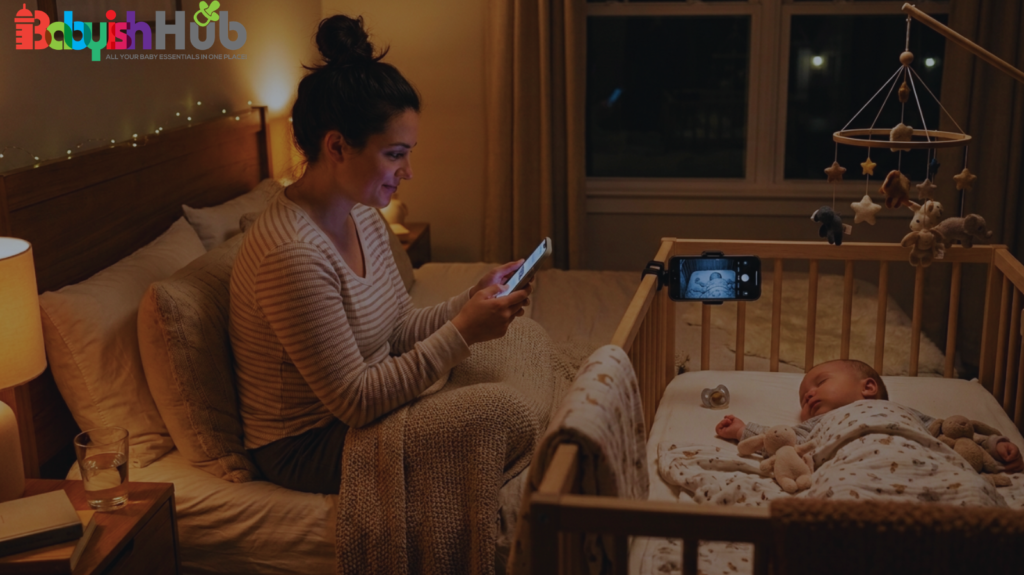
If you are in a pinch and need to turn your phone into a monitor right now, use this universal protocol to ensure a safe, reliable connection.
1. Silence the Noise:
Enable Do Not Disturb or Focus Mode on both devices. Block all incoming calls and text alerts so a random notification doesn’t crash your live video feed.
2. Establish a Secure Connection:
Connect both devices to a password-protected, private Wi-Fi network. Avoid public hotel Wi-Fi networks, which leave your feed vulnerable to digital intruders.
3. Position for Safety and Sleep:
Mount the nursery phone securely out of your baby’s physical reach. Angle the camera toward the crib, but ensure the phone’s screen is turned off or completely dimmed, facing away from the child to prevent sleep disruption.
4. Secure Continuous Power:
Plug the nursery phone into a certified wall charger. Video streaming will drain a standard battery within 2 to 3 hours; it must have a continuous power source to last the night.
Security Note: When selecting an app (like Bibino or Annie), look for explicitly stated End-to-End Encryption (E2EE) in their privacy policy. This ensures that your video stream cannot be intercepted by third parties on the same network.
Now let’s go even further and discuss up to 4 different ways you can use your smartphone as a baby monitor (and the exact steps to follow for each process):
Method #1: Using Two Phones With A Baby Monitor App
This is the most common setup; one phone stays in the nursery, and the other stays with you.
You download a baby monitor app that connects the two devices over WiFi. The nursery phone streams video and audio while your phone acts as the parent unit.
This is a pretty simple setup. If you have an old phone sitting in a drawer, it can feel like a smart solution.
But it does depend completely on your internet connection, so if your WiFi drops, so does your monitor.
How To Use Two Phones As Baby Monitor Step-by-Step:
Step 1. Choose an app and install it on both devices: Some good examples of apps to consider include Bibino, Annie Baby Monitor, and BabyCam, which let two phones work as a single monitor system. These apps are completely FREE to use and require no subscription.
Step 2. Install the app on both phones: Once you have the app installed on your two phones, open it and follow the pairing steps (some apps use a code or automatic connection).
Step 3. Designate one phone as the “baby unit”: This acts as the camera unit that goes in your baby’s room.
Step 4. Position the phone safely: Make sure you place the phone safely in the baby’s room, with a clear view of the crib, and plug it in so the battery doesn’t die.
Step 5. Keep the parent phone with you: The other phone becomes your screen where you can watch your baby. Keep the phone logged into the same app, so you can see and hear live video and sound.
This method gives you a dedicated feed and can even work over mobile data or WiFi if the app supports it.
Method #2: Using Video Call Apps As A Baby Monitor:
I know parents who just start a FaceTime or video call between two phones and leave it running. This is quite simple, and it works!
The downside? Incoming calls can interrupt your feed. Notifications pop up. And video calls can drain battery quickly.
If you don’t plug in your nursery phone securely (and safely out of reach), it may not last through the night.
How To Use A Phone and Video Call App (iPhone or FaceTime) Step-by-step:
Follow these instructions if both your phones are iPhones or iPads:
Step 1. Connect both devices to your WiFi network.
Step 2. Place one phone in your baby’s room: Make sure to position it where your child can clearly see it. Charge it so the battery doesn’t drain.
Step 3. Initiate a video call (like FaceTime): This should start from your main phone to the nursery phone.
Step 4. Answer the call from the nursery device: This is how you establish a live feed. Don’t hang up.
Step 5. Mute the microphone on your monitoring phone: This helps ensure your sounds don’t feed back.
Now you can see and hear your baby from your main phone. This is quick and doesn’t need extra apps, but it isn’t designed to run all night.
How To Set It Up on Android or WiFi Direct Apps Step-by-Step:
Step 1. Choose a simple monitor app like BabyCam that works over the same WiFi or WiFi Direct.
Step 2. Install the app on both phones: One of the phones will be the camera, the other becomes the parent unit (viewer).
Step 3. Connect both phones to the same WiFi network or set up a WiFi Direct connection.
Step 4. Place the “baby phone” on a stable surface pointed at the crib so you get a clear view of your baby. Remember to plug it in, so it doesn’t die in the middle of a feed.
Step 5. Open the viewer on the parent phone and make sure the connection happens automatically.
This setup often allows basic features like live video and audio without complex pairing.
Method #3: Using Cloud or Multi-Device Apps (Unlimited Range)
Some apps like Bibino let multiple devices (including smartphones, tablets, computers, etc) connect across networks. Here’s how you can come up with such a setup:
Step 1. Install the app on both devices, or more if parents and caregivers want to join.
Step 2. Create an account within the app so all devices link to the same login.
Step 3. Designate the phone in the nursery as the camera unit and the others as viewers.
Step 4. Plug in the nursery device and position it safely with a view of the crib or sleep area.
Step 5. View live video and audio on the parents’ phone, tablet, or even a laptop. Apps like this can work over Wi-Fi or mobile data.
TIP: This option is especially good if you want to check in while out of the house.
Method #4: Using Your Smartphone As An Audio-Only Baby Monitor
Some parents skip the video entirely and use audio apps that stream sound between two devices. Some free apps to consider in this case include SoundWire, AudioRelay, and SonoBus.
In this case, one phone becomes the microphone that listens to your baby in their room while your other phone acts as the receiver.
This setup can be enough in small spaces or during naps when you just want to hear crying. But again, you’re relying on internet stability and phone battery life.
Handy Tips for All Setups:
Regardless of which method you choose to use to deploy your smartphone as a baby monitor, keep these tips in mind:
- Keep both phones plugged in so the batteries don’t die mid-nap or night.
- Turn off unused notifications so texts and alerts don’t interrupt the camera feed.
- Choose a stable WiFi network: Weak signals can cause lag or disconnections.
- Mount or stabilize the “baby phone” safely: This ensures it stays out of reach for your baby while still providing a clear view of the crib area.
- Test your setup during a nap first before relying on it at night.
The Pros of Using Your Smartphone As a Baby Monitor
Let’s be honest… There are a bunch of benefits that come with using your smartphone to monitor your baby while they sleep.
The biggest one is cost. If you already have two devices, you may not need to buy anything. This saves you from investing in a baby monitor.
It’s also convenient for travel. I’ve done this in hotel rooms where packing a full monitor felt unnecessary. It worked well enough for short stretches.
And your phone interface is familiar. You already know how it works. No extra screens, no extra cords.
For short-term use, or in small apartments where you’re never far from the nursery, this setup can absolutely get the job done.
The Cons of Using Your Smartphone As a Baby Monitor
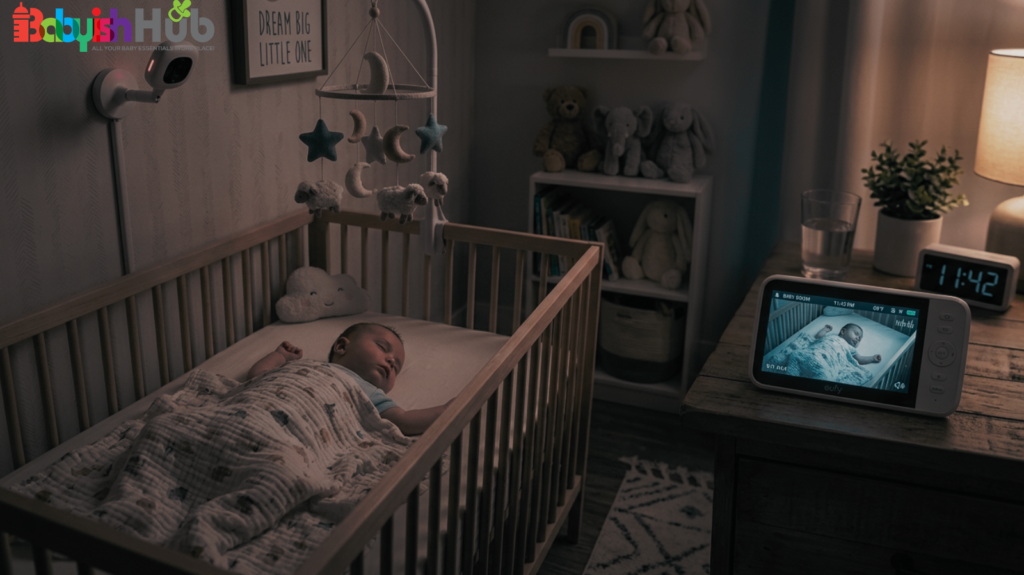
Using your smartphone as a baby monitor sounds simple and fun until it’s 1:30 a.m. and you encounter one of the following issues:
Battery Drain and Overheating
Streaming video all night drains your phone battery fast. Even when they stay plugged in, phones can overheat if they’re running continuously. I’ve woken up to a black screen because the nursery phone shut down. And well, that’s not a great feeling!
WiFi Dependence
Traditional non-WiFi baby monitors use a direct signal between the camera and the parent unit. If your internet goes out, they still work.
A phone setup depends entirely on your WiFi connection. If it glitches, freezes, or disconnects, you won’t know unless you’re staring at it.
Notifications Interrupting the Feed
This one is easy to forget. Notifications in the form of text messages, software updates, incoming calls, etc., can interrupt or minimize the monitoring app. Unless you turn off notifications or use “Do Not Disturb” carefully, you may lose your feed at the worst time.
Security and Privacy
If you’re asking, is it safe to use a phone as a baby monitor? It can be, but you need to be mindful in today’s world, where new baby monitor hacking cases keep coming up. Be sure to implement strong passwords and use a secure internet connection to reduce the likelihood of digital intruders intercepting your baby’s live feed. Public hotel WiFi? I personally wouldn’t rely on it long-term.
You Lose Your Phone
This is the part that caught me off guard (you really never see it coming). When your phone is acting as the parent monitor, it’s tied up. You can’t freely scroll, take calls, or walk too far without worrying about disconnecting. With three kids, I use my phone constantly. Giving it up as a dedicated monitor wasn’t always practical.
Smartphone vs Baby Monitor: The Key Differences:
| Feature | Smartphone Setup (Apps/FaceTime) | Dedicated Baby Monitor |
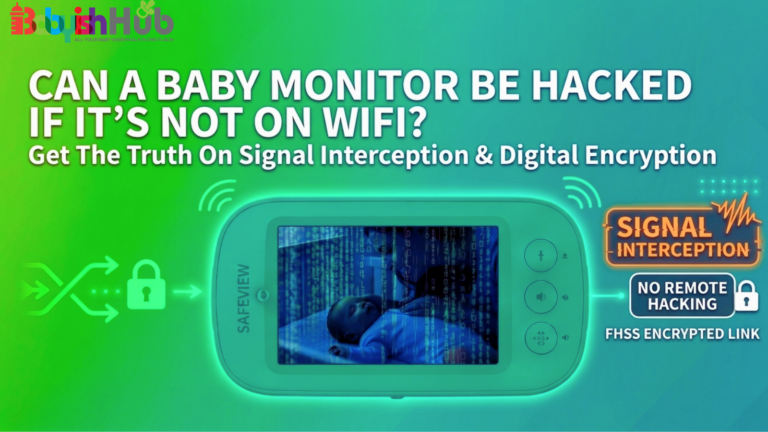
| Primary Connection | Wi-Fi/Cellular Data (Prone to drops) | FHSS Local Signal (No internet required) |
| Battery Life | Heavy drain, high risk of overheating | Optimized for 8–12 hours of continuous use |
| Security | Depends on app security and network | Encrypted local signal (Harder to hack remotely) |
| Interruption Risk | High (Texts, calls, software updates) | Zero (Dedicated single-purpose device) |
| Night Vision | Poor (Relies on ambient light or phone flash) | Infrared LED (Clear visibility in pitch black) |
Most parents who ask, “Can I use my smartphone as a baby monitor?” are usually running a comparison of these two devices in their minds. The biggest difference in smartphone vs baby monitor comparison is the purpose each device is built for.
A dedicated baby monitor is built for one job: watching your baby. It has these dedicated features:
- Strong night vision designed for dark rooms
- Sensitive microphones tuned for nursery sounds
- Stable, direct connections (in non-WiFi models)
- Parent units with long battery life
Unlike your smartphone, a baby monitor doesn’t need to check email. It doesn’t receive texts. And it doesn’t overheat from multitasking.
But using your phone as a baby monitor? In this case, your phone is a multipurpose device trying to do a single-purpose job.
Sometimes this works beautifully, but other times it can feel like you’re using a butter knife when you really need a screwdriver.
Related: How To Use Amazon Alexa As A Baby Monitor
When Using Your Phone As A Baby Monitor Works
Below, I have compiled a few instances when you should consider setting up your mobile device as your baby monitor:
- If you’re traveling for a few nights and don’t want to pack extra gear, a phone setup can be fine.
- If you live in a small apartment and can hear your baby easily anyway, you may only need light monitoring.
- If your regular monitor breaks unexpectedly, using your phone as a temporary backup is completely reasonable.
- And if the budget is tight, it’s okay to use what you already have.
As a parent, I always stick to one simple motto: parenting doesn’t require perfection, it just requires practicality. 😊
When A Dedicated Baby Monitor Is the Better Choice
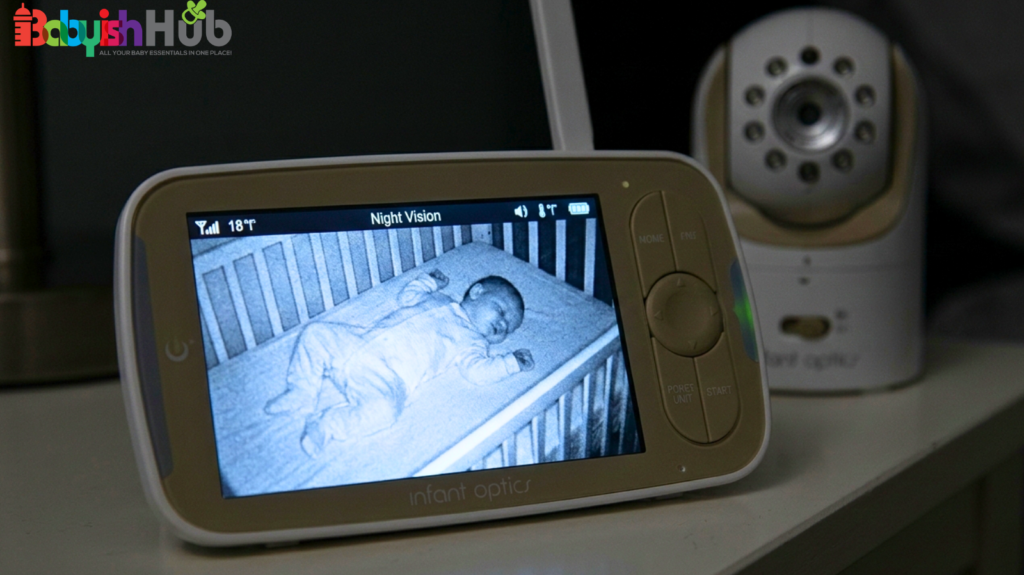
Even though a smartphone can sometimes do the job, there are several situations where a dedicated baby monitor is a more reliable choice, such as the ones below:
#1. You live in a large home: In larger homes, where the nursery is far from your bedroom or living space, reliability becomes more important. And you can’t think of anything more reliable than a baby monitor.
#2. Your WiFi isn’t stable: If your WiFi is inconsistent, a non-WiFi monitor can feel much more stable and reliable than your smartphone
#3. You don’t want to lose your phone: If you don’t want your phone tied up all evening, having a separate parent unit makes life easier.
#4. Baby Monitor Is Better for Long-Term Use: If you know you’ll be using this every night for years (through multiple kids), investing in a reliable monitor may save frustration in the long run.
When parents ask me, ” Do I need a baby monitor? I usually say this: if it helps you sleep better and reduces stress, it’s worth considering. If it adds stress, it’s not.
Safety Tips If You Decide to Use Your Smartphone
If you go the phone route, then you need to observe these safety rules:
- Keep all charging cords completely out of your baby’s reach.
- Secure the phone in a stable position where it can’t fall into the crib.
- Use strong passwords and secure WiFi.
- Turn off unnecessary notifications during monitoring hours.
- Always plug the device in safely. Streaming all night on battery alone won’t work.
FAQs About Using Your Smartphone As A Baby Monitor
Still have questions about using your phone as a baby monitor? Here are quick answers to some of the questions parents ask the most:
Can I use my smartphone as a baby monitor?
Yes, you can use a smartphone as a baby monitor by installing a dedicated monitoring app or launching a video call between two devices. However, while this setup works well for travel or short-term backups, it relies heavily on stable Wi-Fi, drains device batteries rapidly, and temporarily locks up your primary phone.
What is the best app to turn two iPhones into a baby monitor?
The most reliable apps for turning two iOS devices into a monitor system are Annie Baby Monitor, Bibino, and Cloud Baby Monitor. When evaluating these apps, look for background audio support (so the feed doesn’t cut out when the screen locks) and two-way talk features.
Are there free baby monitor apps for Android and iOS?
While there are free baby monitor apps available (such as BabyCam), most reputable options require a subscription or a one-time premium purchase for overnight safety. Free tiers typically limit your continuous streaming time, cut off video access after a few minutes, or display intrusive ads.
Is it safe to use a phone as a baby monitor?
Using a smartphone as a baby monitor is safe from a digital privacy standpoint only if you use a secure, password-protected network and an app with built-in encryption. Never stream nursery video over open, unencrypted hotel or public networks, and ensure all charging cables are mounted at least 3 feet away from the crib to eliminate strangulation hazards.
Can the Owlet app be used on two phones simultaneously?
Yes, the Owlet app can be actively logged into on multiple smartphones at the same time. Both parents or caregivers can use the same account credentials simultaneously to monitor real-time oxygen levels, heart rates, and live video feeds without causing connection drops.
My Final Advice To You
If you’re still asking yourself, “Can I use my smartphone as a baby monitor?”, the answer is yes, you can. A phone can work just fine as a baby monitor, especially during travel or short-term situations. But I’d advise you to be honest about your needs. Phones depend on WiFi, battery life, and apps that can glitch. A dedicated monitor is usually more reliable for everyday overnight use, making it the ultimate best solution for longer use.