Can You Use Alexa As A Baby Monitor (My Honest Verdict)

When my third baby was born, I already had two Echo devices at home and didn’t want to spend money on another baby gadget. I kept wondering: can you use Alexa as a baby monitor? I already had the devices and the app, so it seemed like an easy way to avoid buying another piece of equipment.
So, is it possible to use your Echo device as a baby monitor? The answer isn’t simply yes or no. Alexa can work as a basic audio baby monitor when needed, but it wasn’t designed for that purpose. There are key differences between using Alexa and using a dedicated baby monitor. And those differences could be a big deal, depending on your unique needs.
In this article, I’ll explain how Alexa can be used as a baby monitor, where it falls short, and when it might come in handy.
In This Guide:
Can You Use Alexa As A Baby Monitor?
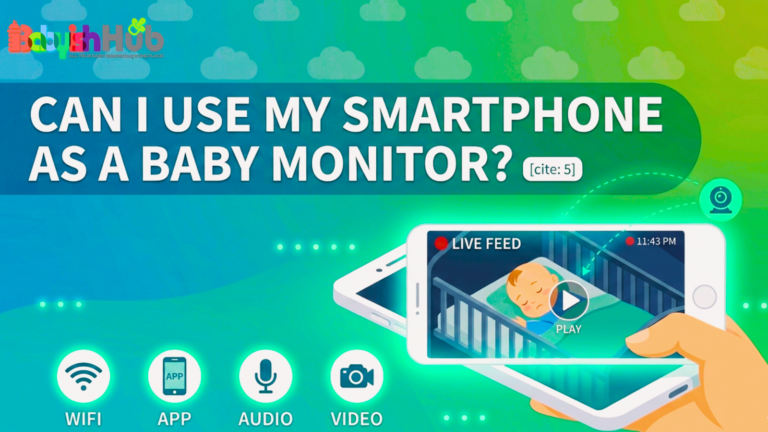
Technically, yes. Amazon Echo devices support a feature called Drop In, which allows you to open a two-way audio and video connection between two Echo devices on the same account. If you place one Echo device in your baby’s room and use another in a different part of the house, or use the Alexa app on your phone, you can listen to your baby in real time. Some Echo Show models also have a camera, which adds a visual component to the monitoring.
However, it’s important to note that the Drop In feature was not originally designed for baby monitoring. Amazon built it as a household intercom and communication tool.
There are also third-party Alexa skills specifically designed to simulate baby monitor functionality. These add a layer of purpose-built behavior on top of Alexa’s existing capabilities, including the ability to listen for sounds in the nursery and alert you when a threshold is crossed. They work with varying degrees of reliability, and none of them replace what a dedicated monitor does natively.
So the short answer is: Alexa can work as a rough audio monitor for parents who already own the hardware and want a low-commitment option for light use. For parents who need reliable, uninterrupted overnight monitoring for a newborn, the setup has too many limitations to recommend as a primary solution.
Why Would Parents Choose Alexa Instead of A Traditional Baby Monitor?
Many parents already have Alexa devices in their homes, so it is natural to wonder whether you can use them as baby monitors. While Alexa does not offer all the features of a dedicated baby monitor, some parents find that it works well for their situation. Here are the main reasons why parents may consider using the Amazon device as a baby monitoring device:
Cost Savings
This is probably the most obvious driver. A reliable dedicated baby monitor runs anywhere from $40 for a basic audio-only model to well over $300 for a high-end video monitor with movement tracking and breathing detection. If you already own an Echo device and an Echo Show, the hardware cost of using Alexa as a monitor is essentially zero.
Convenience (It Fits Into Your Daily Routine)
Parents who have integrated Alexa deeply into their home routines already have the app on their phone, already understand the interface, and do not want to learn a new system during the sleep-deprived newborn phase. Adding a monitor skill to a device you already use daily feels frictionless compared to setting up new hardware from scratch.
It Works Well as a Backup
Some parents also turn to Alexa as a temporary bridge. Maybe their dedicated monitor broke mid-trip, or they forgot it at home, or they are staying in a vacation rental and want some form of audio monitoring without traveling with extra gear.
In those situations, Alexa serves as a suitable choice for a short-term stand-in, even if it would not be anyone’s first choice as a permanent setup.
It May Be Enough for Older Babies
As babies grow, many parents feel less need to watch every movement or check the screen constantly.
If your child sleeps well and you mainly want to listen for cries or calls, Alexa may provide all the monitoring you need. Some families find that a simple setup works perfectly well at this stage.
Some Parents Discover It by Chance
Many parents first try Alexa’s Drop In feature out of curiosity. After testing it, they realize it meets their needs better than expected. Not every family needs advanced monitoring features. For some parents, Alexa provides enough peace of mind that they never feel the need to buy a dedicated baby monitor.
How Do You Set Up Alexa To Work As A Baby Monitor?

The setup process is straightforward if you already have two Echo devices or an Echo device and the Alexa app on your phone. Follow these steps to get everything working smoothly:
Step 1: Connect Your Devices To The Same Amazon Account
Start by making sure both Echo devices are linked to the same Amazon account. If you plan to monitor your baby from your phone, make sure the Alexa app is signed in to the same account as well. This allows Alexa’s Drop In feature to connect your devices.
Step 2: Place An Echo Device in the Nursery
Set up an Echo device in your baby’s room and make sure it has a stable Wi-Fi connection. Place it where it can clearly pick up sounds from the crib, but keep cords and devices safely out of your baby’s reach. (Find out how far to place a baby monitor from the crib in this guide)
Step 3: Turn On Drop In
Open the Alexa app and select the nursery Echo device.
Next:
- Open Device Settings.
- Select Communications.
- Turn on Drop In.
This step is important If Drop In is disabled, Alexa will not be able to connect to the nursery device.
Step 4: Start a Drop-In Session
When your baby is asleep, open the Alexa app and go to the Communicate section.
Select Drop In and choose the Echo device in the nursery. Alexa will open a live audio connection so you can listen to what is happening in the room.
If you use an Echo Show with a camera, you can also view a live video feed.
Step 5: Consider A Baby Monitor Skill
If you do not want to keep a Drop In session open all the time, you can try a baby monitor skill from the Alexa Skill Store.
These skills can listen for crying or other sounds and send an alert when noise reaches a certain level.
After enabling a skill:
- Follow the setup instructions.
- Adjust the sound sensitivity settings.
- Test the alerts from another room.
Always test the setup before using it overnight.
Step 6: Check for Light Distractions
When a Drop In session is active, the Echo device displays a green light ring. In a dark nursery, this light may catch your baby’s attention or make it harder for sensitive sleepers to settle. If needed, place the device out of your child’s direct line of sight or cover the indicator with a small piece of tape.
Pro Tip: Before relying on Alexa for monitoring, spend a few minutes testing the setup from different rooms in your home. Check that the audio is clear, notifications work properly, and your Wi-Fi connection remains stable. A quick test can help you avoid surprises later in the night.
How Well Does Alexa Perform As A Baby Monitor In Real Life?
The honest answer is that the smart device performs quite well in controlled conditions and unreliably in the ones that matter most.
Audio quality through Drop In on a stable home Wi-Fi network is surprisingly decent. You can hear a baby cry, fuss, or stir, and the latency is low enough that you do not feel like you are hearing a replay of what already happened.
For parents with a baby who wakes loudly and predictably, this level of audio is functional.
The problems you might experience with Alexa as a baby monitor include:
- Wi-Fi dropouts disconnect the session without alerting you.
- The Alexa app can time out or lose the connection while you are asleep, meaning you wake up in the morning thinking you monitored all night when the session ended at 2 a.m.
- There is no dedicated channel, the way a traditional baby monitor operates on its own frequency, so your home network’s reliability becomes a variable in your baby’s safety setup.
- Sound detection through third-party skills is inconsistent. Some parents report getting alerts reliably when their baby cries. Others find the skill triggers on ambient noise, HVAC systems, or the baby’s white noise machine. Calibrating the sensitivity takes trial and error, and the process is not as intuitive as the sensitivity adjustment dial on a dedicated audio monitor.
- Video performance on the Echo Show is where the gap between Alexa and a dedicated video monitor becomes most visible. The camera quality is reasonable in daylight but drops off noticeably in low-light conditions.
- Dedicated baby monitors with infrared night vision show a clear image of a sleeping baby in a dark room. The Echo Show’s night performance typically produces a grainy, dim image that makes it difficult to see whether your baby is in a comfortable position.
- Battery-powered dedicated monitors also have a significant advantage over Alexa devices for travel or rooms without a conveniently located outlet. Echo devices always require a power source, which limits where you can place them in a nursery or vacation rental.
What Are The Biggest Benefits of Using Alexa As A Baby Monitor?

While Alexa is not a perfect replacement for a dedicated baby monitor, it does offer several advantages for many parents, as I have outlined below:
Lower Cost
The cost advantage is a big one for families who already own the hardware. Using what you have instead of buying a dedicated monitor saves money, reduces clutter, and works without any additional subscriptions or apps beyond what you already use.
Monitor From Almost Anywhere
Flexibility is another key benefit. Because Drop In works through the Alexa app on your phone, you can monitor your baby from anywhere with an internet connection, rather than staying within the radio range of a traditional monitor.
If you step outside to check the mail or walk to a neighbor’s house two doors down, your phone still receives the audio feed as long as both devices have an internet connection. Traditional audio monitors typically top out at a few hundred feet of range before signal quality degrades.
Built-In Two-Way Communication
Two-way communication is a built-in feature of Drop In that most baby-specific monitors do not offer at the same price point.
You can speak into your phone, and your baby hears your voice through the Echo device in the nursery. This can be soothing during light fussing without requiring you to physically enter the room and risk fully waking them.
A Good Option for Older Toddlers
For parents of older toddlers who no longer require intensive overnight monitoring, Alexa covers the basic need of being able to hear a child who needs something in the night.
At that stage, reliability concerns that matter so much with a newborn become less pressing since the child can communicate verbally and is not at the same level of developmental vulnerability.
Easy Smart Home Integration
The smart home integration is a subtle but useful benefit, too. If you already use Alexa routines, you can tie monitoring-adjacent behaviors into your existing setup.
For example, you can dim nursery lights, play white noise on a schedule, or automate parts of your bedtime routine without managing a separate app for a dedicated monitor system.
What Are The Downsides of Using Alexa To Monitor A Baby?
Before using Alexa as a baby monitor, it is important to understand its limitations. While it can work well in some situations, it lacks several features and safeguards that dedicated baby monitors provide.
Some key downsides include:
- It depends entirely on your Wi-Fi connection: Unlike dedicated baby monitors that don’t use WIFI (or use their own radio frequency), Alexa relies on your internet connection. A router restart, internet outage, or weak Wi-Fi signal can interrupt monitoring without warning.
- A dropped connection may go unnoticed: If the Drop In session disconnects during the night, you may not realize it right away. For parents monitoring a newborn, this is one of the biggest concerns.
- Night vision is limited: Most Echo devices do not include night vision, and the Echo Show’s low-light performance is much weaker than a purpose-built video baby monitor.
- You may struggle to see your baby clearly in the dark: Parents who want to check their baby’s position, monitor breathing, or see whether their child has rolled over may find the video quality insufficient.
- Privacy deserves careful consideration: When you use Drop In, audio and video pass through Amazon’s cloud infrastructure. Many parents are comfortable with this, but it is still important to understand how your data is handled and review your privacy settings.
- Managing sessions can be inconvenient: A dedicated baby monitor usually works with a simple on-and-off setup. Alexa often requires you to keep the app active, maintain a Drop In connection, and reconnect if the session ends.
- Phone calls and notifications can interrupt monitoring: Incoming calls, app interruptions, or device settings may affect the connection, especially when using a smartphone as the receiving device.
- There is no built-in sound alert system: Alexa does not natively alert you when it hears crying or other nursery sounds.
- You may need a third-party skill for noise detection: Some Alexa skills can notify you when they detect sound, but performance varies and may not match the reliability of a dedicated baby monitor.
- It lacks many baby-monitor-specific features: Alexa does not offer advanced functions such as movement tracking, breathing monitoring, temperature sensors, or dedicated parent units that come with many modern baby monitors.
TIP: Alexa can serve as a convenient backup or basic monitoring tool, but it comes with a few disadvantages. As a parent to a newborn or infant who wants the highest level of reliability, a dedicated baby monitor remains your most dependable choice.
How Does Alexa Compare To A Dedicated Baby Monitor?
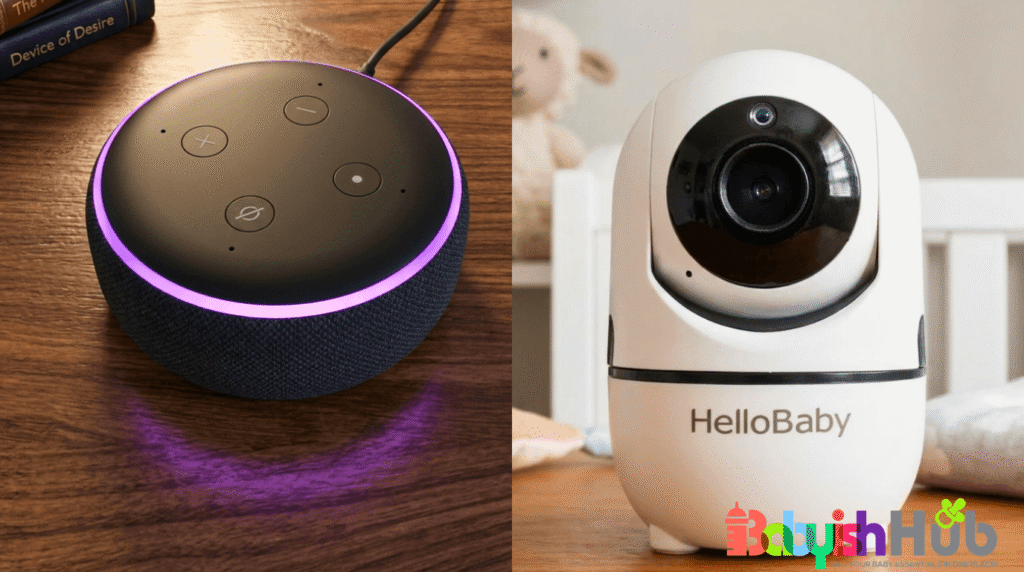
The biggest difference comes down to purpose…
A dedicated baby monitor is designed for one specific job: helping parents hear or see their baby from another room. Alexa, on the other hand, is a smart home device that can also be used for monitoring with a little setup. Because of that, the two options perform very differently in real-world use.
Dedicated Baby Monitors Are Built for Monitoring
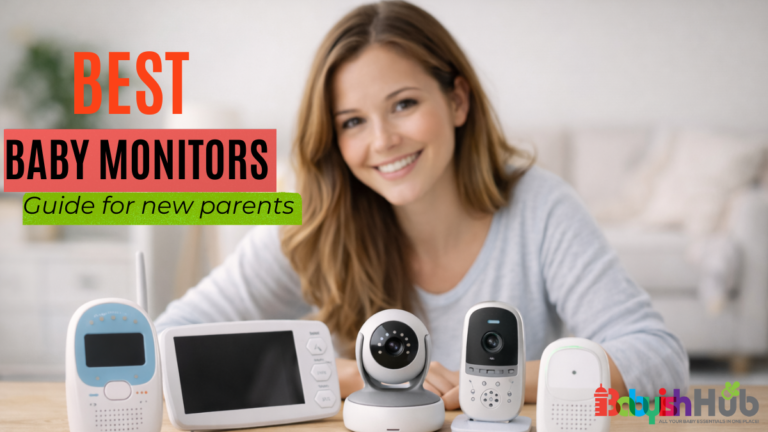
Every feature in a dedicated baby monitor serves a parent’s monitoring needs. Many models include:
- Always-on audio transmission
- Infrared night vision
- Long-range connectivity
- Out-of-range alerts
- Dedicated parent units
- Temperature monitoring
- Motion or breathing tracking on some models
These features work together to provide reliable monitoring throughout the night.
Alexa Was Designed for Other Tasks
Alexa was created as a voice assistant, communication tool, and smart home hub. While it can function as a baby monitor through features like Drop In, monitoring was never its primary purpose.
As a result, it handles basic audio monitoring reasonably well but lacks some of the specialized features parents often want for newborns and young babies.
Audio Monitoring: Dedicated Monitors Have the Advantage
When it comes to audio reliability, dedicated monitors usually come out ahead. Many audio-only monitors use DECT radio technology, which provides a direct connection between the nursery unit and the parent unit. They do not rely on Wi-Fi, internet access, apps, or user accounts.
Alexa depends on:
- A stable internet connection
- A working Wi-Fi network
- The Alexa app or connected device
- An active Drop-In session
If any part of that chain fails, monitoring can stop.
Video Monitoring (Where The Gap Gets Larger)
The difference becomes even more noticeable with video monitoring. A mid-range video baby monitor often includes:
- HD video quality
- True infrared night vision
- Pan-and-tilt camera controls
- Room temperature readings
- Two-way talk
- Lullaby playback
Many of these systems operate within a closed network rather than sending video through the internet.
An Echo Show offers some similar features, but it does not match the overall monitoring experience or low-light performance of a dedicated video monitor.
So, Which Option Offers Better Value?
For overnight newborn monitoring, even an entry-level audio monitor priced around $40 to $60 often delivers better reliability and a simpler user experience than an Alexa setup.
If you already own Alexa devices, using them as a monitor can save money. However, if your primary goal is dependable overnight monitoring, a dedicated baby monitor is usually a better choice.
Where Alexa Has an Edge
Alexa does outperform traditional monitors in the few areas below:
- Longer Effective Range: Because Alexa uses the internet, you are not limited to the range of a radio signal. You can check in from almost anywhere as long as both devices remain connected online.
- Remote Access: You can listen in through the Alexa app even when you are away from home, something many basic baby monitors cannot do.
- Smart Home Integration: If you already use Alexa throughout your home, it can work seamlessly with routines and automations.
For example, you can:
- Dim nursery lights automatically
- Play white noise at bedtime
- Create sleep routines
- Control other smart devices from the same app
Overall, if reliability is your top priority, especially for a newborn, a dedicated baby monitor remains the better choice. It was designed specifically for that job and generally performs it more consistently.
Alexa can still be a useful alternative for families who already own Echo devices, need a temporary solution, or want the added convenience of remote access and smart home integration.
What Real-Life Experiences Have Parents Had Using Alexa As A Baby Monitor?
Parent experiences with Alexa as a baby monitor split fairly cleanly along two lines: those who used it as a temporary or supplemental tool and found it adequate, and those who tried it as a primary overnight monitor for a young baby and ran into the reliability issues firsthand.
Parents who travel frequently and use Alexa as a backup at hotels or family members’ homes often report positive experiences. The setup is fast, the hardware is already familiar, and for a few nights in a situation where a dedicated monitor was not available, the Drop In feature covered the need. Several parents describe using it specifically for nap monitoring while staying in a vacation rental where they did not want to rely on whatever gear the rental provided.
Parents who used Alexa as their primary overnight monitor for a newborn report more frustration. Disconnected sessions discovered in the morning, false alerts from third-party skills, and the difficulty of reestablishing a connection during a middle-of-the-night wake-up are recurring themes. A few parents describe missing a baby’s cry because the drop-in session had quietly dropped an hour before the baby woke.
Parents of toddlers and older babies who sleep through the night reliably tend to have the most positive experiences. At that stage, they are not monitoring continuously so much as keeping an ear out for an unusual sound or a child calling for them. Alexa handles that use case more comfortably than the intensive monitoring a newborn requires.
One pattern that comes up consistently among parents who make Alexa work is that they use it as a secondary monitor rather than a replacement. They keep a dedicated monitor as their primary overnight system and use Alexa or the Drop In feature when they move to a different floor of the house, step outside briefly, or want to check on the baby from a room where the dedicated monitor receiver does not reach. That layered approach plays to Alexa’s strengths while compensating for its weaknesses.
Who Should Use Alexa As A Baby Monitor (And Who Shouldn’t)?

Alexa can work well as a baby monitor in some situations, but it is not the right choice for every family. The best option depends on your child’s age, your monitoring needs, and how reliable your home internet connection is.
Alexa May Be a Good Choice If…
- You Already Own Alexa Devices: If you already have an Echo device at home, using Alexa as a baby monitor can save money. You can monitor your child without buying additional equipment, making it a practical option for families who want a simple setup.
- Your Baby Is Past the Newborn Stage: Alexa tends to work better for older babies and toddlers who do not require constant monitoring throughout the night.
- If your main goal is to listen for crying, calling out, or movement during naps and bedtime, Alexa may provide everything you need.
- Your Home Wi-Fi Is Reliable: Because Alexa relies on an internet connection, a strong and stable Wi-Fi network is essential.Families with dependable internet service are less likely to experience interruptions that could affect monitoring.
- You Need a Travel-Friendly Backup: Alexa can be useful when traveling, especially if you already own a compact Echo device. Parents staying in vacation rentals or Airbnbs may appreciate having a simple way to monitor their child without packing a separate baby monitor.
- You Have an Older Toddler: For families with toddlers who can communicate verbally, Alexa’s Drop In feature is often enough to hear when a child needs help or calls out during the night. At this stage, parents usually need less intensive monitoring than they did during the newborn months.
Alexa May Not Be the Best Choice If…
- You Have a Newborn: Newborns require closer monitoring, especially during overnight sleep. Because Alexa depends on Wi-Fi and internet connectivity, it does not provide the same level of reliability as a dedicated baby monitor. For many parents, that extra reliability is worth having during the newborn stage.
- You Need to Monitor Breathing or Sleep Position: Parents who want to check breathing patterns, sleeping position, or other important details should choose a dedicated baby monitor. These systems are specifically designed for monitoring infants and often provide features that Alexa cannot match.
- Your Baby Has Medical Needs: If your child has a health condition that requires close observation, a dedicated monitoring system is the safer choice. A purpose-built monitor offers more dependable performance and fewer potential points of failure.
- Your Wi-Fi Connection Is Unreliable: Alexa only works as well as your internet connection. If your Wi-Fi frequently drops, has weak coverage, or experiences outages, monitoring may become inconsistent.
- You Want Clear Night Vision: Parents who regularly check on their baby visually during the night may be disappointed by the Echo Show’s low-light performance. Dedicated video baby monitors use infrared night vision and generally provide a much clearer view of a sleeping baby in a dark room.
Is Alexa A Good Baby Monitor Replacement Or Just A Backup Option?
For most families with a newborn, Alexa works best as a backup rather than a replacement. The main job of a baby monitor during the newborn phase is to provide uninterrupted, reliable transmission of sound from the nursery to wherever the parent is.
That is a function dedicated monitors perform more dependably than Alexa, because they are not dependent on Wi-Fi, cloud servers, or session management through an app.
As a backup baby monitor for travel, for nap monitoring in situations where your primary monitor does not reach, or for parents of older babies with lower monitoring demands, Alexa delivers enough value to prove useful.
Its two-way audio, the internet range, and the zero-cost setup for existing Echo owners are real advantages that a secondary use case can leverage without the reliability concerns mattering as much.
NOW…. the question worth asking yourself is not whether Alexa can technically function as a baby monitor, because it can. The question is whether the way it functions is adequate for your baby’s age, your home setup, and the level of confidence you need to sleep at night.
For some parents, particularly those with reliably sleeping older babies and stable home Wi-Fi, the answer is yes. For parents of newborns or babies with any health considerations, the answer is almost always to invest in a dedicated device and use Alexa as a supplement.
Baby gear decisions rarely have one universal right answer, and this one is no different. The best baby monitor is the one that keeps you informed and lets you rest with confidence.
Whether that is Alexa, a $50 audio monitor, or a high-end video system with all the features depends entirely on your family’s specific needs.
Final Thoughts
Can you use Alexa as a baby monitor? Yes, with the right expectations in place. It works best as a backup, a travel solution, or a light-touch option for older babies who no longer need intensive overnight monitoring. For newborns and for parents who need peace of mind through the night, a dedicated monitor is worth the investment. Trust your instincts, know your baby’s needs, and choose the device that actually lets you rest. You have enough to manage without second-guessing your monitor at 3 a.m.