Best Non-WiFi Baby Monitor Guide: 10 Tested Picks (No Hacking Risk)
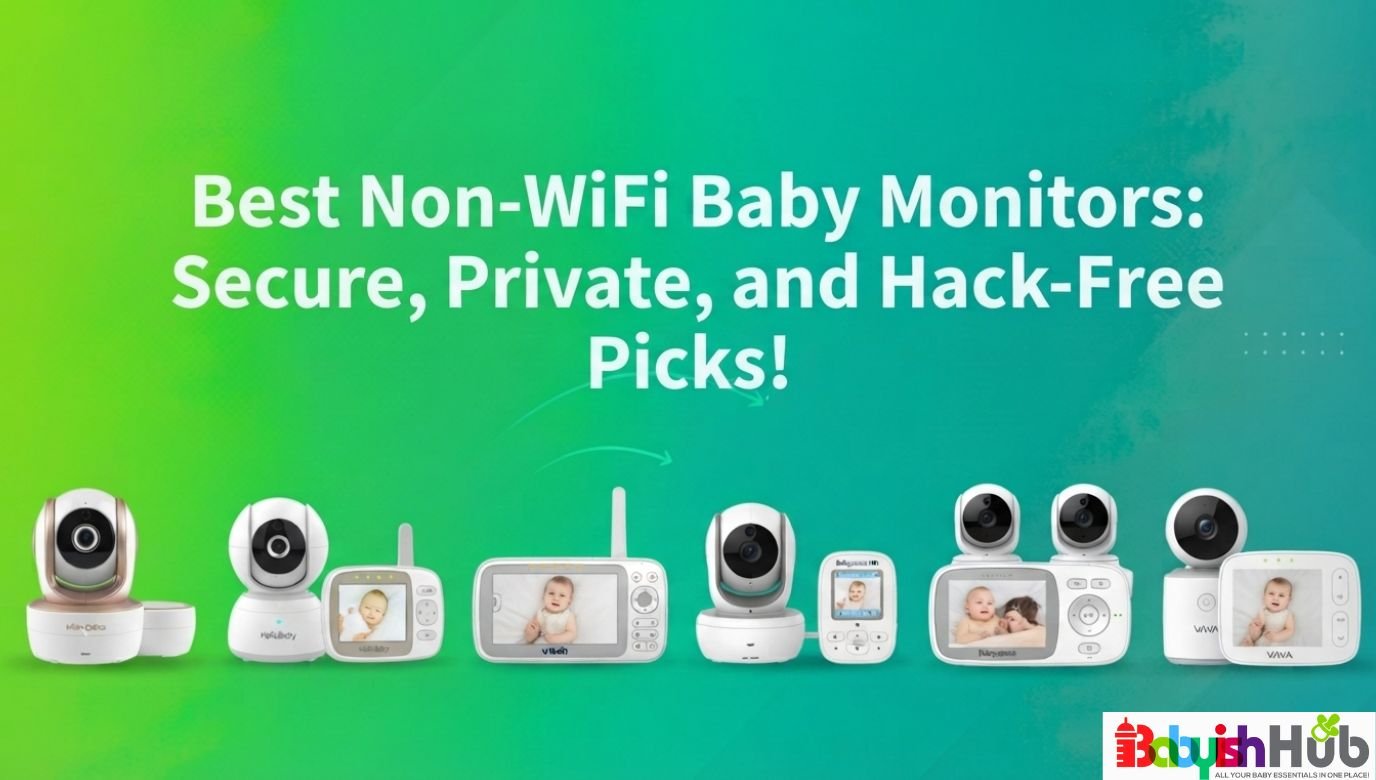
A non-WiFi baby monitor solves a very specific kind of worry: the one where your kid’s nursery feed lives on a server you’ve never seen, protected by a password you probably reused from somewhere else. The No-WiFi monitors run on a closed signal between the camera and your parent unit, nothing more, which means no app, no cloud account, and no stranger ever getting a glimpse of your sleeping baby.
That said, the right pick depends on your home’s layout, whether you’re monitoring one baby or two, and how much screen you want to carry around the house. This guide walks you through ten tested options so you can choose the best non-WiFi baby monitor for your family’s needs instead of guessing based on a star rating.
Disclaimer: This post includes affiliate links. If you purchase them, I may receive a small commission at no extra cost to you.
Best Non-WiFi Baby Monitor Picks At A Glance:
- Infant Optics DXR-8 PRO: Best Overall. The best mix of range, audio clarity, and dependable build quality for most families.
- HelloBaby HB6550: Best Budget. A capable starter monitor for parents who don’t want to overspend on a first nursery setup.
- VTech VM919HD: Best for Longest Range. Built for sprawling or multi-story homes where signal drop is the main issue.
- Babysense Prisma (2 Cameras): Best for Twins. Two pan-tilt-zoom cameras on one split screen for watching both kids at once.
- Infant Optics DXR-8 PRO SS: Best for Hearing Two Rooms At Once. Dual simultaneous audio and a user-replaceable battery for long-term ownership.
- Babysense HD S2: Best for 2 Kids in Different Rooms/Floors. A SCAN mode built specifically for alternating between two rooms.
- Comfyer BM01: Best Large Display. A 7-inch split screen for parents who want to see detail without squinting.
- VTech DM221: Best Audio-Only Option. No screen, no camera, just clear sound for families who don’t need video.
- VTech VM919-2HD: Best for Multi-Room Coverage. Two cameras and a 7-inch screen for families needing eyes in separate spaces.
- Infant Optics DXR-8: Best for Travel. A compact, lighter monitor that’s easier to pack for trips to grandma’s or a hotel stay.
Quick Recommendations Table:
| Product | Best For | Major Win | Main Drawback |
| Infant Optics DXR-8 PRO | Best Overall | Active Noise Reduction filters fan and HVAC hum | Single camera unless you buy add-ons |
| HelloBaby HB6550 | Best Budget | Strong feature set for the price point | Night image can wash out in very dark rooms |
| VTech VM919HD | Longest Range | 7-inch screen and 1,000 ft open-space range | Bulkier parent unit, less ideal for travel |
| Babysense Prisma (2 Cam) | Best for Twins | True split screen with two PTZ cameras | Battery drains faster running two feeds |
| Infant Optics DXR-8 PRO SS | Best for Hearing Two Rooms At Once | Simultaneous dual audio, replaceable battery | Higher price than most on this list |
| Babysense HD S2 | Best for 2 Kids/Floors | SCAN mode alternates audio automatically | Audio focuses on one camera at a time |
| Comfyer BM01 | Best Large Screen | 7-inch split screen, expandable to 4 cameras | Heavier parent unit to carry room to room |
| VTech DM221 | Best Audio-Only | DECT 6.0 sound with zero video distraction | No video means no visual reassurance |
| VTech VM919-2HD | Best Multi-Room | Two cameras paired to one large display | Setup takes longer with two units to place |
| Infant Optics DXR-8 | Best for Travel | Compact size, easy to pack | 480p video is softer than newer models |
How We Chose These Products
We narrowed this list by looking past star ratings alone and toward what actually predicts a good two-year ownership experience: signal reliability through walls and floors, battery life that survives a real overnight stretch, and a setup process simple enough that a sleep-deprived parent or a babysitter can manage it without a manual.
Every product here uses a dedicated FHSS or DECT connection rather than home WiFi, which keeps the feed off the internet entirely. We also paid attention to recurring feedback patterns, like which monitors hold a charge through the night versus which ones need a midnight top-off, and which split-screen systems let you hear both rooms versus toggling manually.
We left out monitors that blur the line between WiFi and non-WiFi, hybrid models that require an app for full functionality, and anything priced low enough to suggest corners were cut on the radio hardware that keeps the connection private.
We also avoided recommending nearly identical models from the same brand; each pick here earns its spot by solving a different parenting situation; the parent of twins has different priorities than the parent monitoring one baby in a small apartment.
Our Testing Approach:
Rather than focusing only on manufacturer specifications, we evaluated the factors that are most crucial for everyday use. We looked at:
- Connection reliability through walls and multiple floors
- Overnight battery performance
- Ease of setup
- Video and audio quality
- Expandability
- Long-term durability
We also compared recurring feedback from verified owners to identify the strengths and weaknesses that consistently appeared after months of use.
Top 10 Best Baby Monitors Without Wifi:
Here’s our final list of our top 10 best non-WiFi baby monitor picks for you to choose from:
1. Infant Optics DXR-8 PRO: Best Overall
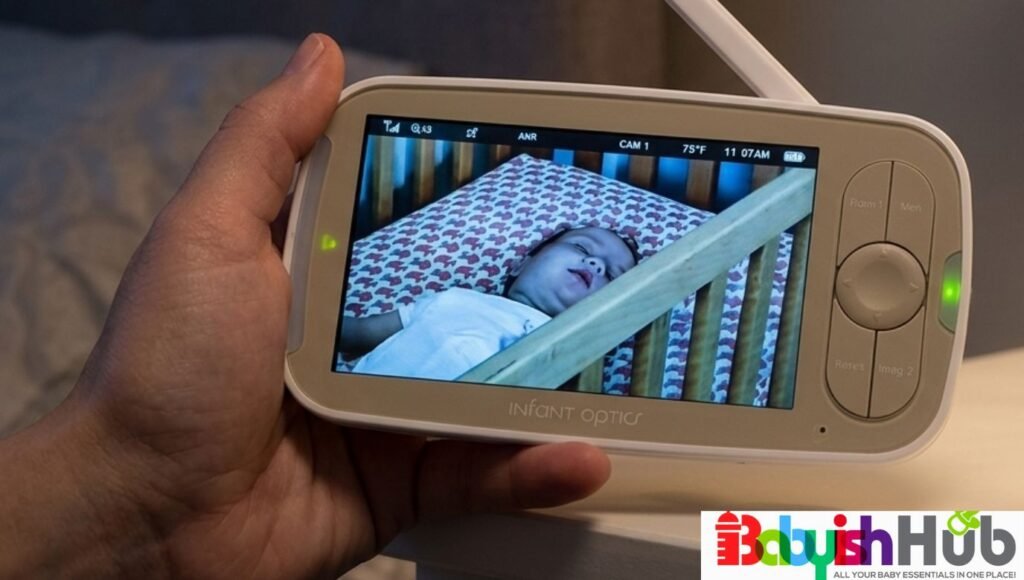
- Display Size: 5-inch LCD
- Connection: FHSS
- Cameras Included: 1
- Expandable: Yes, up to 4 cameras
- Battery Life: Up to 6 hrs. screen-on/11 hrs. standby
- Range: Up to 1,000 ft
- Best For: Everyday Home Use
The DXR-8 PRO stands out because it focuses on what parents care about most: reliable performance, clear video, and peace of mind. Its Active Noise Reduction technology filters out the constant hum of a fan or air purifier, which sounds minor until you’re trying to tell the difference between white noise and an actual cry at 3 a.m.
This is the right monitor for a family that wants one quality camera, a long signal range, and a manufacturer with a long track record of reliable firmware. Parents who need two cameras out of the box should look at the PRO SS version instead.
Setup takes a few minutes; no pairing codes or app downloads are involved; you plug in both units, and they connect automatically. The interchangeable lens system is the standout feature in daily use. Swapping to the wide-angle lens once your baby starts climbing out of bed extends the monitor’s usefulness well past the newborn stage.
The 5-inch screen is bright enough to check at a glance without waking yourself fully, and the unit is light enough to carry from kitchen to bedroom without feeling like a brick in your hand.
Pros:
- Active Noise Reduction cuts down on false alarms from background noise, which is quite important when you’re trying to sleep.
- A 1,000-foot open-range rating that holds up reasonably well through interior walls and one floor, useful in a typical two-story home.
- Interchangeable lenses mean the same camera can serve a newborn and a toddler without buying new hardware.
- No app, no account, no firmware updates to manage; it works the same way every night.
Cons:
- Only one camera is included; expanding to twins or a second room means buying an add-on camera separately.
- 720p video, while sharp for this category, won’t match the fine detail of higher-end WiFi systems.
How It Compares: In comparison with the HelloBaby HB6550, the DXR-8 PRO costs more but delivers much better audio handling and a sturdier build that holds up over a few years of nightly use. Against its own PRO SS sibling, the standard PRO is the better fit if you only need to watch one room.
VERDICT: For most parents who want a no-WiFi baby monitor that just works night after night, this is the safest first purchase on the list.
RELATED: Infant Optics DXR-8 Pro Review (My Honest Look After Using It Across Three Kids)
2. HelloBaby HB6550: Best Budget
- Display Size: 5-inch LCD/IPS
- Connection: 2.4GHz FHSS
- Cameras Included: 1
- Expandable: Yes, up to 4 cameras
- Battery Life: Up to 30 hrs. (voice/eco mode), 8–12 hrs. (video mode)
- Range: Up to 1,000 ft
- Best For: Budget-friendly everyday use
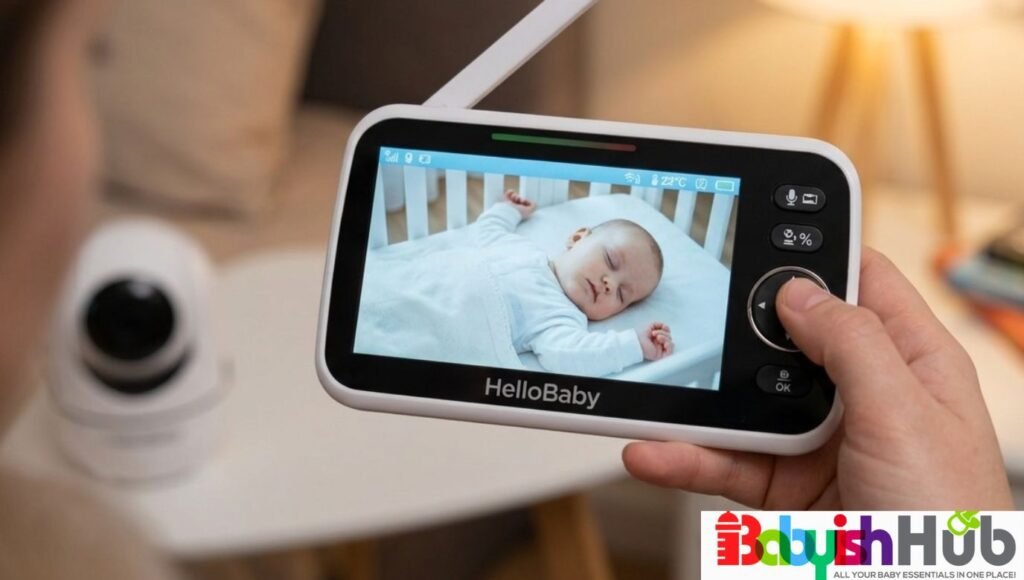
Not every mom needs every feature, and the HB6550 proves that a non-WiFi baby monitor without internet connection requirements can still be highly useful at a lower price point. It covers the basics: video, audio, night vision, remote pan-tilt-zoom, without the premium price tag.
This monitor fits new parents on a tighter budget or anyone who wants a reliable backup unit for a grandparent’s house. Families who need pixel-perfect night video should expect a more basic image than the pricier picks here.
The HB6550 starts up in a few seconds, and the controls are intuitive enough that a first-time babysitter won’t need a tutorial. Daytime video looks clear, and the remote pan and tilt let you scan the room without walking in.
Nighttime footage can lean toward washed-out in a completely dark room, with a brighter hot spot near the center of the frame, something to keep in mind if your nursery has zero ambient light.
Pros:
- Highly affordable for what’s included: video, audio, pan-tilt-zoom, and lullabies in one package.
- 30-hour battery life in voice mode means fewer overnight charging interruptions.
- 1,000-foot range claim performs reasonably well in average-sized homes.
Cons
- Night vision image quality is the weakest part of the experience compared to the pricier options on this list.
- The build feels lighter and less premium than the Infant Optics or VTech models.
How It Compares: Compared to the DXR-8 PRO, you give up audio noise filtering and lens flexibility, but you save a meaningful amount on price. Compared to the VTech DM221, you gain video, which most parents will consider worth the tradeoff.
VERDICT: A great monitor option for parents who want video monitoring without stretching the nursery budget.
3. VTech VM919HD: Best for Longest Range, Large Homes
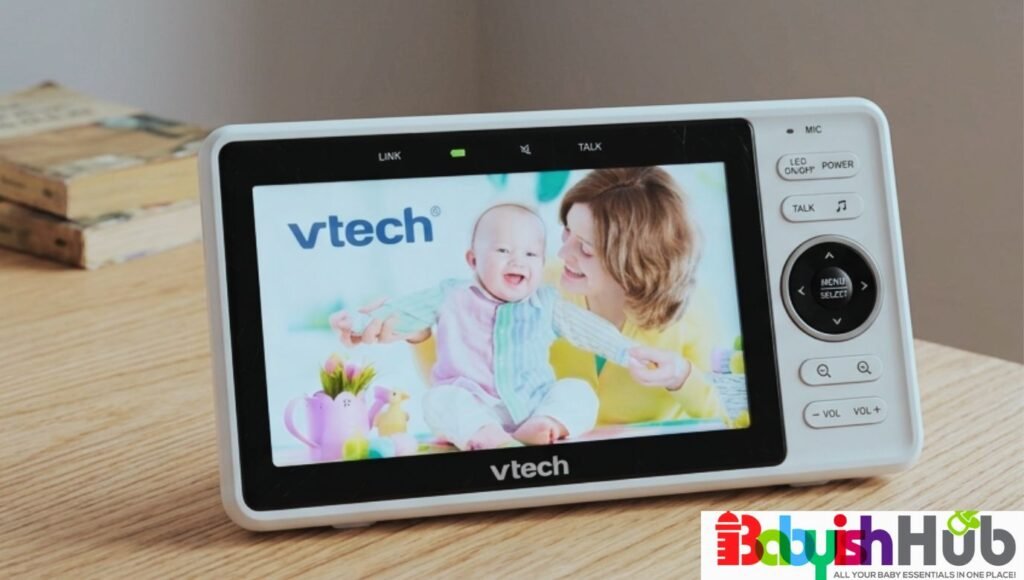
- Display Size: 7-inch HD (720p)
- Connection: FHSS
- Cameras Included: 1
- Expandable: No (buy the VM919-2HD two-camera version instead)
- Battery Life: Up to 15 hours
- Range: Up to 1,000 ft
- Best For: Large or multi-story homes
If you live in a large or multi-story house, signal drop is the single biggest frustration with budget monitors. The VM919HD addresses this issue directly with the largest parent-unit screen in this category and a range built to handle distance and interior walls.
This best baby monitor no WiFi is best suited to families in homes with multiple floors, finished basements, or detached garage suites where a weaker signal would mean losing connection mid-feed. Apartment dwellers or anyone prioritizing portability may find the unit larger than necessary.
The 7-inch true-color display is the most noticeable upgrade here; checking on your baby from across the kitchen no longer means squinting. Plug-and-play setup works as advertised, with no app to configure.
The 110-degree wide-angle lens captures most of a standard nursery in a single frame, reducing how often you need to manually adjust the camera angle. The downside is size: this parent unit isn’t something you’ll want to slip into a diaper bag.
Pros:
- The largest screen on this list, which makes a big difference for parents checking the monitor in low light without their glasses on.
- VOX mode wakes the screen only when sound is detected, conserving battery without missing anything important.
- Built-in temperature sensor adds a layer of nursery safety monitoring beyond audio and video.
Cons:
- The bulkier parent unit makes this unsuitable for travel.
- At this size, battery life runs shorter than smaller competitors when the screen stays active.
How It Compares: Compared with the Comfyer BM01, both units offer large screens, but the VTech edges ahead with range and brand reliability, while the Comfyer wins on expandability to more cameras.
VERDICT: This is the best non-WiFi baby monitor with the longest range. It’s the best choice for you if your biggest concern is whether the signal will reach every room in the house.
4. Babysense Prisma (2 Cameras): Best for Twins
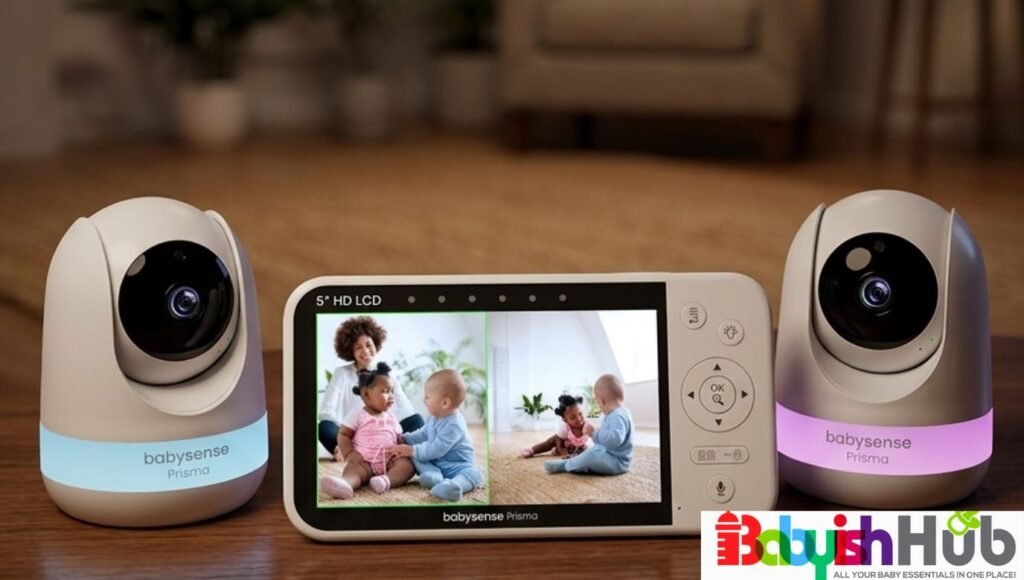
- Display Size: 5-inch HD (720p)
- Connection: 2.4GHz FHSS
- Cameras Included: 2
- Expandable: Yes, up to 4 cameras
- Battery Life: Up to 20 hrs. (ECO mode)/12 hrs. (regular mode)
- Range: Up to 1,000 ft
- Best For: Twins, Multiple Kids, or Two Rooms at Once
Watching twins, or a baby and a toddler in separate rooms, is usually harder than monitoring one child. And most single-camera monitors weren’t designed for it. The Prisma’s split-screen shows you both cameras at once on a single 5-inch display, which removes the constant toggling that frustrates parents of multiples.
The non-Wi-Fi monitor is ideal for parents of twins or siblings sleeping in separate rooms who want to glance at one screen rather than juggle two devices. A single child in one room doesn’t need this much monitoring.
Setup involves pairing two cameras with one parent unit, which takes a bit longer than a single-camera system but isn’t difficult. The split screen shows both feeds simultaneously, and the pan-tilt-zoom on each camera can be adjusted independently.
The six-color night light is a nice touch for soothing your little one without entering the room. Running two video feeds does pull more from the battery, so you should expect to recharge this monitor more frequently than with a single-camera setup.
Pros:
- True split-screen viewing of two rooms at once, which is the entire point for parents of multiples.
- Independent pan-tilt-zoom control for each camera means you’re not stuck with a fixed angle in either room.
- Built-in white noise and lullabies reduce the need for a separate sound machine in each nursery.
Cons:
- Running two cameras shortens battery life compared to single-camera monitors.
- The split screen makes each feed smaller, which may be limiting if you want a close, detailed view of one baby specifically.
How It Compares: When put against the Babysense HD S2, the Prisma offers true simultaneous split-screen viewing, while the HD S2 leans on a SCAN mode that alternates audio between rooms instead.
Parents of twins who want to see both kids at once should lean on Prisma; parents monitoring two separate, non-twin children in different parts of the house may prefer the HD S2’s alternating approach.
VERDICT: This is the best pick on this list for parents monitoring two babies on a single screen instead of the hassle of two devices.
5. Infant Optics DXR-8 PRO SS: Best for Hearing Two Rooms At Once
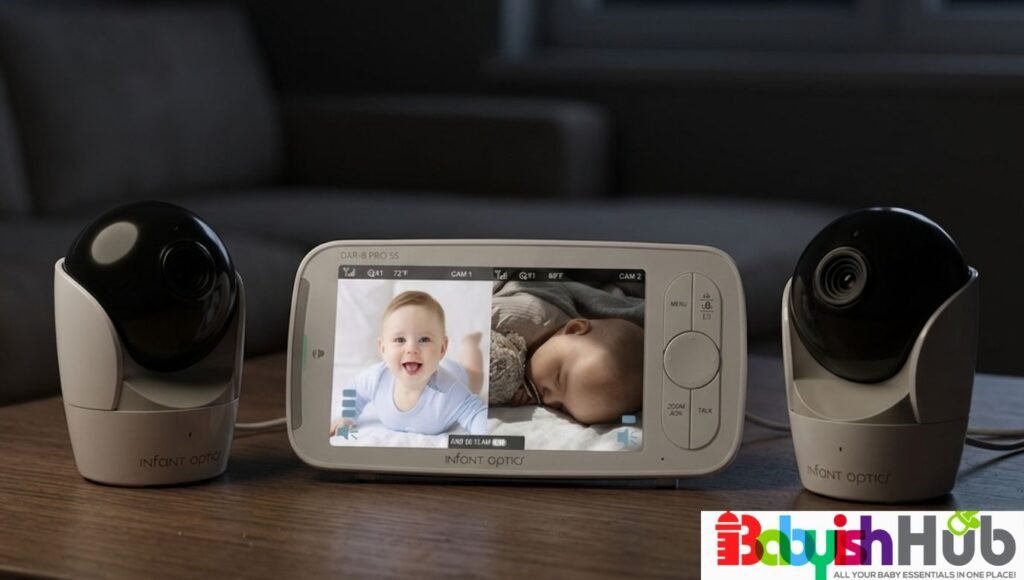
- Display Size: 5-inch HD, split-screen
- Connection: FHSS
- Cameras Included: 2
- Expandable: Yes, up to 4 cameras
- Battery Life: User-replaceable; similar runtime to standard PRO (~6 hrs. screen-on)
- Range: Up to 1,000 ft
- Best For: Twins or multi-room families looking for dual audio
The PRO SS builds on everything that makes the standard DXR-8 PRO great and adds Simultaneous Dual Audio, which lets you hear both rooms at once rather than scanning between them. If you have outgrown a single-camera setup but still want Infant Optics’ audio quality, this is the upgrade you’re looking for!
This unit is great for multi-room or twin families who specifically want continuous dual audio rather than a scan-and-toggle approach, and who don’t mind paying more for a user-replaceable battery and the brand’s signature noise filtering.
The split-screen display works much like the standard PRO SS sibling, but the standout in daily use is the dual audio; you’re not missing a cry in one room while the screen focuses on the other.
The user-replaceable battery allows for long-term ownership of this monitor, since most monitor batteries degrade after a couple of years and force a full repurchase. Here, you just swap the battery and keep going.
Pros:
- Simultaneous Dual Audio lets you hear both rooms continuously.
- User-replaceable battery extends the monitor’s usable life well beyond typical battery degradation timelines.
- Carries forward the same Active Noise Reduction technology that makes the standard PRO stand out.
Cons:
- The high price tag may be more than some families want to spend.
- Two cameras and continuous dual audio draw more power, so you should expect more frequent charging than the single-camera PRO.
How It Compares: Against the Babysense Prisma, the PRO SS costs more but offers continuous dual audio rather than a split where you control which camera’s sound plays. If you prefer hearing audio from both rooms at all times, you’ll find that difference worth the price gap.
VERDICT: The best choice for parents of twins or multiples who want premium audio handling and don’t mind paying for it.
6. Babysense HD S2: Best for 2 Kids on Different Floors
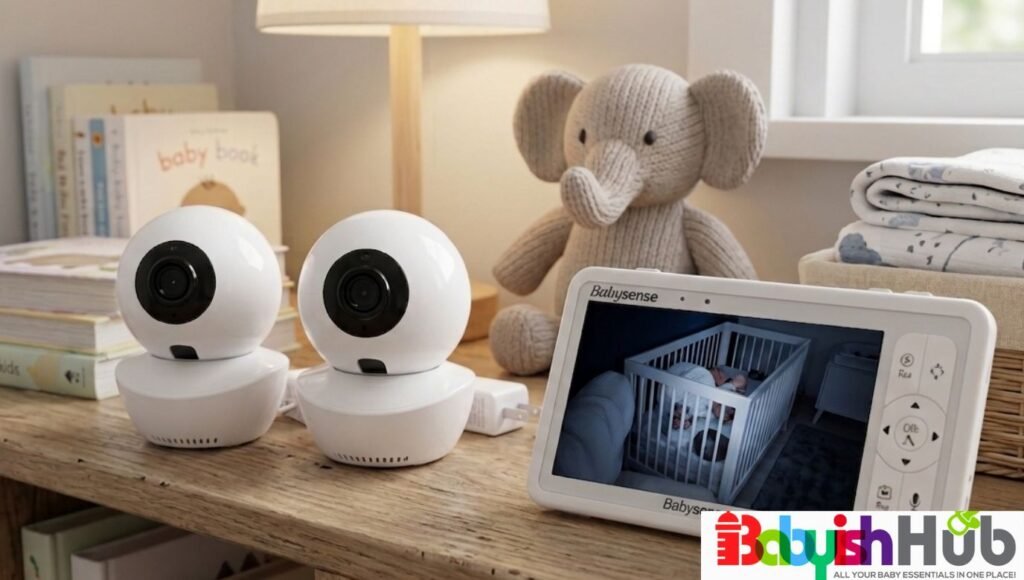
- Display Size: 5-inch HD (720p)
- Connection: 2.4GHz FHSS
- Cameras Included: 2
- Expandable: Yes, up to 4 cameras
- Battery Life: Up to 20 hrs. (ECO mode)/12 hrs. (regular mode)
- Range: Up to 1,000 ft
- Best For: Monitoring 2 Kids on different floors
The HD S2 takes a different approach to multi-child monitoring than a split screen: its SCAN mode automatically alternates audio between two cameras every 15 seconds, which works well when your two kids are in separate parts of the house rather than adjacent nurseries.
This unit is a strong fit for parents monitoring two children on different floors or at opposite ends of a larger home, where a split screen is less crucial than reliable rotating audio coverage. If you have twins sharing similar sleep schedules in nearby rooms, you may prefer the Prisma’s true split screen instead.
The 5-inch, 720p display is sharp enough for daily checks, and the 4,000mAh battery easily lasts through a full night without a midway charge. The SCAN mode is easy to use once configured; it cycles automatically, so you’re never permanently missing one room’s audio.
A key issue you’ll notice is that, outside of scan mode, the unit focuses audio on one camera at a time rather than blending both.
Pros:
- A long-lasting 4,000mAh battery that holds up through overnight use without frequent recharging.
- SCAN mode is highly useful for two children in separate areas of a larger home.
- Expandable up to four cameras total if your family grows or your layout changes.
Cons:
- The audio doesn’t play from both cameras simultaneously outside scan mode, which you may find less reliable than a true dual-audio system.
- The split-screen video and scan-mode audio aren’t always in sync, requiring a short learning curve.
How It Compares: Against the Babysense Prisma split-screen, the HD S2 prioritizes range and battery life over true simultaneous split audio; it’s the better fit for a sprawling home rather than two adjacent nurseries.
VERDICT: This model is a better choice than the Prisma, specifically when your two children sleep on different floors rather than next door to each other.
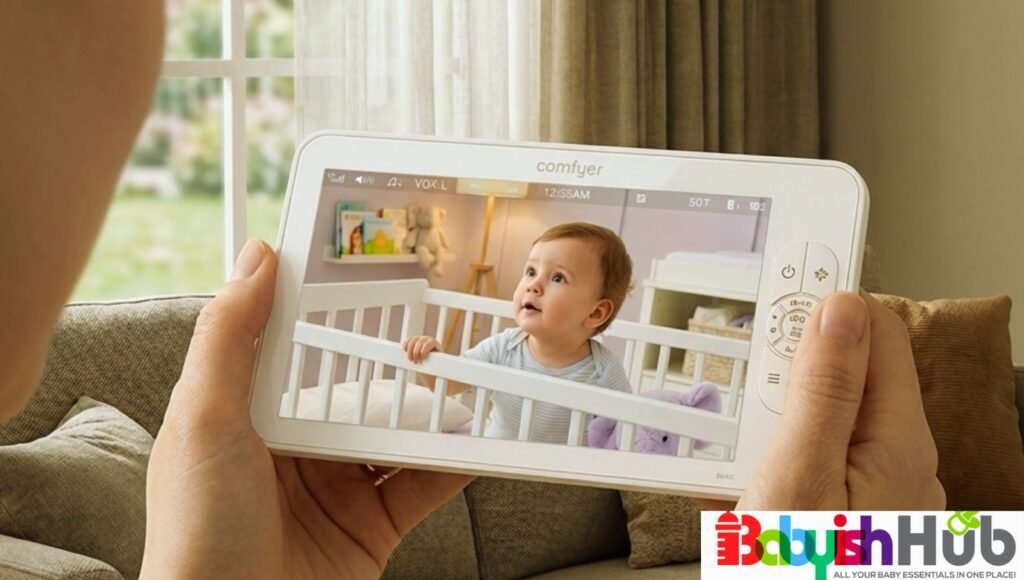
7. Comfyer BM01: Best Large Screen, 2 Cameras
- Display Size: 7-inch HD (720p)
- Connection: 2.4GHz FHSS
- Cameras Included: 2 (1080p cameras)
- Expandable: Yes, up to 4 cameras
- Battery Life: Up to 13 hrs. video/2 days (48 hrs.) in VOX audio mode
- Range: Up to 960 ft
- Best For: Large Split-Screen Viewing
The Comfyer BM01 pairs a generous 7-inch display with split-screen viewing across two 1080p cameras, and it expands up to four total cameras on one parent unit, more room for growth than most of its competitors.
This is a good option for you if you specifically want a larger screen than the 5-inch standard alongside the flexibility to add more cameras down the line, including for siblings or pets.
The 7-inch screen makes split-screen viewing much better, since each half of the split still shows you enough detail to be useful, unlike smaller screens where a split feels cramped. The included flexible mounting bracket is a thoughtful touch if you don’t want to drill into a crib rail or apartment wall.
The monitor’s battery life is rated up to 48 hours in VOX mode, which held up well across overnight testing periods reported by our users. One real-world limitation is that the audio focuses on one camera at a time in split-screen mode; you have to manually select which feed you’re listening to, or rely on scan mode.
Pros:
- This is the largest practical split-screen experience on our list thanks to the 7-inch display.
- Expandable to four cameras, useful for growing families or homes with more than two rooms to watch.
- The included flexible mount simplifies the baby camera placement without extra purchases.
Cons:
- Audio in split-screen mode requires manually selecting a camera or relying on scan mode rather than hearing both simultaneously.
- The larger parent unit is a bit heavier to carry from room to room compared to the 5-inch models.
How It Compares: Against the VTech VM919HD, both offer large 7-inch screens, but the Comfyer’s split-screen and four-camera expandability make it a better choice for multi-child households, while the VTech wins on raw signal range.
VERDICT: A solid pick for parents who want a pretty large screen and room to expand their camera setup later.
8. VTech DM221: Best Audio-Only Option
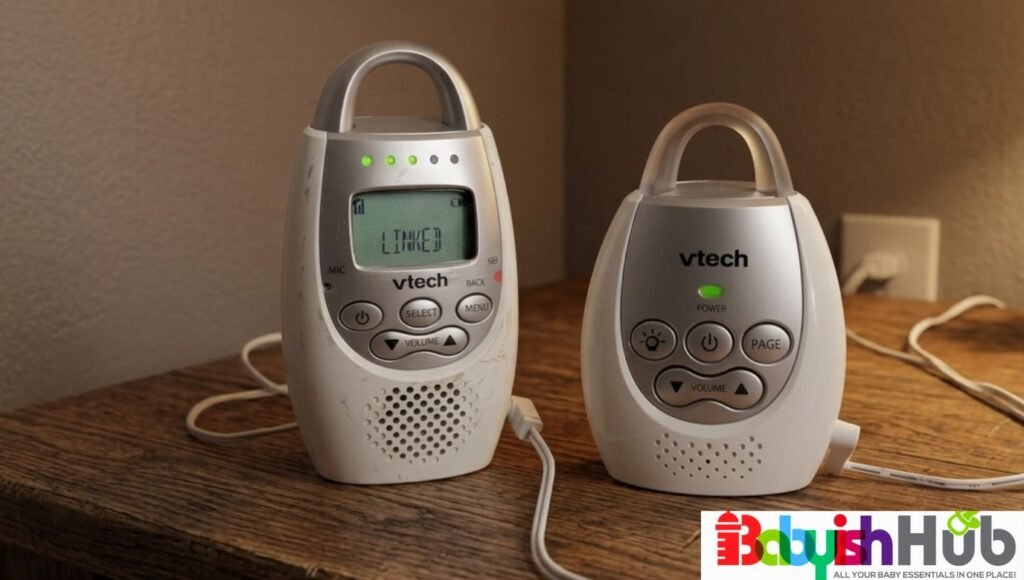
- Display Size: None (audio-only, LED indicator display)
- Connection: DECT 6.0
- Cameras Included: 0 (audio unit only)
- Expandable: Yes, additional parent units available (DM221-2)
- Battery Life: Up to 18 hours (manufacturer-rated)
- Range: Up to 1,000 ft
- Best For: Audio-only monitoring
Not every family wants or needs video. The DM221 strips monitoring down to clear, secure audio using DECT 6.0 technology, which avoids both WiFi and the interference that plagues older analog monitors.
The audio-only monitor is best suited to parents who find video monitoring distracting or unnecessary, especially past the newborn stage when checking in by sound alone often feels sufficient. Parents who specifically want visual reassurance should choose a video model instead.
This is about as close to plug-and-forget as a monitor gets. There’s no screen to glance at compulsively, just a five-level sound indicator and a vibrating alert for situations where you need silence, like a shared bedroom with another sleeping child.
The talk-back intercom is quite useful for soothing your baby from another room before you’ve even reached the door. However, with video, you do lose the ability to visually confirm what’s happening, which some parents find harder to get used to than they expect.
Pros:
- Long battery life and a 1,000-foot range that perform reliably for an audio-only device.
- No screen means no temptation to stare at the monitor all evening, which some parents find pretty calming.
- DECT 6.0 technology avoids the static and interference common with older analog audio monitors.
Cons:
- No video means no visual confirmation, which can feel like a real gap for first-time parents used to checking by sight.
- The vibrating alert and sound indicator take some adjustment compared to glancing at a live picture.
How It Compares: Against any of the video monitors on this list, the DM221 trades the peace of mind from seeing your baby for simplicity and a lower price point. It’s a good second monitor for a living room or kitchen, even if your primary monitor is video-based.
VERDICT: A smart, no-frills choice for parents who’ve decided video monitoring isn’t worth the extra complexity.
9. VTech VM919-2HD: Best for Multi-Room Coverage
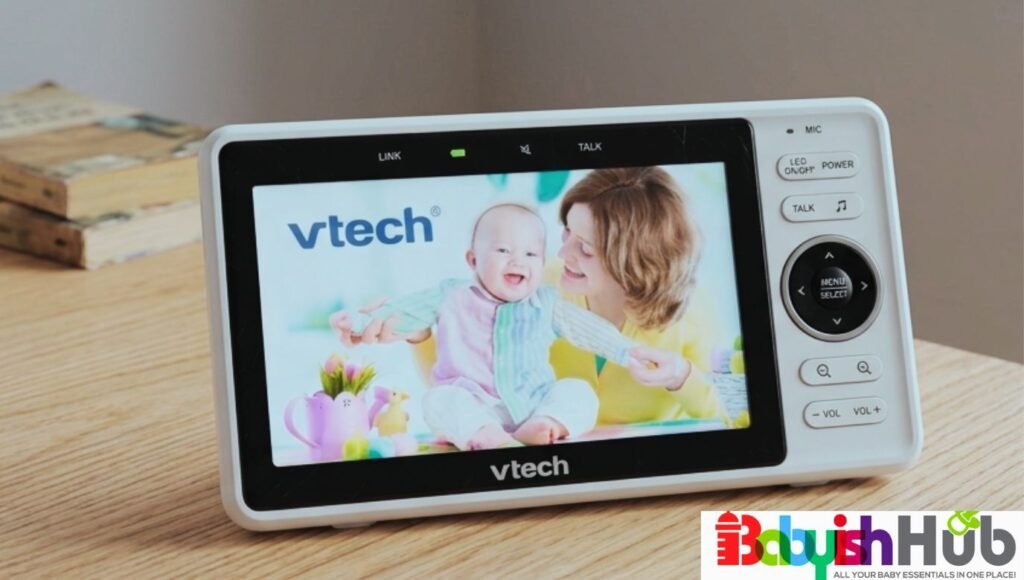
- Display Size: 7-inch HD (720p)
- Connection: FHSS
- Cameras Included: 2
- Expandable: No (fixed two-camera system)
- Battery Life: Up to 15 hours
- Range: Up to 1,000 ft
- Best For: Multi-room coverage
This is the two-camera version of the VM919HD, pairing the same large 7-inch screen and long range with a second camera, useful for families who need to watch two separate rooms rather than two cameras pointed at twins in the same nursery.
This monitor is a good fit if you’re managing a baby and an older sibling in separate rooms, or if you want the VM919HD’s range and screen size but need a second set of eyes elsewhere in the house.
Setup takes a bit longer with two cameras to place and pair, but each step is easy-peasy and doesn’t require an app. The big 7-inch screen handles the second camera feed well, and the 360-degree pan and 100-degree tilt on each camera let you adjust the view without entering either room.
As with the single-camera version, this is not a unit you’ll want to pack for travel; it’s built for a fixed nursery setup.
Pros:
- Combines VTech’s reliable long range with the convenience of two cameras on one large screen.
- Each camera can be independently controlled for pan, tilt, and zoom.
- Built-in temperature sensor on each camera adds an extra layer of nursery safety awareness.
Cons
- Larger and heavier than most two-camera competitors, making it a poor fit for travel.
- Two cameras pull more battery than the single-camera version, shortening unplugged use time.
How It Compares: Against the Comfyer BM01, the VTech wins on range and brand longevity, while the Comfyer offers more camera expandability for families who might add a third or fourth room later.
VERDICT: The right pick for a family with two kids in separate rooms who want one large, reliable screen for both.
10. Infant Optics DXR-8: Best for Travel
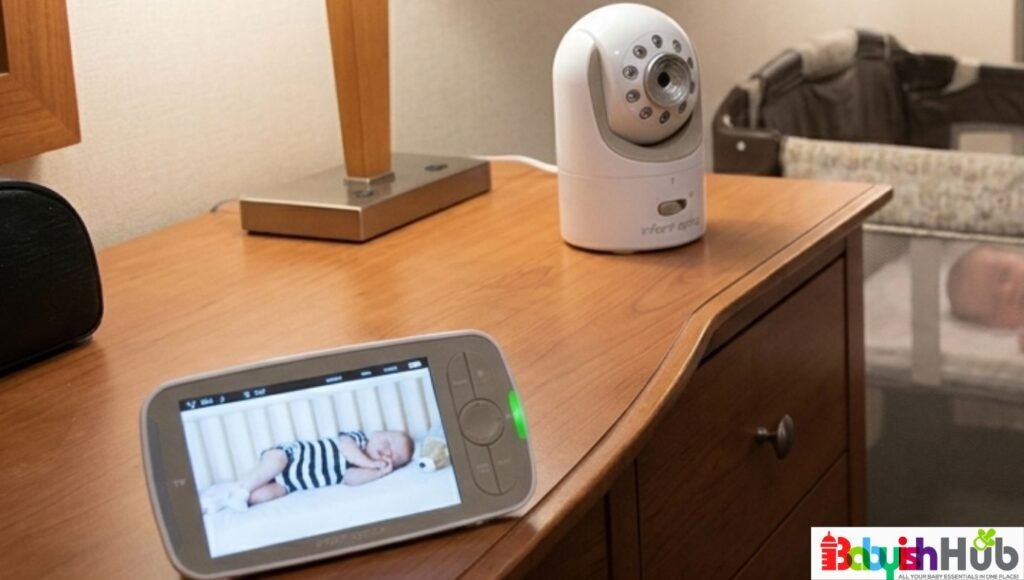
- Display Size: 3.5-inch LCD
- Connection: FHSS
- Cameras Included: 1
- Expandable: Yes, up to 4 cameras
- Battery Life: Up to 8 hrs. screen-on/12 hrs. audio-only
- Range: Up to 500 ft
- Best For: Travel
The original Infant Optics DXR-8 is the most compact and lightweight monitor on this list, which makes it the go-to choice when you’re packing for a trip to grandma’s house or a hotel stay and don’t want to find room for a bulky 7-inch parent unit.
The monitor is ideal for families who travel often with a baby and want a dependable, no-WiFi baby monitor without internet connection requirements that fits easily into a diaper bag or carry-on. If you prioritize video sharpness above all else, you may prefer the newer PRO model instead.
The smaller monitor unit, measuring under 5 inches across, slips into a side pocket without much thought, and setup at a new location takes only a couple of minutes since the camera and monitor are already paired from the factory.
The interchangeable lens system carries over from this model’s design, so you can pack a wide-angle lens for an unfamiliar hotel room layout. Video resolution sits at 480p, which is a bit softer than the PRO’s 720p, a fair tradeoff if you’re prioritizing portability over picture detail.
Pros:
- The most compact monitor and camera combination on this list; super-easy to travel with.
- Same FHSS non-WiFi connection and interchangeable lens system as the PRO, just in a smaller footprint.
- Quick to set up in a new location since both units pair automatically.
Cons:
- 480p video resolution is the lowest on this list, noticeable next to the newer PRO model.
- A smaller screen makes fine detail harder to see than on the larger 5-inch and 7-inch options.
- The 500 ft range is on the lower side of the range spectrum
How It Compares: Against the DXR-8 PRO, you’re trading video sharpness and Active Noise Reduction for a smaller, lighter unit that’s easier to carry. For a primary at-home monitor, the PRO is the better long-term investment; for a dedicated travel companion, the original DXR-8 still holds up.
VERDICT: The best non-WiFi baby monitor for travel on this list, ideal for use as a secondary unit for trips even if you own a larger monitor at home.
Other Honorable Mentions:
Beyond the top 10 non-WiFi baby monitors we’ve covered, there are a few more models that deserve a mention. If none of our top picks feels like the perfect fit for your family, one of these alternatives could be the internet-free baby monitor that gives you the peace of mind you’re looking for:
- VTech VM3254 (Best Compact Travel Runner-Up): This is a lighter, best baby monitor without WiFi alternative to the bulkier VTech units on this list. The VM3254 is built for parents who want a dependable no-WiFi baby monitor for weekend trips or grandma’s house without paying for the DXR-8’s interchangeable lenses. It won’t win on range, but it’s an easy second unit to toss in your bag.
- Vava VA-IH006 (Best Budget Split Screen): If the Babysense Prisma’s price tag is more than you want to spend but you still need two cameras on one screen, the Vava split-screen baby monitor no WiFi delivers a true dual-camera view at a lower cost. Night vision is solid, though the plastic housing feels a step below the premium picks here.
- Motorola VM36XL (Best for Backyard Monitoring): Motorola’s long history in cordless phones carries over into the monitor range, and the VM36XL is a solid pick for parents who need coverage that stretches into the backyard or a detached garage. It’s a strong alternative to the VTech VM919HD if you want a well-known brand name with a similarly generous range.
- Eufy Security SpaceView E110 (Best for Local-Only Video Storage): The SpaceView keeps its feed entirely local between camera and parent unit, with no app or WiFi network involved in core functionality, making it a good fit for parents who want video monitoring without any cloud footprint whatsoever.
- Summer Infant Baby Pixel (Best Simple Starter Monitor): A no-frills, no-WiFi baby monitor without internet connection headaches, the Baby Pixel keeps things basic: clear video, decent night vision, and an easy-to-operate parent unit that doesn’t require a manual to figure out.
- Anmeate 5-Inch Split Screen (Best Ultra-Budget Twins Option): For parents of twins who need two cameras but are working with a tighter nursery budget than the Prisma allows, the Anmeate split-screen monitor covers the basics of simultaneous two-room viewing at one of the lowest price points in this category.
- LeapFrog LF2423 (Best for a Trusted Kids’ Brand on a Budget): A steady, no-WiFi option from a household name in children’s products, the LF2423 keeps things simple with a 2.8″ IPS screen, 1,000ft range, and a temperature sensor. This makes it a solid pick for parents who’d rather stick with a familiar brand than gamble on a newer name.
Buying Guide: How To Choose The Best Non-WiFi Baby Monitor
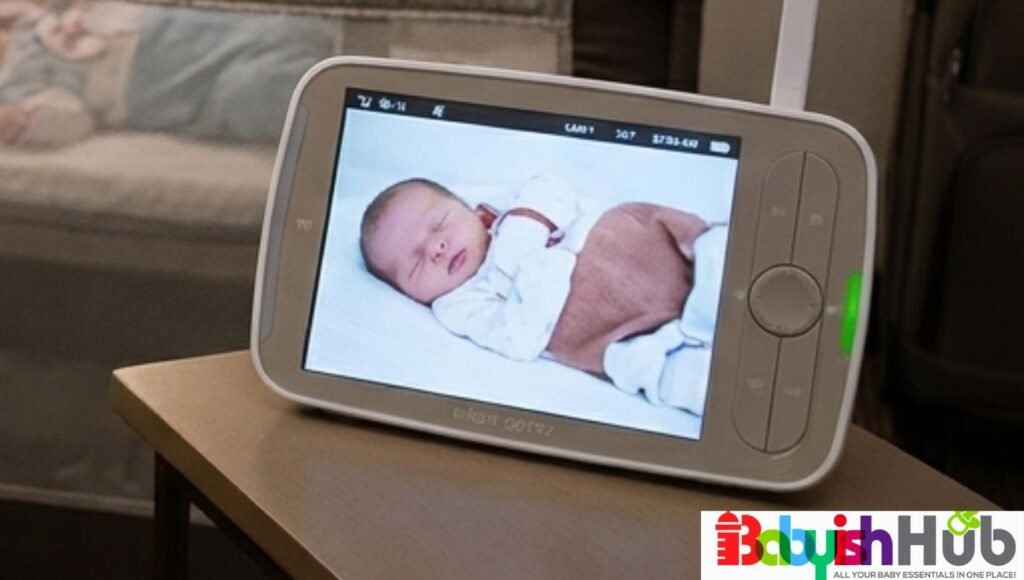
Picking the right non-WiFi baby monitor always boils down to matching the devices to your actual home and family, rather than chasing the longest feature list. Here’s what you should weigh before you buy:
Dedicated Wireless Connection (DECT or FHSS Technology)
The biggest reason why you’re choosing a non-WiFi baby monitor is for greater privacy and reliability. Instead of connecting to your home’s internet, these monitors create a direct wireless link between the camera and the parent unit.
Look for models that use FHSS or DECT 6.0 technology. Both create a private, dedicated connection that doesn’t rely on cloud servers, apps, or remote logins. That means your baby’s video feed stays within your home, without the internet-related security risks that come with WiFi monitors.
Video and Audio Quality
A baby monitor is only as good as the picture and sound it delivers, which makes audio and video quality another crucial consideration. Look for:
- A sharp, clear picture during the day.
- Crisp infrared night vision so you can clearly see your baby after dark.
- Clear audio with little to no background static.
- Minimal delay between what happens in the nursery and what you see or hear on the screen.
After all, if you can’t clearly see or hear your baby, the extra features won’t matter much.
Signal Range and Connection Reliability
I always caution parents against relying solely on the range printed on the box. Why? Because manufacturers measure range in ideal, open spaces without walls or obstacles, which isn’t how most homes are laid out.
Walls, floors, and even large appliances can significantly reduce the signal. If you live in a larger or multi-story home, look for a WiFi-free baby monitor rated for at least 1,000 feet in open space. In real-world conditions, you can typically expect around 400 to 600 feet of reliable coverage.
Also, I suggest paying attention to connection reliability. A good monitor should maintain a stable signal, reconnect automatically if the connection is interrupted, and alert you if you move out of range.
Battery Life
A long-lasting battery gives you the freedom to carry the parent unit around the house without constantly worrying about recharging it.
If you plan to use the baby monitor without WiFi throughout the day and overnight, look for a battery that lasts at least 10 to 12 hours under normal use. Keep in mind that larger screens, higher brightness settings, and multiple cameras usually use more power.
Many no-WiFi monitors also include VOX (Voice Activation) mode, which turns the screen off when the room is quiet and automatically wakes it when your baby cries or makes noise. This simple feature helps extend your battery life without missing important moments.
Screen Size and Ease of Use
A bigger screen makes it easier for you to check on your baby at a glance. However, you should ensure the large screen is also easy to use. Look for a monitor with:
- A bright, easy-to-read display.
- Simple buttons and intuitive menus.
- Quick setup and camera pairing.
- Adjustable screen brightness for comfortable nighttime viewing.
When you’re running on very little sleep, simple controls can make a surprisingly big difference.
Additional Helpful Features That Make Your Parenting Life Easier:
Once you’ve covered the essentials, these extra features can make using your baby monitor even more convenient:
- Two-way talk: Soothe your baby with your voice without walking into the nursery.
- Temperature sensor: Lets you know if your baby’s room becomes too warm or too cold.
- Pan, tilt, and zoom: Adjust the camera remotely to keep your baby in view without moving the camera by hand.
- Multiple camera support: Useful if you have twins, more than one child, or want to monitor different rooms. Choosing a monitor that supports additional cameras can also save you money if your family grows in the future.
- Split-screen or scan mode: If you plan to use multiple cameras, check how the monitor handles both video and audio. Some models display both camera feeds at the same time but only play sound from one camera, which may not be ideal.
Portability
If you travel often, visit family regularly, or split your time between different homes, portability is worth considering.
A lightweight parent unit and a compact camera are much easier to pack and set up wherever you go. Larger monitors with multiple cameras are often better suited to a permanent nursery.
Pro Tip: Don’t Pay for Features You’ll Never Use!
Many baby cameras without WiFi come with extras like lullabies, white noise, feeding reminders, and night lights. While these can be nice bonuses, they shouldn’t be the reason you choose one monitor over another.
You’ll get far more value from a monitor with a reliable connection, clear video and audio, strong night vision, and long battery life than one loaded with features you’ll rarely use.
Why Should You Choose A Non-WiFi Baby Monitor?
“Are non-WiFi baby monitors worth it?” is one of the questions I get often from parents now and then. Most parents intentionally choose a non-WiFi baby monitor because they want a simple, private, and reliable way to keep an eye on their baby without relying on the internet.
Unlike WiFi monitors that connect to apps and cloud services, non-WiFi models create a direct connection between the camera and the parent unit using FHSS or DECT technology. This means there are no online accounts to manage, no passwords to remember, and no risk of losing access if your home internet goes down.
No-WiFi baby cameras also tend to be easier for grandparents and babysitters to use. Simply switch on the camera and parent unit, and they’re ready to go within seconds.
If you’re looking for a baby monitor that’s private, reliable, and easy to use, a non-WiFi baby monitor remains one of the safest choices for most families.
WiFi Vs Non-WiFi Baby Monitors
Both WiFi and non-WiFi baby monitors have their advantages, but the better choice depends on your family’s needs. Here’s a quick comparison table of how the two types of monitors stack up against each other:
| Feature | Non-WiFi Monitor | WiFi Monitor |
| Internet Required | No | Yes |
| Privacy | Excellent | Depends on network security |
| Remote Viewing | No | Yes |
| Setup | Simple | Requires app and WiFi |
| Risk of Hacking | Very Low | Higher if accounts are compromised |
| Works During Internet Outages | Yes | Usually No |
WiFi monitors connect to an app so you can check in from anywhere, but that convenience means your baby’s feed touches the internet and a cloud account.
Non-WiFi monitors skip the app entirely, transmitting locally between camera and parent unit only, which trades remote viewing for a closed, more private connection.
If you’re often away from your baby and need to check in from work or during travel, WiFi wins on flexibility. If you’re mainly home and privacy plus simplicity is more important to you, non-WiFi is the stronger everyday choice, with no app to update and no password to secure.
What’s The Best Non-WiFi Baby Monitor for Apartments?
Apartment living presents different challenges from larger homes. Long-range performance is usually less important than avoiding wireless interference from nearby devices.
Compact monitors such as the Infant Optics DXR-8 PRO and HelloBaby HB6550 work particularly well in apartments because they provide stable connections without requiring internet access. Their smaller parent units are also easier to carry from room to room without adding unnecessary bulk.
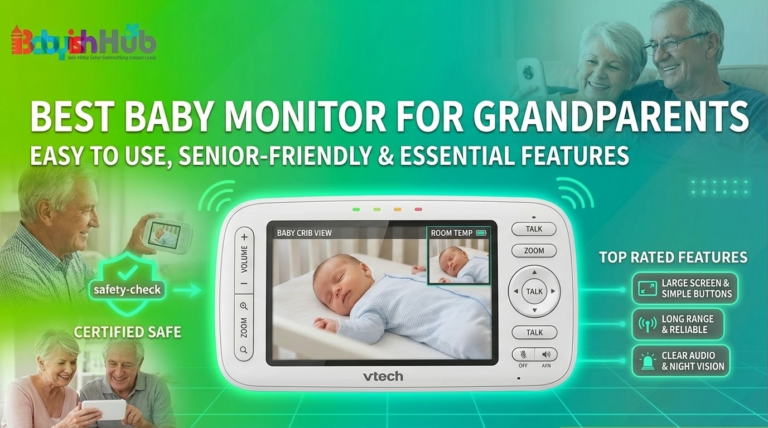
What’s The Best Non-WiFi Baby Monitor for Grandparents?
If grandparents regularly care for your baby, then the best baby monitor to get them is one that screams SIMPLICITY inside out. Forget about all those advanced features.
A non-WiFi baby monitor for grandparents eliminates the need to download apps, connect to home WiFi, or remember login credentials. Most models pair automatically right out of the box, making them much easier for occasional caregivers to use.
I recommend models like the Infant Optics DXR-8 PRO and VTech VM919HD for a grandparent’s house. These units offer dependable performance with straightforward controls.
What’s The Best Non-WiFi Baby Monitor With Motion Detection?
This is one of the questions I hear most, and it deserves an honest answer: True video motion detection, the kind that sends you an alert the instant your baby rolls over or sits up, is a feature that typically depends on an app and cloud processing to analyze the footage in real time.
Because a non-WiFi baby monitor never touches the internet, most models in this category don’t offer that exact feature, and any monitor claiming full AI motion alerts without WiFi is worth double-checking BEFORE you buy.
That said, non-WiFi monitors aren’t leaving you without options. Most of them rely on VOX mode, which activates the screen and increases the volume the moment sound crosses a set threshold. This functions as a practical stand-in for motion alerts since a stirring baby is usually a vocal one long before they’re visibly active on camera.
The VTech VM919HD and Comfyer BM01 both handle VOX particularly well, waking the display quickly without a lag that makes you second-guess what you heard.
For families who specifically want movement, not just sound, some parents pair a non-WiFi video monitor with a separate breathing or movement sensor pad that sits under the crib mattress and triggers a physical alarm if motion stops for a set number of seconds.
These pads work independently of WiFi and video entirely, so they layer onto any monitor on this list without compromising your no-internet setup.
BOTTOM LINE: If visual motion detection is a non-negotiable for you, a WiFi monitor with app-based alerts will serve that need more directly. But if what you’re really after is knowing the moment your baby stirs, a non-WiFi monitor with top-notch VOX performance, like the VM919HD or DXR-8 PRO, paired with a movement sensor pad if you want an extra layer, gets you there without ever putting your nursery feed on the internet.
What Is The Best Non-Wi-Fi Baby Monitor With A Phone App?
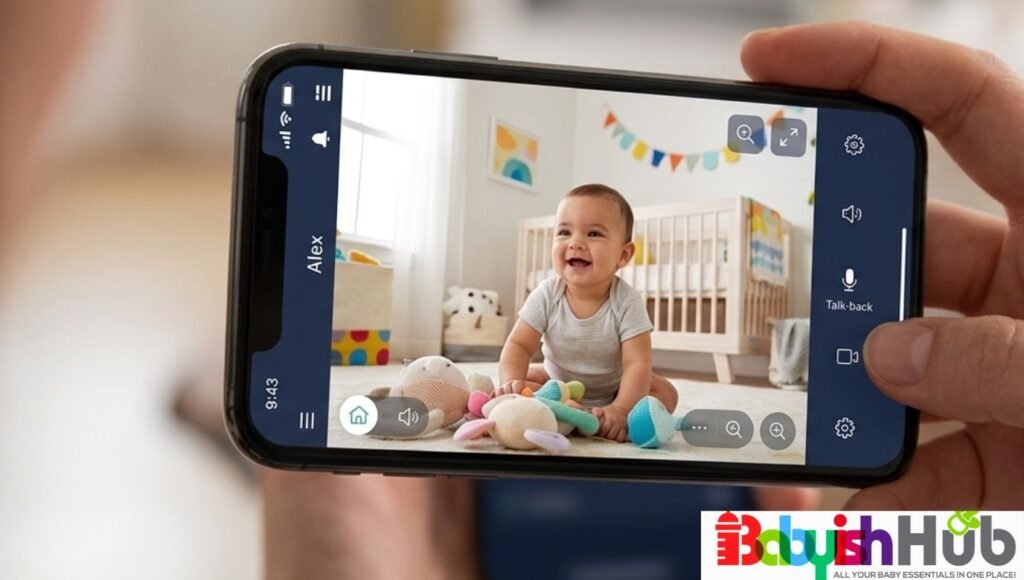
Technically, there isn’t one. A phone app requires an internet or WiFi connection to sync footage from the camera to your phone, which is the exact connection non-WiFi monitors are built to avoid.
Any product marketed as a “non-WiFi monitor with an app” is actually a hybrid system, and the app portion still carries the same online privacy tradeoffs as WiFi monitors.
If remote viewing away from home is more important to you than staying off the internet entirely, a WiFi monitor is the better fit.
If privacy remains your main consideration, pair a true non-WiFi pick like the Infant Optics DXR-8 PRO with a separate WiFi security camera for backup remote peeks, keeping the nursery feed itself off any app.
Infant Optics DXR-8 PRO vs HelloBaby HB6550
These are two of the most popular non-WiFi baby monitors, but they’re designed for different buyers.
The Infant Optics DXR-8 PRO delivers better audio quality, stronger construction, interchangeable lenses, and Active Noise Reduction that filters out background sounds like fans and air conditioners. It’s an excellent investment for parents planning to use the monitor every day for several years.
The HelloBaby HB6550 focuses on value. It includes many premium features such as remote pan, tilt, zoom, and long battery life at a much lower price. While its night vision and overall build quality aren’t as refined as the DXR-8 PRO, it remains a dependable option for budget-conscious families.
If your budget allows, the DXR-8 PRO is the better long-term purchase. If affordability is your priority, the HelloBaby HB6550 offers excellent value.
Babysense Prisma vs Infant Optics DXR-8 PRO SS
Both monitors are excellent choices for families with twins or children in separate rooms, but they approach multi-camera monitoring differently.
The Babysense Prisma excels with its true split-screen display, allowing you to watch both rooms simultaneously. It’s ideal for parents who want constant visual monitoring of two children.
The Infant Optics DXR-8 PRO SS takes a different approach by providing Simultaneous Dual Audio, allowing you to hear activity in both rooms continuously without switching between cameras.
If seeing both children at once is your highest priority, choose the Babysense Prisma. If hearing both rooms simultaneously matters more, the DXR-8 PRO SS is the better option.
Can Non-WiFi Baby Monitors Be Hacked?
Because non-WiFi baby monitors don’t connect to the internet, they are significantly more secure than WiFi-based models. Most use FHSS or DECT technology to create a private connection between the camera and the parent unit.
While no wireless technology is completely immune to interference, there is no cloud account, mobile app, or internet connection for someone to access remotely. For parents who prioritize privacy, this is one of the biggest advantages of choosing a non-WiFi monitor.
RELATED: How To Tell If Your Baby Monitor Is Hacked
Are Non-Wi-Fi Baby Monitors Safe?
Yes. Non-WiFi monitors use a closed, dedicated radio signal, FHSS or DECT 6.0, transmitting only between the camera and parent unit. There’s no cloud account, no app login, and no internet connection for a stranger to remotely access.
This removes the hacking risk tied to WiFi nursery cameras, where breaches typically happen through compromised passwords or exposed cloud storage.
No wireless device is fully immune to interference or hacking, and someone would still need to be within physical range of your home to intercept a signal, a far higher bar than remote hacking. Treat “non-WiFi” as a meaningful privacy upgrade rather than an absolute guarantee.
Best Non-WiFi Baby Monitor Frequently Asked Questions:
Parents looking for baby monitors without internet tend to ask endless questions before buying, so here are answers to the ones that come up most.
Are non-WiFi baby monitors safe?
Yes. Non-WiFi monitors use a closed, dedicated signal like FHSS or DECT 6.0 between the camera and parent unit, with no internet connection or cloud account involved. This removes the hacking risk associated with WiFi cameras, since there’s no remote login point for an outside party to access.
What is FHSS in a baby monitor?
FHSS, or Frequency-Hopping Spread Spectrum, is the technology many non-WiFi monitors use to transmit video and audio. It rapidly switches between frequencies, making the signal both more resistant to interference and essentially impossible for a stranger to intercept.
Can I use a non-Wi-Fi baby monitor for twins?
Yes, several monitors on this list, including the Babysense Prisma and Infant Optics DXR-8 PRO SS, are built specifically for two cameras on one parent unit, either through true split-screen viewing or simultaneous dual audio.
What range do I need for a large house?
Look for monitors rated 1,000 feet or more in open space, since walls and floors typically cut real-world range close to half. For a multi-story or 3,000-square-foot home, the VTech VM919HD or Babysense HD S2 are built to handle that distance reliably.
Do non-WiFi baby monitors work without internet at all, even for setup?
Yes. Setup typically involves powering on both the camera and parent unit, which pair automatically using their dedicated radio frequency. No WiFi network, router, or internet connection is required at any point.
How long does a non-WiFi baby monitor battery typically last?
Most single-camera monitors run 10 to 17 hours in standard mode, with longer ratings, sometimes 30 hours or more, in audio-only or eco mode. Two-camera systems generally run shorter due to the added power draw of a second video feed.
Is a non-WiFi monitor a good choice for travel?
Yes, particularly compact, single-camera models like the Infant Optics DXR-8. Since there’s no WiFi network to reconnect to at a new location, setup at a hotel or relative’s house takes only a couple of minutes.
Final Recommendation
Here’s my honest take as a mom: If you only remember one thing from this whole guide, remember that the best non-WiFi baby monitor is the one that fits how your family lives and not the one with the flashiest features. If you have a big house, prioritize range. If you have twins, you need real dual-camera coverage. If you’re always on the move, go compact and light. I’ve tested enough of these to tell you the fancy extras are far less important than a reliable connection and a battery that survives the night. Trust your gut, match the monitor to your home, and know that whichever pick you land on, you’re choosing privacy and peace of mind over anything a WiFi camera could offer.