Best Baby Monitors That Record: 10 Top Picks With Video Playback (2026)
I didn’t realize how much I would want to go back and watch footage until the night my son rolled over for what I thought was the first time, and I had no way to confirm it. The live feed was great, but without a recording, I was left wondering. That’s when I learned a lesson many parents discover the hard way: do baby monitors record video? Not automatically, and not all of them.
Most monitors stream live video only, and once you look away, that moment is gone. The best baby monitors that record and store footage you can review later, whether you’re checking how a baby slept, reviewing what triggered a motion alert, or watching a caregiver while you’re at work.
This guide only includes monitors with confirmed recording and playback capabilities. Every product below has been verified for how it stores footage, how long recordings are kept, and what the playback experience looks like.
NOTE: This post may contain affiliate links. If you purchase through these links, I may earn a small commission at no extra cost to you.
Top 10 Best Baby Monitors That Record Quick List:
- Nanit Pro: Best overall for continuous sleep recording and history
- CuboAi Smart Baby Monitor 3: Best AI-powered recording monitor
- Owlet Cam 2: Best for event-triggered clip recording and smart alerts
- KAWA S7 2K Baby Monitor: Best no-WiFi monitor with onboard recording and playback
- Nooie 2K Baby Monitor: Best dual SD card and cloud recording options
- Motorola PIP1610 HD Connect: Best hybrid monitor with 24-hour event history
- LeapFrog LF925-2HD: Best subscription-free motion-triggered recording
- VTech RM7766HD: Best standalone monitor with onboard recording
- Lollipop Smart Baby Camera: Best for local WiFi-only storage with privacy focus
- CuboAi Smart Baby Monitor 3 (Floor Stand): Best for 72-hour no-subscription playback
Note: Products 2 and 10 are both CuboAi Monitor 3 configurations (Wall Mount vs Floor Stand). See individual sections for details.
Recording Baby Monitor Comparison Table:
| Monitor | Records Video | Playback | Cloud Storage | SD Card | Continuous Recording | Subscription Required |
| Nanit Pro | Yes | 2-day lookback | Yes (paid plan) | No | Yes (with plan) | Optional ($19.99+/mo) |
| CuboAi Monitor 3 | Yes | 72 hours | Yes | No | Yes | No (free 72hr) |
| Owlet Cam 2 | Yes (clips) | 7 days | Yes | No | Motion-triggered | Optional ($9.99/mo) |
| KAWA S7 2K | Yes | Local playback | No | Yes (microSD) | Yes | No |
| Nooie 2K | Yes | App playback | Yes (paid) | Yes (up to 128GB) | Yes | Optional |
| Motorola PIP1610 HD | Yes | 24-hour event | Yes (Hubble plan) | No | Event-triggered | Optional |
| LeapFrog LF925-2HD | Yes | App playback | No | No (internal) | Motion-triggered | No |
| VTech RM7766HD | Yes | Local on unit | No | No (3-min onboard) | Motion-triggered | No |
| Lollipop | Yes | App playback | Yes (paid tiers) | No | Motion-triggered | Optional ($4.99+/mo) |
| CuboAi Monitor 3 (Floor) | Yes | 72 hours | Yes | No | Yes | No (free 72hr) |
10 Best Baby Monitors That Record
Here are the leading baby monitors that record, making it easy to review important moments while keeping a close eye on your baby’s safety and routine.
1. Nanit Pro
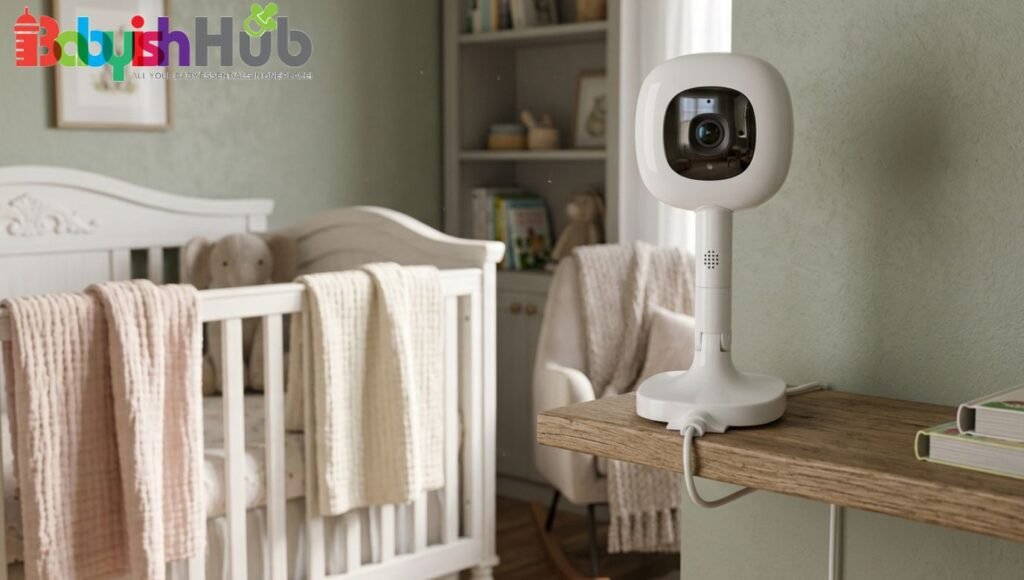
Best for: Parents who want a detailed, data-driven sleep history alongside video recording and don’t mind a subscription model in exchange for comprehensive sleep tracking.
The Nanit Pro records continuous video history through its paid Insights Sleep Plan. Without a subscription, you get a live 1080p HD stream, motion and sound alerts, and manual care logs. With the plan (from $19.99/month), you unlock a 2-day video look-back, an auto-captured nightly sleep summary that includes a sped-up overnight video of all your baby’s movements, personalized sleep analytics, and automatic milestone capture.
This recordable monitor offers cloud storage only. There is no SD card slot or local storage option. All videos are encrypted with 256-bit AES and secured with two-factor authentication. If your WiFi goes down, the Nanit Pro cannot record or even stream; there is no offline fallback.
- How long recordings are kept: The standard paid plan includes 2 days of video look-back. The Memories Plan adds extended video storage. Recordings expire past the plan window and cannot be recovered.
- Playback experience: Playback happens entirely through the Nanit app on iOS or Android. You can scrub through the nightly sleep summary, which includes tagged events like waking, sleeping, and caregiver visits, making it easy to find specific moments without scrolling through raw footage.
- Video quality: 1080p HD with automatic infrared night vision. Crystal-clear day and night, with no visible red-light glow for night vision.
Pros: Industry-leading sleep analytics, clear 1080p video, breathing motion tracking via the Breathing Band, two-factor authentication, 256-bit encryption, multi-user access with permission controls, compatible with Alexa and Google Home.
Cons: No local storage means the monitor is completely non-functional without WiFi. Subscription required for any recording or playback feature. Multiple children require separate paid plan subscriptions. The subscription cost adds up significantly over the first year.
2. CuboAi Smart Baby Monitor 3 (Wall Mount)
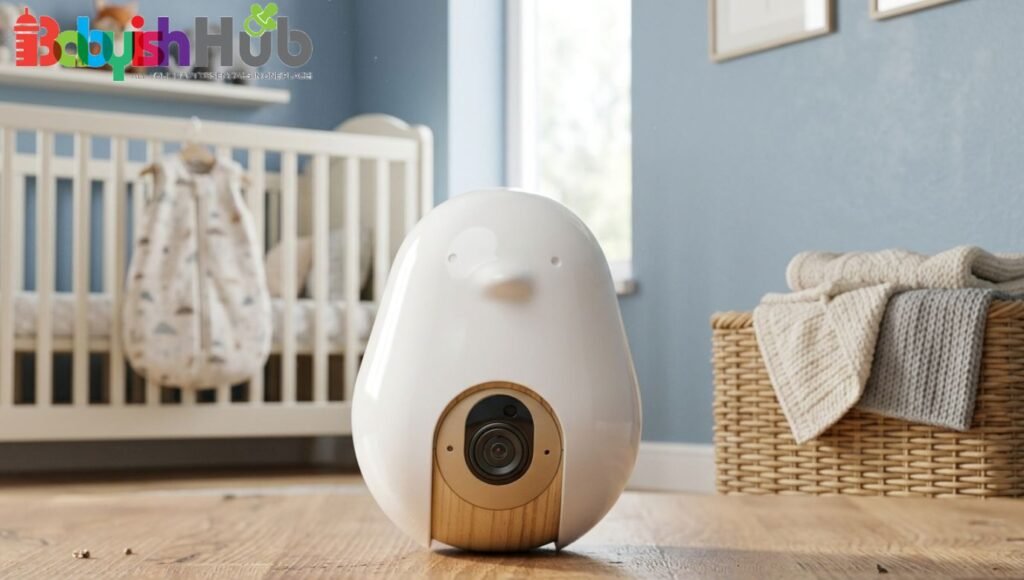
Best for: Parents who want the best AI safety alerts, plus strong free recording and playback, without committing to a monthly subscription.
The CuboAi Smart Baby Monitor 3 records 72 hours of continuous video playback with NO subscription required. This is one of the strongest free recording windows in the category. The AI suite includes covered face detection, rollover alerts, cry detection, cough detection, and a danger zone fence, all of which trigger tagged events in the playback timeline for easy review.
This monitor has cloud-based storage for your baby recordings. All video and photos are encrypted, and the monitor is CTIA Cybersecurity Certified and PSTI Certified. The footage is accessible through the CuboAi app for up to 3 full days without a paid plan.
- How long recordings are kept: 72 hours (3 full days) of playback, no subscription needed. A growth tracker and moments wall are also included for free.
- Playback experience: Playback is accessed through the CuboAi app with key moment tagging, so you can jump directly to flagged events like cry alerts or rollover detections rather than scrubbing through raw footage. Up to 8 family members can access the feed simultaneously.
- Video quality: 2.5K QHD resolution with 940nm invisible infrared night vision (no red glow). Color and detail are among the best in the category, and AI notifications arrive 6x faster than the previous generation.
Pros: 72-hour free cloud playback with no subscription, 2.5K QHD resolution, invisible night vision, covered face and rollover AI alerts, cough detection, 8 simultaneous users, moments wall, growth tracker, CTIA Cybersecurity Certified.
Cons: Requires WiFi at all times; no local storage or offline mode. The covered face alert can generate false positives on loose sleep sacks. Only available as a floor stand or wall mount (no dedicated parent display unit).
3. Owlet Cam 2
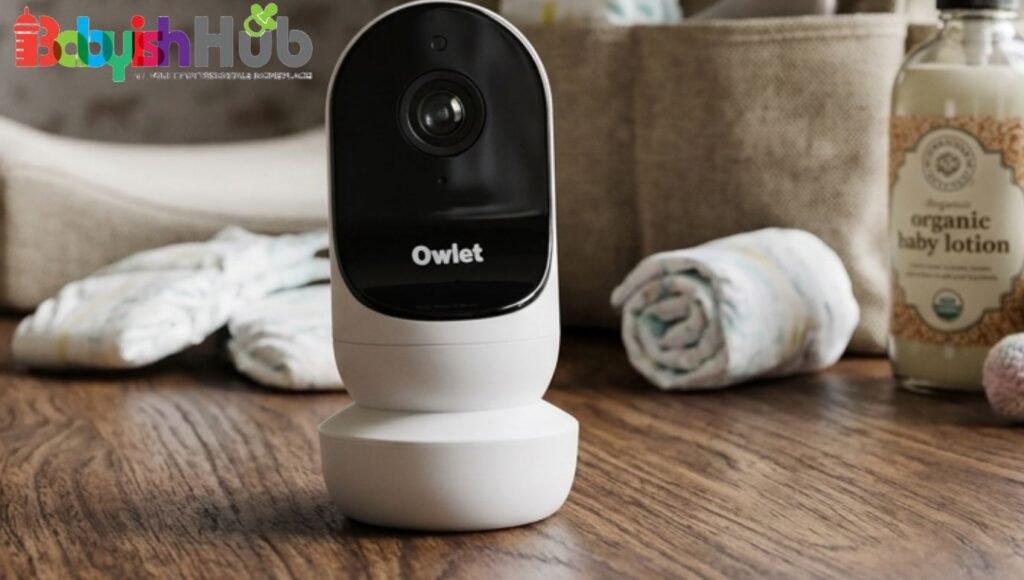
Best for: Parents who primarily want to review why their baby woke up or was crying, rather than a full overnight recording they can scrub through.
The Owlet Cam 2 records short video clips triggered by sound, motion, and cry detection events. Each clip is approximately 10 seconds long and captures 3 to 5 seconds of footage before the triggering event, so you can see what caused the alert. This event-clip approach is different from continuous recording. It does not capture uninterrupted overnight footage, but it does give you a library of the best moments.
The recorded footage is stored in the cloud via the Owlet Dream App. The free tier includes 48 hours of clip storage. The optional Owlet360 plan ($9.99/month) extends storage to 14 days and adds a personalized morning sleep report and comparative sleep data.
- How long recordings are kept: 48 hours on the free plan; 14 days with Owlet360. Clips expire automatically and cannot be recovered once deleted. Clips can be saved to your device before expiration.
- Playback experience: Clips are accessible through the Owlet Dream App in your child’s daily history or from the home screen. Each clip shows a thumbnail preview so you can identify the event before watching. The app also supports background audio, so you can monitor while using other apps on your phone.
- Video quality: 1080p HD with automatic night vision and 4x digital zoom. Wide-angle lens covers the full crib area. Encrypted with AES 128-bit and secure TLS for streaming.
Pros: No subscription required for basic clip recording, 4x zoom, wide-angle view, cry detection, 48-hour free cloud storage, predictive sleep technology, background audio mode, compatible with dual-band WiFi.
Cons: Does not record continuously; only captures clips around detected events. Free storage window of 48 hours is shorter than that of competitors. No SD card slot. Fully WiFi-dependent with no offline mode. Some users report occasional WiFi connectivity issues requiring re-pairing.
4. KAWA S7 2K Baby Monitor
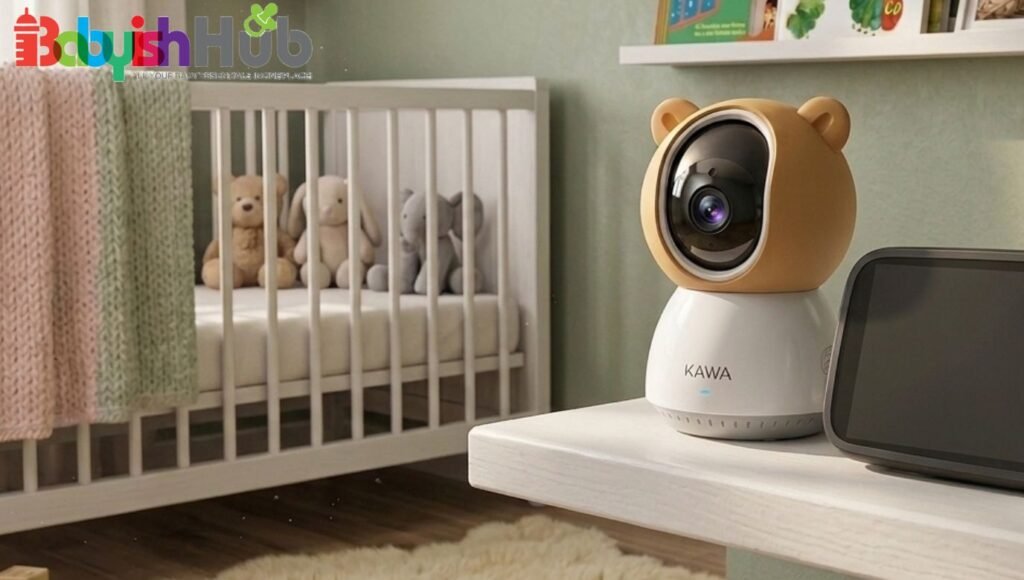
Best for: Parents who want a baby monitor that records all night with no internet dependency, no subscription, and no data leaving the home. This monitor is especially useful in areas with unreliable WiFi.
The KAWA S7 is one of the best answers to the question of whether you can get a baby monitor that records without WiFi. It does not require internet connectivity at any point. Recording is done directly to a microSD card inserted into the unit, and playback happens locally on the 5-inch parent screen. It supports TF/microSD cards and records in both continuous and motion-triggered modes.
This recording monitor utilizes local SD card storage only. No cloud, no app required, no internet dependency. This is the defining advantage of the KAWA S7 for parents who want a baby monitor with recording and playback, no WiFi setup needed.
- How long recordings are kept: Determined entirely by SD card capacity. There are no rolling deletion windows or subscription tiers. You control your own storage.
- Playback experience: Footage plays back directly on the 5-inch parent unit display. You can review recordings without any app or internet connection. The 2K QHD resolution holds up well during playback.
- Video quality: 2K QHD resolution with automatic infrared night vision. 4x digital zoom, 180-degree flip, and a temperature sensor for room monitoring.
Pros: No WiFi required at any point, no subscription, complete local privacy, large 4000mAh battery for up to 12+ hours of portable use, 2K resolution, 2-way talk, 1000ft transmission range, split-screen for two cameras.
Cons: No remote access from outside the home. No app control. Storage is limited to the SD card you supply (typically up to 128GB). No AI features or smart alerts.
5. Nooie 2K Smart Baby Monitor
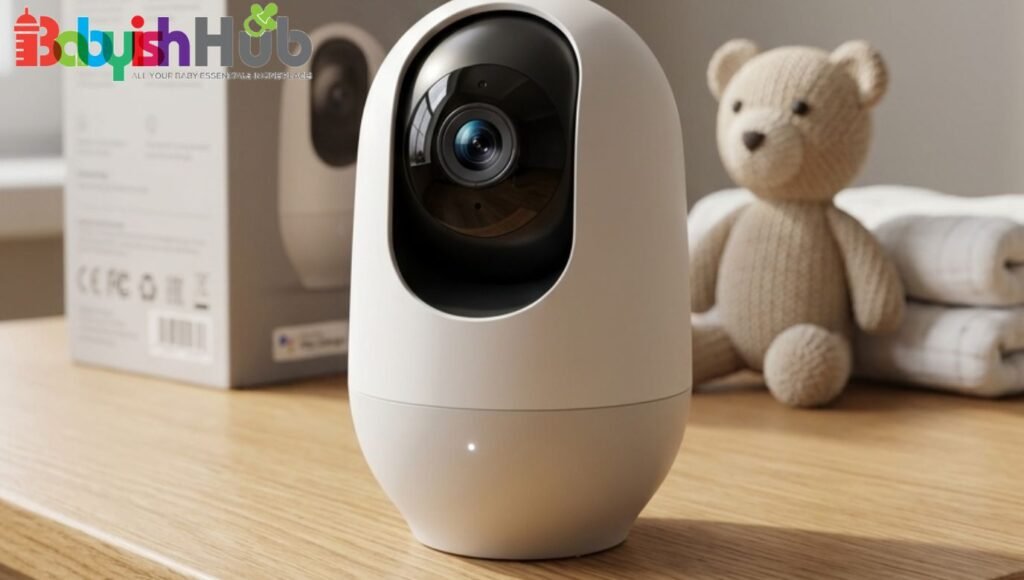
Best for: Parents who want maximum flexibility in how they store footage, with both local backup and cloud access available without being locked into a single storage method.
The Nooie 2K monitor supports both local microSD card storage and cloud recording simultaneously, which gives parents more flexibility than any other single option on this list. Motion and cry detection trigger automatic clip recording, and the camera supports continuous recording when storage allows. The 360-degree pan and tilt with AI motion tracking keep your baby in frame as they move.
The monitor supports a microSD card (4GB to 128GB, Class 6 or higher) for local storage, plus optional cloud storage through the Nooie app. This dual-path storage means you have a local backup even if the cloud subscription lapses, which is a meaningful practical advantage for families who want redundancy. All data transmission uses HTTPS encryption and Transport Layer Security.
- How long recordings are kept: Local SD card storage is limited only by card capacity. Cloud retention depends on your chosen Nooie+ plan tier. The event-based plans start around $1 to $3 per month for a 7- to 30-day history.
- Playback experience: Footage is reviewed through the Nooie app on iOS or Android. You can replay stored video from either the SD card or the cloud, download clips, and share moments with family members. Up to multiple users can access the live feed simultaneously.
- Video quality: 2K HD resolution with 850nm IR LEDs for night vision that sees clearly in full darkness without disturbing the baby. Temperature sensor with alerts included.
Pros: Dual SD card and cloud storage, no mandatory subscription, 360-degree motion tracking, 2K resolution, cry and motion detection, two-way audio, works with Alexa, encrypted data transmission, 12-month warranty.
Cons: The SD card is sold separately. Cloud features require a paid subscription. Requires WiFi. Some long-term users report app connectivity improvements needed after firmware updates.
6. Motorola PIP1610 HD Connect
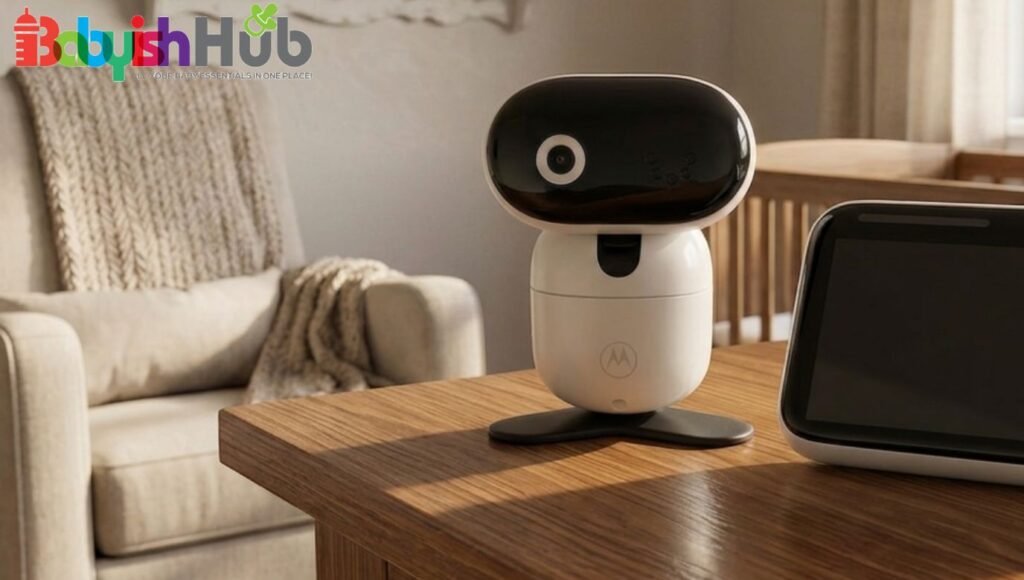
Best for: Parents who want the familiarity of a traditional handheld parent unit display alongside the convenience of app-based event recording and remote access.
The Motorola PIP1610 HD Connect provides 24-hour event monitoring and streaming through both a dedicated 5-inch parent display unit and the Hubble Connected app. It captures event-triggered recordings and streams live via WiFi when connected, making it a genuine hybrid: you get a traditional parent unit for home use and app-based remote access and history when you’re away.
Your baby’s footage is stored in the cloud through the Hubble Connected app. There is no onboard SD card slot. The Hubble Baby Plan (optional paid subscription) extends video history retention. The free tier provides access to the live stream and basic event clips.
- How long recordings are kept: 24-hour event monitoring is available free through the Hubble app. An extended history requires a Hubble service plan. Clip downloads allow you to save footage to your device.
- Playback experience: Playback is available through the Hubble Connected app. The 5-inch parent unit displays live feed directly without requiring internet, which makes this one of the better hybrid options for families who want a physical display but also want app-based recording review.
- Video quality: 1080p HD with remote pan, tilt, and zoom. Infrared night vision with automatic activation. Room temperature monitoring included.
Pros: Physical 5-inch parent display unit included, remote pan/tilt/zoom from the app, 24-hour event history, two-way talk, room temperature monitoring, Hubble app integration for remote access.
Cons: No SD card storage. Cloud recording beyond the free 24-hour window requires a paid Hubble plan. Fully dependent on WiFi for app features and recording. The free plan’s recording history is limited compared to competitors.
7. LeapFrog LF925-2HD
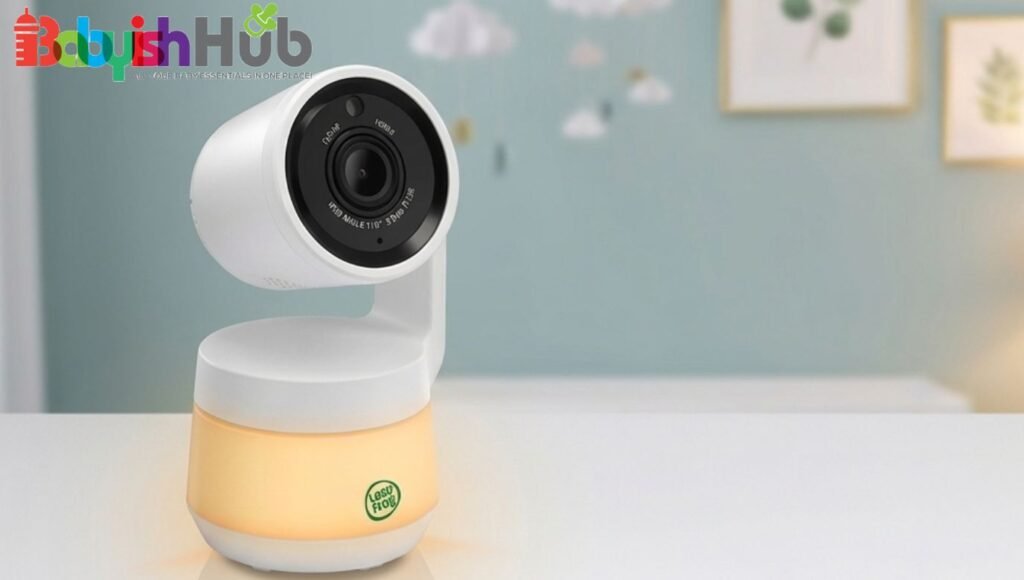
Best for: Parents who want motion-triggered recording with free app playback and no monthly subscription, especially families monitoring two rooms with two cameras.
The LeapFrog LF925-2HD supports motion-triggered video recording that saves directly to the unit and can be reviewed through the LeapFrog BabyCare app at no subscription cost. This is one of the few monitors in the category that offers recording and app-based playback completely free, with no rolling subscription required.
The unit has internal storage for storing the recorded footage, which you can review via the LeapFrog BabyCare app. The unit has no SD card slot. Recordings are motion-triggered rather than continuous. Two cameras are included, with split-screen viewing and patrol mode (alternating between cameras every 10 seconds).
- How long recordings are kept: The device retains a limited number of motion-triggered clips in internal storage. The BabyCare app allows playback without a subscription. Older clips are overwritten as new ones are recorded.
- Playback experience: Accessible through the LeapFrog BabyCare app with no fees. The app also supports free remote access from outside the home, color night vision viewing, and WeeSleep sound and light profiles.
- Video quality: 1080p HD camera with color night vision, 360-degree pan, 133-degree tilt, and 8x zoom. A 5-inch, 720p HD parent display unit is included.
Pros: No subscription required for recording or app access, two cameras included, 360-degree pan and tilt, color night vision, 8x zoom, split-screen and patrol mode, two-way talk, temperature and humidity sensor, WeeSleep integration, and completely free remote access.
Cons: Motion-triggered recording only; no continuous overnight recording. Internal storage is limited, and older clips are overwritten. No SD card expansion. Requires WiFi for app recording and remote access features.
8. VTech RM7766HD
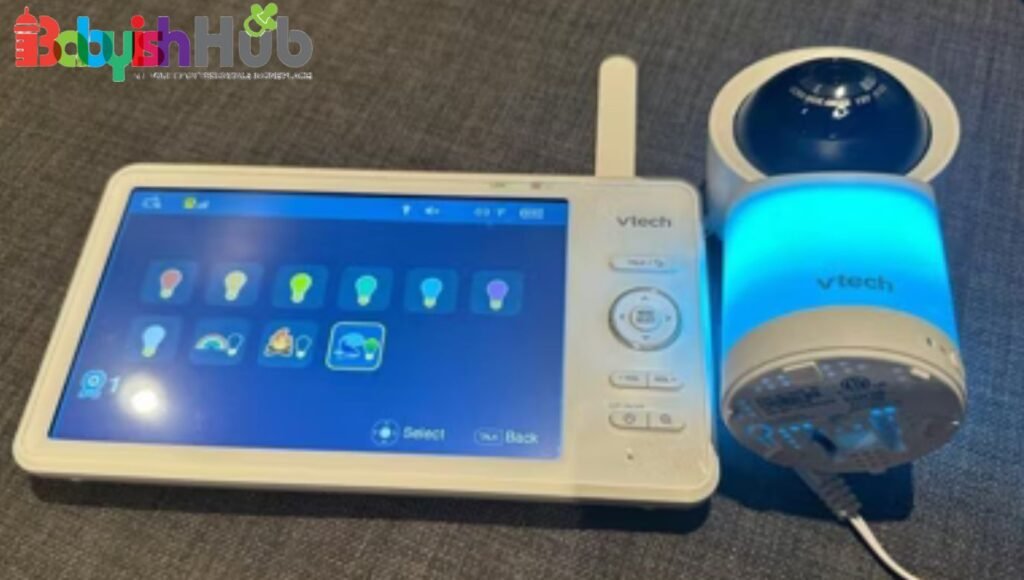
Best for: Parents who want a simple, self-contained monitor with basic recording that works without WiFi or subscriptions, and who primarily want to replay short clips rather than review overnight footage.
Does VTech baby monitor record? Yes, the VTech RM7766HD includes on-board recording of up to 3 minutes directly to the parent unit. It records motion-triggered clips that play back on the 7-inch parent display without requiring WiFi, an app, or any subscription. It’s a straightforward, no-dependency recording option built into a traditional monitor.
The recorded footage of your little one is stored in the onboard internal storage in the parent unit. No SD card required. No cloud storage. No internet required for recording or playback. WiFi connectivity is optional and expands features, but is not needed for the core recording function.
- How long recordings are kept: The 3-minute onboard recording limit is the key limitation here. This is a short-clip recording for capturing a specific moment, not extended overnight storage. Recordings can be viewed on the 7-inch parent unit display.
- Playback experience: Playback happens directly on the 7-inch LCD parent unit. No phone or app needed. This makes it the most self-contained recording option on the list for parents who want a simple, offline experience.
- Video quality: 1080p camera with 2K CMOS sensor, 24x zoom from the parent unit (30x via the app), 360-degree pan, 110-degree tilt, automatic infrared night vision. The 7-inch parent display is one of the largest in the category.
Pros: No WiFi needed for recording or playback, no subscription, no app required, large 7-inch parent display, 360-degree pan and tilt, 24x zoom, color night light, temperature sensor, soothing sounds, and long battery life up to 12 hours.
Cons: The 3-minute onboard recording limit is very short; it captures brief moments rather than overnight sleep footage. For extended recording, this monitor does not compete with cloud or SD card alternatives. WiFi is needed to unlock app features like remote access.
9. Lollipop Smart Baby Camera
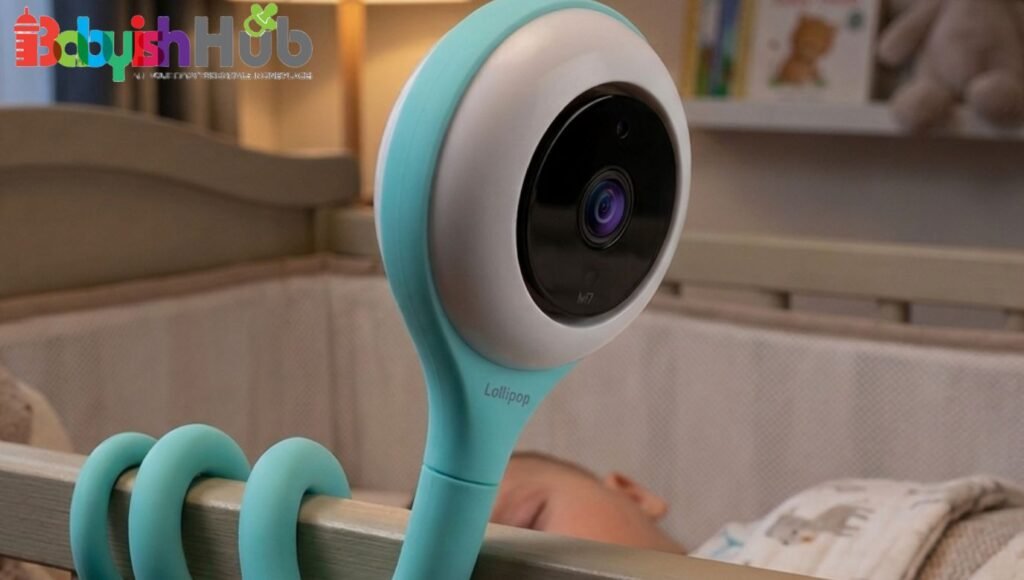
Best for: Privacy-conscious parents who want the option to keep all footage within their home network and not upload to external cloud servers, without giving up app-based monitoring.
The Lollipop Smart Baby Camera offers a privacy-first recording option: it can be set to stream and record audio and video only within your local WiFi network, with no data sent to external servers. This local network mode makes it one of the few monitors that lets parents keep all footage entirely within their own home while still having cloud recording available as an optional upgrade.
The Lollipop uses cloud-based rolling storage through the Lollipop app, with subscription tiers offering different history windows. The distinctive privacy option is the local WiFi-only mode, which keeps footage on the home network rather than uploading it externally. Motion and cry detection trigger clip capture, reviewable in the app.
- How long recordings are kept: Depends on the chosen plan tier. The free Basic plan offers limited clip storage. Paid tiers unlock longer rolling history. Clip downloads allow saving to a device.
- Playback experience: Footage is reviewed through the Lollipop app with a clean timeline interface. Alert clips are tagged by event type. The app supports multiple cameras and Alexa and Google integration.
- Video quality: 1080p Full HD with Sony Starvis CMOS sensor, 128-degree field of view, infrared night vision with automatic switching. No pan-tilt motor; the flexible silicone wrap can be manually adjusted and adhered to different surfaces.
Pros: Local WiFi-only mode for maximum data privacy, 1080p with Sony Starvis sensor, multiple camera support, cry and motion detection, flexible mounting on virtually any surface, Alexa and Google integration, and audio-only mode for reduced screen time.
Cons: No pan-tilt motor. No SD card slot. No dedicated parent display unit. Recording beyond the free tier requires a paid subscription. Not suitable for homes with unreliable WiFi.
10. CuboAi Smart Baby Monitor 3 (Floor Stand)
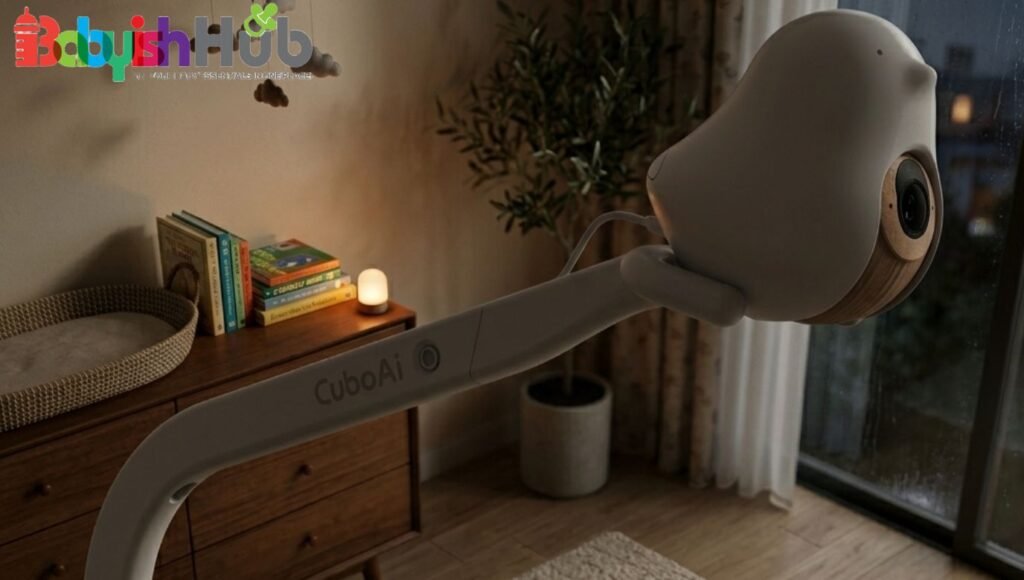
Best for: Families who want the full CuboAi recording and playback feature set in a portable, no-drill configuration. This is highly useful during the newborn stage when babies move between the bassinet and crib frequently.
The floor stand version of the CuboAi Smart Baby Monitor 3 delivers identical recording and playback capabilities to the wall mount version listed as pick #2. This includes a 72-hour free playback, 2.5K QHD, invisible night vision, and full AI safety alerts. It delivers all this in a configuration better suited to parents who want easier camera repositioning/mounting without drilling the wall.
The mobile base makes it simple to move the camera between a bassinet in a bedroom and a crib in a nursery, or to adjust the camera angle as a baby grows and moves to different sleep surfaces. The floor stand also comes with the same mobile stand as the wall mount set, giving two positioning options in a single purchase.
Pros: All the benefits of the CuboAi Monitor 3, plus easier repositioning between rooms and sleep surfaces, no drilling required, same 72-hour free cloud playback, same AI safety alert suite.
Cons: A floor stand camera can be knocked over or shifted by pets or toddlers. Requires the same WiFi connection as the wall mount version. No offline recording mode.
How We Selected These Baby Monitors
Every monitor on this list was verified for the following before inclusion:
- Confirmed recording functionality: We only included monitors that demonstrably record video (not just snapshots) and make that footage available for later review. Monitors that stream live-only with no playback were excluded regardless of other quality.
- Playback reliability: We looked at how footage is accessed, whether through an app, a parent unit, or both, and whether the playback experience is practical or buried behind complicated menus.
- Storage flexibility: Monitors range from cloud-only to SD card-only to dual storage. We noted which approach each monitor uses and which type of parent would benefit most from each.
- Video quality: All monitors on this list record at 1080p or higher. Night vision quality was evaluated since most monitoring happens in low-light conditions.
- Security and encryption: We confirmed encryption standards for all cloud-based monitors. Local storage monitors were noted for their offline-only privacy advantage.
- User reviews and long-term performance: Long-term user feedback on app reliability, connectivity stability, and recording consistency shaped which products made the final list.
What To Look For In A Baby Monitor That Records
Choosing the right baby monitor that records involves more than comparing video quality. Features like storage options, night vision, motion detection, battery life, and privacy protections can make a significant difference in how well the monitor fits your family’s needs.
Before making a purchase, consider the key factors below to find a model that offers you both convenience and peace of mind:
Recording Type
Before choosing a baby monitor that records, it’s important to understand how different recording modes work. Each option offers a different balance of storage efficiency, convenience, and coverage:
- Continuous 24/7 recording captures everything from bedtime to morning, giving you a complete overnight record to scrub through. The Nanit Pro (with subscription) and CuboAi Monitor 3 both offer this.
- Motion-triggered recording only captures clips when the camera detects activity. This saves storage but means quiet stretches are not recorded. The Owlet Cam 2 and LeapFrog LF925-2HD use this approach.
- Sound-triggered recording activates on detected audio, including crying. Many monitors combine motion and sound triggers in the same system.
Storage Method
How a baby monitor stores recordings affects how easily you can access footage and how much video you can keep. Understanding the available storage methods will help you choose the best option for your needs.
- Cloud storage stores footage on remote servers accessible from anywhere via an app. It requires WiFi and an account but offers unlimited capacity (with a paid plan) and access from any device.
- MicroSD card stores footage locally on the monitor itself. It works without internet but requires physical access to retrieve footage and has a capacity ceiling based on card size.
- Internal memory is built into the device itself, as with the VTech RM7766HD’s 3-minute onboard clip buffer. It’s simple but severely limited in capacity.
- NVR or hub-based storage is less common in baby monitors but allows a central recording hub to store footage from multiple cameras simultaneously.
Playback Features
Look for timeline scrubbing (the ability to drag through footage rather than watching from the beginning), event history with tagged moments, clip download capability, and search by date and time. The CuboAi Monitor 3 and Nanit Pro both offer tagged event timelines that make finding specific moments significantly faster.
Recording Retention
Most cloud monitors offer 24 hours to 7 days of free storage and extend to 14 to 30 days with a paid plan. SD card monitors keep footage until the card fills and older footage is overwritten. Check the retention window of any monitor you’re considering before buying (a 24-hour window can feel short after the fact).
Video Quality
At a minimum, look for 1080p resolution and automatic infrared night vision. 2K and 2.5K options (CuboAi Monitor 3, KAWA S7, Nooie 2K) offer meaningfully sharper detail for reviewing footage, particularly during overnight playback when identifying small movements matters.
Privacy and Security
Cloud-connected monitors should use at minimum 256-bit encryption and offer two-factor authentication. Monitors with local-only storage, like the KAWA S7, eliminate cloud exposure. The Lollipop’s local WiFi-only mode sits between these extremes, keeping footage on the home network without external upload.
Related: 5 Best Non-WiFi Baby Monitor Picks For Privacy and Security
Cloud Recording vs SD Card Recording: Which Option Should You Choose?
Understanding how WiFi baby monitors store recordings clarifies which storage type fits your family’s priorities.
- Cloud storage is convenient, accessible from anywhere, and doesn’t require managing physical media. The tradeoff is that it almost always requires WiFi, often requires a subscription for meaningful retention, and places your footage on external servers.
- SD card storage keeps footage entirely local, requires no subscription, and works without internet. The tradeoffs are physical media management, limited capacity, and no remote access to footage from outside the home.
- Cost: SD card storage has no recurring cost beyond the initial card purchase. Cloud storage usually requires a monthly subscription for recording beyond a short free window.
- Reliability: A local SD card records regardless of internet status. Cloud recording stops if WiFi goes down.
- Privacy: SD card and local storage options give parents complete control over where footage lives. Cloud storage requires trusting the manufacturer’s security practices.
- Internet dependency: SD card monitors like the KAWA S7 work as a baby monitor that records without WiFi entirely. Cloud monitors stop recording if the connection drops.
Common Mistakes To Avoid When Buying A Baby Monitor That Records
It’s easy to get caught up in flashy features or low prices, but a few common mistakes can leave you with a baby monitor that doesn’t meet your needs. Keep these tips in mind to choose a recording baby monitor you’ll love using every day:
- Assuming all baby monitors record: Most monitors stream live video only. If recording and playback are important to you, verify this specifically before buying. Recording is NOT a universal feature.
- Ignoring subscription costs: Several top monitors have compelling free tiers but require a paid subscription to unlock recording history beyond 24 to 48 hours. Calculate the total first-year cost, including hardware and expected subscription, before comparing prices.
- Overlooking storage capacity: A 24-hour cloud window or a 3-minute onboard buffer may feel limiting the first time you want to review overnight footage. Know the storage window before you need it.
- Buying a monitor that only saves snapshots instead of videos: Some monitors trigger photo capture rather than video recording when motion or sound is detected. Snapshots don’t give you the context of a video clip and are not a substitute for recording.
- Not checking whether playback is available in the app: A baby monitor that records footage but buries playback behind a clunky interface or doesn’t include timeline scrubbing is significantly less useful in practice than one with clean, searchable playback. Check app reviews specifically for the playback experience before buying.
Best Baby Monitor With Recording And Playback FAQs
Still have questions? Here are answers to some of the most common questions parents ask about baby monitors with recording and playback features to help you find the best fit for your family.
Which baby monitor records continuously?
The Nanit Pro records continuously with a paid Insights Sleep Plan, storing a full nightly record available for a 2-day look-back. The CuboAi Smart Baby Monitor 3 records continuously with 72 hours of free cloud playback, no subscription required. The KAWA S7 records continuously to a local microSD card without WiFi.
Can I watch baby monitor footage from previous days?
Yes, with the right monitor. The CuboAi Monitor 3 provides 72 hours (3 days) of footage free. The Nanit Pro provides 2 days with a paid subscription. The Owlet Cam 2 keeps event clips for 7 days (or 14 days with Owlet360). SD card monitors like the KAWA S7 keep footage as long as the card has space.
Do baby monitors record without a subscription?
Several units do. The CuboAi Smart Baby Monitor 3 records 72 hours of free playback. The KAWA S7 records to a local SD card with no subscription. The LeapFrog LF925-2HD records motion-triggered clips with free app playback. The VTech RM7766HD saves short clips onboard without any subscription or internet.
Which baby monitors save video to an SD card?
The KAWA S7 is the strongest SD card recording option on this list, supporting continuous or motion-triggered recording to a microSD card with no WiFi required. The Nooie 2K monitor also supports SD card storage (up to 128GB) alongside cloud recording.
Are recordings stored securely?
Cloud-based monitors on this list use encryption ranging from AES 128-bit (Owlet) to AES 256-bit (Nanit). CuboAi holds CTIA Cybersecurity Certification. The safest option from a data exposure standpoint is a local-only SD card monitor like the KAWA S7, where footage never leaves the device.
How much storage do I need for baby monitor recordings?
For event-triggered recording (clips only), a 32GB card can store months of footage since individual clips are short. For continuous 24/7 recording, a 32GB card holds approximately 4 days of 1080p footage. A 128GB card extends this to roughly 2 weeks of continuous recording before older footage is overwritten.
Key Takeaways
At the top of our list of overall best baby monitors that record is the CuboAi Smart Baby Monitor 3; it delivers 72 hours of free cloud playback, 2.5K QHD video, and the strongest AI safety alert suite in the category without any mandatory subscription.
For the best subscription-free local recording option, the KAWA S7 2K Baby Monitor records continuously to a microSD card with no WiFi, no cloud, and no recurring cost. It’s the clearest answer for parents who want a baby monitor with recording and playback that operates entirely offline.
For the best budget option with recording, the LeapFrog LF925-2HD offers motion-triggered recording with free app playback, two cameras, and color night vision at a reasonable price with no subscription required.
For the best premium option, the Nanit Pro pairs the most comprehensive sleep analytics in the category with continuous video history, but the subscription cost is meaningful and should be factored into the true comparison.
Before you buy any baby video monitor, make sure it can record and let you play back the footage. This is one of the most important features, and it’s easy to assume it’s included when it isn’t.